內容簡介
您可以在這裡使用免費的測試網站試用此外掛 => https://demo.tastewp.com/read-more-excerpt-link
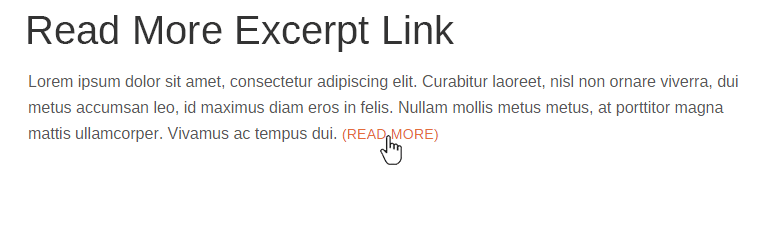
當 WordPress 摘錄發佈內容時,它會裁切內容,並在末尾添加省略號 […]。此外掛會將省略號改為一個「閱讀更多」的連結,指向完整的發佈內容。
您可以從 WordPress 設置菜單中的「Read More Excerpt」子菜單更改「閱讀更多」連結的文字。
同樣在「Read More Excerpt」子菜單中,您可以指定摘錄的字詞長度(WordPress 的預設值為 55 個字詞)。
此外,您可以強制顯示「閱讀更多」連結,即使已輸入摘要或者向內容中添加了「閱讀更多」標籤。您可以在「Read More Excerpt」子菜單中開啟「Show More Frequently」的選框實現。
「閱讀更多」連結使用 read-more-link 類,因此您可以按照自己的喜好自由進行樣式設置。
外掛標籤
開發者團隊
原文外掛簡介
Try it out on a free dummy site here => https://demo.tastewp.com/read-more-excerpt-link
When WordPress makes an excerpt from your post content, it crops the content and adds an ellipsis […] to the end. This plugin changes the ellipsis to a Read More link to the full post content.
You can change the Read More link text to anything you wish from the Read More Excerpt submenu on the WordPress Settings menu.
Also from the Read More Excerpt submenu, you can specify the excerpt word length (WordPress defaults to 55 words).
Additionally, you can force the Read More link to show even when an excerpt is entered or when a read more tag is added to the content. This is turned on from the Read More Excerpt submenu with the Show More Frequently checkbox.
The Read More link uses the class read-more-link, so you can stylize the link any way you wish.