
內容簡介
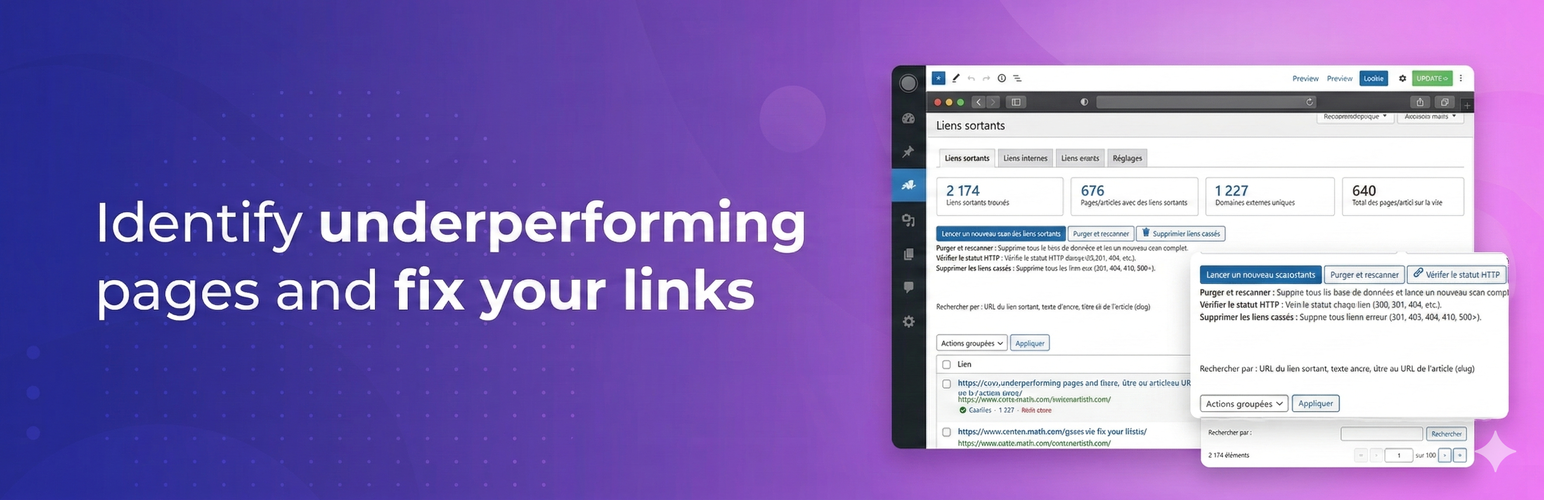
Rc2i Content Pruning 是一款全方位的 WordPress 外掛,旨在審核、清理及優化內容,以提升 SEO 效能。透過數據分析,幫助使用者決定哪些頁面應保留、更新或刪除。
【主要功能】
• 自動掃描所有外部連結
• 內部連結結構完整地圖
• 識別孤立頁面及其流量統計
• 一鍵整合 Google Search Console
• 批次刪除壞連結功能
• 提供頁面流量及關鍵字分析
外掛標籤
開發者團隊
原文外掛簡介
Rc2i Content Pruning is the all-in-one WordPress plugin to audit, clean up, and optimize your content for better SEO. Stop guessing which pages to keep, update, or remove — let the data decide.
Documentation & Getting Started | Support | Website
Why Content Pruning?
Over time, every WordPress site accumulates underperforming pages, broken links, and orphan content that drag down your SEO. Content pruning helps you:
Improve crawl budget — search engines focus on your best content
Boost rankings — removing or consolidating weak pages strengthens your domain
Fix broken links — stop losing link juice and frustrating visitors
Strengthen internal linking — make sure every page is discoverable
Key Features
Outbound Links Scanner (External/Externes)
Automatic scan of all outbound links across your site
HTTP status verification (200, 301, 404, 500, etc.)
One-click bulk deletion of broken links
Inline link editing (URL, anchor text, target, nofollow)
Purge and full rescan
Domain exclusion list (YouTube, social networks, etc.)
External = links to websites outside your domain
Internal Links Analysis (Outgoing/Sortants)
Complete map of your internal linking structure
Detection of pages with no outgoing internal links (pages that don’t distribute link juice)
Internal link count per page with detail popup
Outgoing = links this page sends to other pages on your site
Incoming Links & Orphan Pages (Entrants)
Identify orphan pages (no internal links pointing to them)
Incoming link statistics per page with detail popup showing source pages
Visual page distribution chart
Incoming = links from other pages on your site pointing to this page
Page Traffic (Google Search Console)
One-click Google Search Console integration — no Google Cloud project needed
View impressions, clicks, CTR, and average position per page
See Search Console keywords for each page
Find pages with zero impressions
Delete underperforming pages with automatic 301 redirect
Additional Tools
Article debug — detailed link analysis of any single article
Bulk comment deletion
301 redirect manager
Google Search Console Integration
Connect to Google Search Console in one click via secure OAuth 2.0. No Google Cloud project or API key required — the plugin handles everything for you in Simple mode. Advanced users can provide their own credentials if preferred.
External Services
This plugin connects to external services to retrieve traffic and search data for your website. All connections require explicit user consent through OAuth 2.0 authentication.
OAuth Relay Server
What it is: A relay server operated by Rc2i (hosted at seopilote.fr) that handles Google OAuth authentication on behalf of the plugin
What it’s used for: Securely managing the OAuth 2.0 flow so users don’t need to create a Google Cloud project. The relay exchanges authorization codes for access tokens using credentials stored server-side.
Data sent: OAuth authorization code, exchange tokens
Data NOT sent: The relay never receives your Google Search Console data. All API data calls are made directly from your WordPress site to Google.
When: When you click “Connect to Google” in the plugin settings
Service URL: https://seopilote.fr/
Privacy Policy: https://seopilote.fr/politique-confidentialite
Terms of Service: https://rc2i.net/
Google OAuth 2.0
What it is: Google’s authentication service
What it’s used for: Authenticating users to access Google Search Console API
Data sent: Authorization code, client credentials (Client ID)
When: When you click “Connect to Google” in the plugin settings
Privacy Policy: https://policies.google.com/privacy
Terms of Service: https://policies.google.com/terms
Google Search Console API
What it is: Google’s API for accessing Search Console data
What it’s used for: Retrieving search impressions, clicks, CTR, position data, and keywords for your pages
Data sent: Your website URL, date ranges for data queries
When: When you click “Synchronize traffic data” in the Traffic tab
API Documentation: https://developers.google.com/webmaster-tools
Privacy Policy: https://policies.google.com/privacy
Terms of Service: https://developers.google.com/terms
Important: The plugin does not send any data to Google without your explicit consent and authentication. In Advanced mode, you can provide your own Google Cloud credentials instead of using the relay server.














