內容簡介
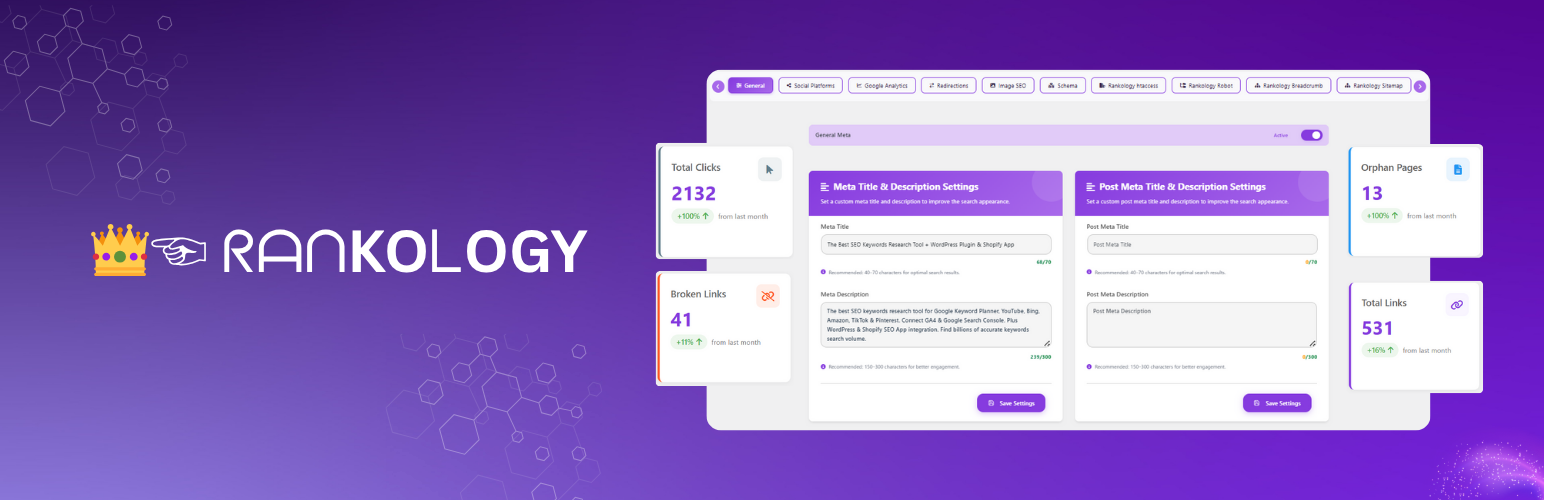
Rankology SEO and Analytics Tool 是一款全面的 WordPress SEO 外掛,旨在幫助網站在搜尋引擎中獲得更高排名。它提供強大的內容生成、SEO 分析和網站性能優化功能,讓使用者能夠輕鬆提升網站的可見度和流量。
【主要功能】
• AI 內容生成器,使用 OpenAI 或 Gemini API
• 核心 SEO 功能,包括元標題和描述
• 進階 SEO 分析與 Google 自動完成功能
• 智能內部連結建議與分析儀表板
• Google Analytics 和 Search Console 整合
• 網站速度優化與性能統計儀表板
外掛標籤
開發者團隊
② 後台搜尋「Rankology SEO and Analytics Tool」→ 直接安裝(推薦)
原文外掛簡介
Rankology SEO and Analytics Tool is a comprehensive WordPress SEO plugin that helps sites rank higher in search engines. Features include:
AI Content Generator:
AI Content Genie is a powerful WordPress AI dashboard that lets you generate content using your own OpenAI or Gemini API keys.
It includes model selection, real-time streaming output, usage logs with token tracking, cost monitoring, and error logging.
Core SEO Features:
Meta titles & descriptions, focus keywords, canonical URLs, keyword density analysis, alt text optimization, internal linking detection, nofollow link management, last modified dates, and social media integration.
Advanced SEO:
Content analysis with overall SEO scoring, Google autocomplete keyword suggestions, schema markup (Article, FAQ, Review, Organization, Local Business), robots.txt & .htaccess management, XML sitemap generation, and image SEO automation.
Rankology LinkFlow:
Smart internal linking with suggestions from content, meta fields, and keywords. Includes analytics dashboards, broken/orphan link detection, engagement tracking, content keyword search, recommendations tables, interlinking graphs, and sitemap visualization.
Google Integration:
Connect Google Analytics (GA4) and Search Console to unlock GA & Search Console Insights inside your Rankology dashboard. Configure your GA4 property + Search Console site, securely save your Service Account JSON (encrypted), and view at-a-glance performance metrics (sessions, engagement, clicks, impressions, CTR, position) with filters and reports.
Speed Optimization:
HTML/CSS/JS minification, full-page caching, image compression & WebP conversion, server cache headers, GZIP/Brotli compression, and performance stats dashboard.
Web Performance & Core Web Vitals:
Modern PageSpeed Insights dashboard with Lighthouse-style analysis. Measure LCP, FCP, CLS, INP, TBT, TTI, and TTFB. Includes report caching, history tracking, comparison tools, shareable public reports, email sharing, automatic mobile analysis, domain restriction security, and side-by-side report comparison.
Settings & Customization:
Global meta settings per content type, social sharing buttons, breadcrumb navigation, header/footer code injection, import/export functionality, and Cloudflare CDN integration.
Additional Feature Highlights
Complete SEO Analysis
• Analyze every post and page for keyword use, title structure, meta descriptions, and content scoring so you can continuously tune optimization efforts with precise feedback.
Schema Markup
• Automatically generate schema for articles, FAQs, reviews, organizations, or local businesses and switch to manual configuration when you need full control over the structured data output.
Performance Optimization
• Minify HTML, CSS, and JavaScript with real-time cache rebuilding plus loader controls (defer/delay) so scripts don’t block rendering while your best content stays compliant with Core Web Vitals.
Full-Page Cache & Control
• Built-in full-page cache plus cache exclusions, Heartbeat throttling, and a cache status indicator give you complete visibility into what’s stored and how quickly visitors see the page.
Image Optimization
• Compress uploads, convert to WebP, and clean filenames automatically while preserving alt text hygiene so every media asset contributes to faster loads and better image SEO.
Internal Linking
• Smart linking suggestions, LinkFlow analytics, and engagement tables guide you to add relevant anchors, track orphan pages, and grow the internal link network without leaving the editor.
Google Integration
• Directly surface Google Analytics (GA4) and Search Console metrics per URL, submit pages for indexing, and monitor clicks, impressions, and engagement inside WordPress for faster data-driven decisions.
Social Media Optimization
• Manage Open Graph metadata, share buttons, and default sharing images to ensure every post displays perfectly on Facebook, X, LinkedIn, Reddit, and Pinterest.
Technical SEO
• Edit robots.txt, .htaccess, redirects, canonical tags, noindex/nofollow rules, and crawling options to maintain a clean, secure technical foundation for search engines.
Breadcrumb Navigation
• Enable customizable breadcrumbs per content type and embed them via a [rankology_breadcrumb] shortcode so visitors and search engines enjoy clear site structure.
Header/Footer Code
• Inject custom HTML, CSS, or JavaScript before or after key page segments, restrict it to devices or templates, and toggle the feature without editing theme files.
Cloudflare Integration
• Connect your Cloudflare account to purge cache, adjust security/performance rules, and view zone-level confirmation directly from the Rankology dashboard.
Server Settings:
• Add custom rules to the .htaccess file (for Apache servers only, not Nginx) via a manual input field.
Robots.txt Settings:
• Admins can manually add custom entries.
• Automatically append entries from the robots options table.
Sitemap Settings:
• Auto-generate XML sitemap.
• Exclude specific pages & posts from sitemap.
• Automatic sitemap updates on new content.
• Direct submission to Google & Bing.
Image SEO Settings:
• Automatically use the image filename as alt text on upload.
• Use the uploaded file’s name as the image title by default.
• Option to set the post title using the uploaded file’s alt text and title.
• Automatically clean uploaded media filenames for SEO and compatibility.
Crawling Options:
• Control site visibility in search results.
• Disable link crawling site-wide.
• Disable image indexing for the site.
• Disable descriptions for all pages in Google.
• Exclude paginated archive pages from indexing.
• Exclude attachment pages from indexing.
Enable/Disable Alert & Warnings:
• Enable Notice on Discourage search engines from indexing this site.
• Enable Robots Notice.
• Enable Robots Sitemap.
Rankology Speed Booster
Boost your site’s loading speed using advanced optimization tools designed to enhance performance and Core Web Vitals. Organized in 5 intuitive tabs for complete control.
Feature Control Tab:
• Master toggle to enable/disable all caching features at once.
• Individual switches for HTML, CSS, and JavaScript minification.
• Quick overview of active optimization features with status indicators.
Cache Generation Tab:
• HTML Minification: Automatically compress HTML output by removing whitespace and comments.
• CSS Minification: Generate optimized lightweight CSS files without affecting originals.
• JavaScript Minification: Minify and optimize JS files with automatic AJAX-based cache rebuilding.
• One-click cache clearing for all minified assets without page reload.
Image Optimization Tab:
• Advanced image compression using multiple methods (Spatie, Imagick, GD, binary tools).
• Automatic WebP conversion for all uploaded images with smart browser detection.
• Lazy loading implementation to load images only when visible in viewport.
• Bulk optimization with chunk-based processing for entire media library.
• Real-time performance stats showing total images, optimized count, space saved, and WebP files created.
• Separate sub-tabs for settings and results/bulk actions.
• Support for all WordPress image sizes and thumbnails.
Server Configuration Tab:
• Server Cache Headers: Add Cache-Control, Expires, and Pragma headers for improved browser caching.
• GZIP/Brotli Compression: Auto-configure compression rules for Apache/LiteSpeed servers (.htaccess).
• Htaccess Header Cache: Enable .htaccess-based caching for static files.
• Object Cache: Enable object cache headers for faster server processing and database query optimization.
• Real-time compression detection showing GZIP/Brotli status on your server.
Performance Stats Tab:
• Visual dashboard displaying cache performance metrics.
• Hit rate statistics for optimized vs. non-optimized requests.
• Overall site performance score and optimization recommendations.
• Real-time insights into your speed optimization effectiveness.
Web Performance & Core Web Vitals Tab:
• Modern PageSpeed Insights dashboard with Lighthouse-style analysis.
• Core Web Vitals Analysis: Measure and visualize LCP (Largest Contentful Paint), FCP (First Contentful Paint), CLS (Cumulative Layout Shift), INP (Interaction to Next Paint), TBT (Total Blocking Time), TTI (Time to Interactive), and TTFB (Time to First Byte).
• Performance Score: Get detailed performance metrics with overall performance score (0-100) and grade ratings (A-F).
• Optimization Recommendations: View actionable optimization opportunities with potential savings, resource details, and improvement suggestions.
• Report Caching: Configurable cache duration (default 7 days) to reduce API calls and improve response times. Cached reports are stored in database with automatic expiration.
• Report History: View and manage all previous PageSpeed analyses with pagination, filtering, and quick access to historical reports.
• Report Comparison: Compare two PageSpeed reports side-by-side to track performance improvements over time, with detailed metric comparisons and opportunity analysis.
• Shareable Reports: Generate secure, token-based public URLs for sharing performance reports with stakeholders, clients, or team members without requiring WordPress admin access.
• Email Sharing: Send performance reports via email with custom HTML templates and public share links.
• Automatic Mobile Analysis: After successful desktop analysis, automatically trigger mobile analysis in the background for comprehensive performance insights.
• Force Refresh Option: Bypass cache and fetch latest data from API when needed for real-time analysis.
• Device Strategy Selection: Analyze performance for both desktop and mobile devices with separate reports and metrics.
• Public Report Access: Public reports render the full dashboard UI with all metrics, charts, and optimization recommendations accessible via clean URLs (no admin authentication required).
• Integration with Rankology API: Seamlessly connects to Rankology Laravel API for PageSpeed Insights data, eliminating the need for Google API keys.
External Services
This plugin connects to the following external services:
Rankology API Services
Purpose: Fetch Google Analytics and Search Console data, submit URLs for indexing, provide SEO insights, and analyze PageSpeed performance
Data Sent: Website URL, API key (encrypted), requested metrics, and PageSpeed analysis requests
When: When loading analytics dashboards, submitting URLs for indexing, or analyzing page performance
Endpoints:
https://app.rankology.io/api/rankology/url-inspection/single
https://app.rankology.io/api/rankology/submit-urls
https://app.rankology.io/api/rankology/google-analytics/google-insights
https://app.rankology.io/api/rankology/google-search-console/google-insights
https://app.rankology.io/api/rankology/connect-app
https://app.rankology.io/api/rankology-pagespeed/wordpress/get-site-speedinsight (PageSpeed Insights analysis)
Rankology Privacy Policy
Rankology Terms of Service
1a. Rankology Webhook System (Plugin Lifecycle)
* Purpose: Secure communication with Rankology servers for plugin activation and deactivation events
* Data Sent:
– On Activation: Site URL, site name, WordPress version, PHP version, plugin version, timestamp, nonce, and HMAC-SHA256 signature (if webhook secret exists)
– On Deactivation: All activation data plus stored API key (if available)
* When:
– Plugin Activation: Sends blocking request to receive webhook secret and API key from server
– Plugin Deactivation: Sends non-blocking request to notify server of deactivation
* Security Features:
– HMAC-SHA256 signature verification for request authenticity
– Nonce generation for request validation
– Rate limiting (5-second cooldown between requests)
– SSL certificate verification
– Secure storage of webhook secret and API key in WordPress options
* Endpoints:
– https://app.rankology.io/api/rankology-pagespeed/wordpress/plugin-install (activation)
– https://app.rankology.io/api/rankology-pagespeed/wordpress/plugin-uninstall (deactivation)
* Data Storage: Webhook secret and API key are stored securely in WordPress options table and only sent to Rankology API endpoints
* Note: The webhook system ensures seamless integration with Rankology services and automatic API key provisioning upon plugin activation
* Rankology Privacy Policy
* Rankology Terms of Service
Cloudflare API
Purpose: Manage CDN cache, security settings, performance rules, and analytics data
Data Sent:
API credentials (API key/token and optionally email address for Global API Key authentication)
Zone ID (identifier for your Cloudflare zone/domain)
Cache management commands (purge all cache, purge specific URLs)
Security settings (WAF status, security level, bot fight mode, browser integrity check)
Performance settings (cache level, browser cache TTL, auto minify settings, rocket loader, polish, WebP)
Page rule configurations (URL patterns, cache rules, security rules)
Analytics queries (time range parameters for performance and security analytics)
When:
When testing Cloudflare connection (sends zone ID to verify credentials)
When purging cache (manually or automatically after content updates)
When updating security settings (WAF, security level, bot protection)
When updating performance settings (cache level, minification, optimization)
When creating or deleting page rules
When fetching analytics data (performance metrics, security events, top statistics)
When toggling development mode
Endpoints:
https://api.cloudflare.com/client/v4/ (REST API for cache, security, and settings management)
https://api.cloudflare.com/client/v4/graphql (GraphQL API for analytics and advanced queries)
Note: All API credentials are stored securely in WordPress options and only sent to Cloudflare API endpoints. No user data or website content is sent to Cloudflare.
Cloudflare Privacy Policy
Cloudflare Terms of Service
Google Autocomplete API
Purpose: Fetch real-time keyword suggestions for SEO optimization
Data Sent: Search queries (keywords), locale, and country data
When: When using the “Get Suggestions” button in SEO fields
Endpoint: https://www.google.com/complete/search
Google Privacy Policy
Google Analytics Data API (GA4) & Google Search Console API
Purpose: Fetch Google Analytics (GA4) reporting metrics and Google Search Console performance data (and URL Inspection, if enabled) inside the Rankology dashboard
Data Sent:
Your configured GA4 Property ID and/or Search Console Property URL
Requested date range, filters (e.g., country/device), dimensions/metrics, and URL(s) used for reporting
Authentication data required to obtain an access token (service-account based OAuth2 flow)
When: When you enable Google Analytics / Search Console integration and load GA/SC dashboards, reports, or URL inspection features
Endpoints:
https://oauth2.googleapis.com/token (token exchange)
https://analyticsdata.googleapis.com/v1beta/ (GA4 Data API)
https://searchconsole.googleapis.com/webmasters/v3/ (Search Console Search Analytics)
https://searchconsole.googleapis.com/v1/urlInspection/index:inspect (Search Console URL Inspection)
Note: Rankology uses the bundled Google API Client Library for PHP (google/apiclient) to handle authentication and requests.
Google Privacy Policy
Source Code
This plugin includes minified JavaScript and CSS files for performance. The source code and build process are available at:
Plugin Source Code: https://github.com/rankology/rankology-seo-wordpress-plugin
Third-party Libraries:
DataTables: https://github.com/DataTables/DataTablesSrc
Chart.js: https://github.com/chartjs/Chart.js
vis-network: https://github.com/visjs/vis-network
cytoscape.js: https://github.com/cytoscape/cytoscape.js
Select2: https://github.com/select2/select2
Tagify: https://github.com/yaircohen/tagify
html2pdf.js: https://github.com/eKoopmans/html2pdf.js
Google API Client Library for PHP (google/apiclient): https://github.com/googleapis/google-api-php-client
Note: Some JavaScript files (vis-network.min.js, cytoscape.min.js) are minified for performance. The source code is available at the GitHub links above. The plugin uses build tools (npm/composer) to generate production files. To build from source, clone the repository and run the build commands as documented in the repository.