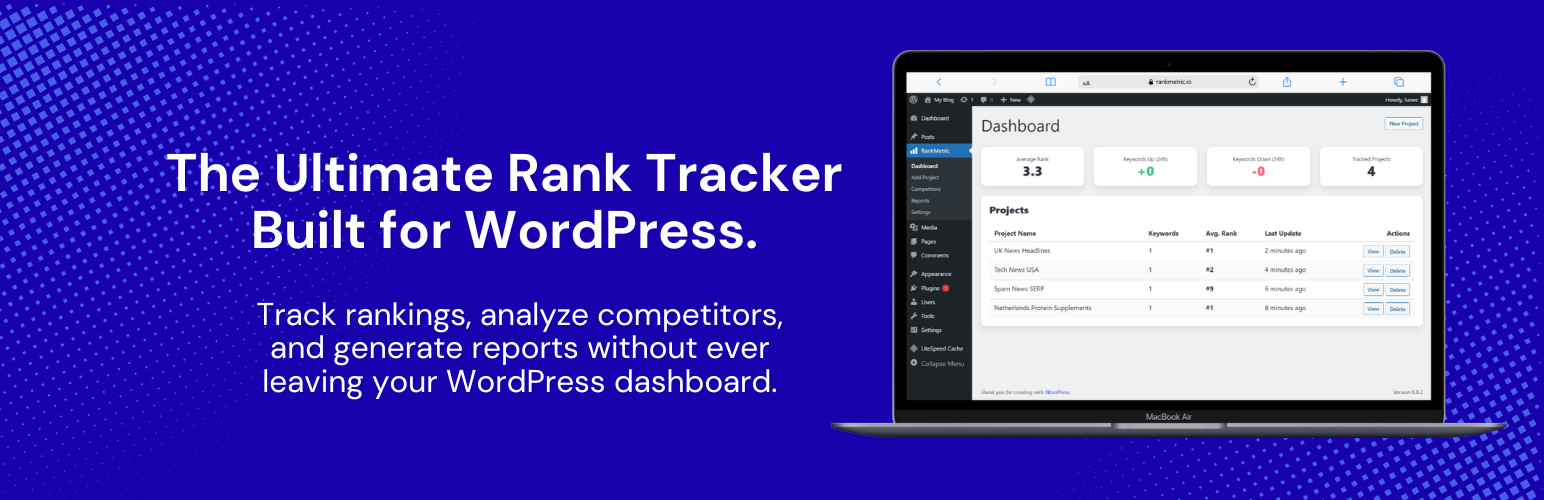
內容簡介
總結:RankMetric 是一個直接內建在你的 WordPress 儀表板中的排名追蹤和檢查工具。這是免費版本,可以讓你追蹤最多 2 個專案。若要無限專案和關鍵字,請考慮升級至 RankMetric Pro。
1. RankMetric 的免費版本可追踪最多幾個專案?
- 可追踪最多 2 個專案。
2. 為了追踪無限專案和關鍵字,應該考慮升級到哪個版本?
- 升級到 RankMetric Pro。
3. RankMetric 是由哪個強大的 SERP API 提供支援?
- RankMetric 是由堅固的 SERP API 支援。
4. 運用 RankMetric,你可以如何監控你網站的關鍵字位置?
- 可以取得 Google 支援國家的可靠關鍵字排名。
5. RankMetric 提供什麼功能,讓你能夠追蹤競爭對手?
- 可以新增競爭對手網域,以比較你與他們的排名表現。
6. 如何透過 RankMetric 查看詳細報告而無需離開你的網站?
- 可以在主要 WordPress 儀表板上看到排名表現的快速概覽。
外掛標籤
開發者團隊
② 後台搜尋「RankMetric – SERP Rank Tracker」→ 直接安裝(推薦)
原文外掛簡介
RankMetric is a free rank tracker and checker built directly into your WordPress dashboard. It allows you to track unlimited projects and keywords.
Powered by the robust SerpApi, it allows you to monitor your website’s keyword positions, track competitors, and view detailed reports without ever leaving your site.
Features
Accurate Rank Tracking: Get reliable keyword rankings for any country supported by Google.
Unlimited Projects: Add and manage all of your websites without any limits.
Competitor Tracking: Add competitor domains to see how you stack up against them.
Automated Checks: Set a schedule and let RankMetric check your rankings automatically.
Dashboard Widget: See a quick overview of your ranking performance on the main WordPress dashboard.