內容簡介
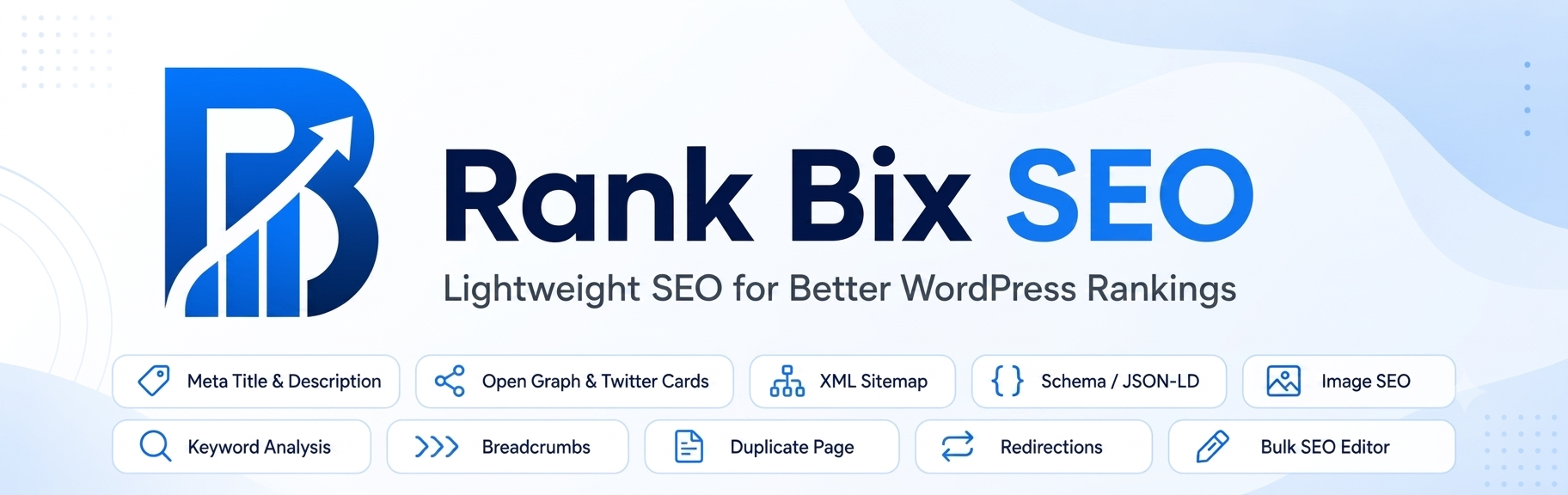
Rank Bix SEO 是一款輕量級的 SEO 外掛,提供所需的所有功能而不會造成負擔。它的核心功能完全免費,並且讓使用者掌控網站的 SEO 優化過程,避免昂貴的計畫和複雜的設定。
【主要功能】
• 多 AI 元資料生成器,支援多種 API
• AI 內容撰寫,快速生成 SEO 友好的文章
• 實時 SEO 分數和關鍵字分析
• SERP 預覽,查看搜尋結果顯示
• XML 網站地圖,自動提交搜尋引擎
• 404 監控和重定向管理
外掛標籤
開發者團隊
② 後台搜尋「Rank Bix SEO – Lightweight SEO Toolkit with Multi-AI」→ 直接安裝(推薦)
📦 歷史版本下載
原文外掛簡介
Rank Bix SEO is a lightweight SEO plugin for WordPress. Set titles and descriptions, build sitemaps and schema, manage redirects and watch for 404s and broken links, all from one plugin that only loads what you switch on. Every core SEO feature is free, with no limits.
rankbix.com | Features | Pricing | Docs | Support
Get Every Page Right
SEO title and meta description for every post, page, product and custom post type, with title templates and variables for the ones you leave empty
SERP preview for desktop and mobile, with the featured image, updated as you type
Live SEO score from 0 to 100, using the same 14 checks in the editor, the posts list, the score filters and the Bulk Editor: focus keyword in the title, description, URL, first paragraph and subheadings, keyword density, content length, image alt text, featured image, internal and outbound links, and title and description length. Page builder content counts too
Focus keyword plus up to 4 secondary keywords, and cornerstone content marking with a posts list filter
Social title, description and image for Facebook, LinkedIn and X, with a live preview of each card
Robots controls per post: noindex, nofollow, noarchive, nosnippet and max-snippet, plus a custom canonical URL
Category, tag and author archives each get their own SEO title, description and noindex
Sitemaps and Indexing
XML sitemap index with a sitemap for each post type and taxonomy, image entries, and noindexed pages left out automatically
Google News sitemap and an HTML sitemap (block or shortcode)
hreflang alternates in the sitemap for Polylang and WPML sites
IndexNow: Bing, Yandex and other search engines are told when a page is published, updated or removed, plus bulk submit from the posts list
Noindex rules for search results, author and date archives, whole post types or taxonomies, and thin content under a word count you choose
Robots.txt editor with a URL tester, and llms.txt for AI crawlers
Schema (Structured Data)
WebSite, WebPage, Article and BreadcrumbList added automatically, and Organization and LocalBusiness from your settings
FAQ, How-to, Product and Review schema from the editor or from blocks, including blocks placed inside groups, columns and synced patterns
JSON-LD only: no microdata and no scripts
Redirects and Monitoring
Redirect manager for 301, 302, 307, 308 and 410, with hit counts, notes, CSV import and export, and warnings about loops and chains
Automatic 301 redirect when you change a post’s URL
404 Monitor that groups repeat hits, leaves out ad tracking parameters, and exports to CSV
Broken Link Checker that lists each broken link, its status and every post it appears in
Content and Images
Bulk SEO Editor: titles, descriptions, focus keywords and noindex for many posts on one screen
Image SEO: alt text and titles filled in automatically from your templates, including images that have an empty alt
Image Alt Audit with bulk fill
Table of Contents (block, shortcode or automatic) and Breadcrumbs (block, shortcode or template function)
Duplicate any post or page in one click
Blocks
Breadcrumbs, Table of Contents, FAQ, How-to, Local Business (address, tap-to-call phone, opening hours and a directions link), HTML Sitemap and Cookie Settings Link, for the block editor and block themes.
Site Tools
Cookie Bar with Google Consent Mode v2 and Matomo support, scripts held until consent, and a floating button, shortcode or block so visitors can change their choice
Header and footer code for analytics and tracking tags, with display conditions and a per-post switch to turn it off
Import from Yoast SEO, Rank Math, All in One SEO and SEOPress: post titles, descriptions, keywords, canonicals, noindex and social fields, plus category, tag and author SEO where the source plugin has it
Export and import all Rank Bix settings between sites
Redirect attachment pages to their post or file, and add an original source link to RSS feeds
AI Meta Generator
Write SEO titles and meta descriptions with your own API key, so you pay your provider directly and nothing in between. Works with OpenAI, Anthropic (Claude), Google Gemini, Groq, Cohere and any OpenAI-compatible service such as OpenRouter, DeepSeek or a local Ollama server. Generate from the post editor, the Elementor panel or the Bulk Editor, one post at a time.
AI Content: SEO-Ready Draft Posts
Write complete draft posts with the same API keys, one at a time or on a schedule. Turn it on in Features, then open Rank Bix > AI Content.
Generate – Enter a focus keyword (and a title, or click Suggest titles). Rank Bix plans the outline, SEO title, meta description, slug, tags, category and FAQs, writes each section, creates featured and inline images, and saves a draft with native blocks, Rank Bix SEO fields, FAQ schema and an SEO score
Queue – Add up to 50 keywords and get one draft every 15 minutes up to once a week, written in the background with WordPress cron
History and logs – Every post has a step-by-step log with timings and the model used. Filter by status and retry stopped posts from where they stopped
Content defaults – Brand, audience, tone, language, words to avoid, article length, sections, FAQs, category, images and one checked trusted source link
No timeouts – Each part of a post is its own small request, so long posts work on any hosting
Safe by default – Posts are saved as drafts, a daily limit protects your API bill, and if one provider is rate limited or out of quota another connected provider takes over
Privacy
Rank Bix SEO has no tracking and sends no usage data. It only contacts an outside service when you switch on a feature that needs one (AI, IndexNow or the Broken Link Checker), and the External Services section below lists exactly what is sent and when.
Built for Developers
Built and checked with the official WordPress Plugin Check
Module-based: switch off what you do not use, and its code does not load
Admin-only code never loads on visitors’ page views, and no front-end scripts are added unless a feature needs one
Filters and actions for titles, descriptions, robots, canonicals, schema, sitemaps and more, plus shortcodes and template functions
Works with posts, pages, WooCommerce products, all public custom post types, and Elementor
PHP 7.4 or later, WordPress 6.0 or later
Need More? Rank Bix SEO Pro
Rank Bix SEO Pro adds tools for agencies and busy sites:
GSC Performance – Google Search Console clicks, impressions and positions inside WordPress, including a box on each post
Site Audit – SEO checks across all your posts, a single-page analyzer, and orphan pages that nothing links to
Rank Tracker – Daily keyword positions from your Search Console data
Schema Templates and Rules – Reusable JSON-LD and schema assigned by post type, plus Recipe, Event, Job Posting, Course and Software App types
Client Reports – Branded SEO reports for clients
White Label – Rebrand the plugin for client sites
Role Manager – Choose which roles can edit SEO fields and use Rank Bix screens
WooCommerce SEO – Richer product schema (brand, GTIN, MPN, price ranges for variable products) and product Open Graph tags
Multiple locations – Location details with map coordinates and opening hours, added to your LocalBusiness schema
AI tools – Bulk AI titles and descriptions, AI image alt text, and AI Content with internal links, review and scheduled publishing, topic ideas and refreshing old posts
Internal link suggestions, advanced redirects (wildcard and regex), a safe .htaccess editor, a video sitemap and more
Translations
Rank Bix SEO is ready for translation. Korean, Hindi, Portuguese (Brazil), German and other translations are in progress at translate.wordpress.org, and anyone can help. Thank you to every translator who has contributed so far.
External Services
Rank Bix SEO optionally connects to third-party AI services, to the IndexNow API, and (for the Broken Link Checker) to the websites your posts link to.
No data is sent to AI providers unless you configure an API key and use an AI feature, or queue posts in AI Content. IndexNow notifications can be turned off in Features.
AI Providers
Rank Bix SEO never contacts an AI service unless you add that provider’s API key in Rank Bix SEO > Settings > Tools > AI Meta Generator – API Keys (or define it in wp-config.php). You pay your provider directly; Rank Bix SEO receives nothing.
An AI provider is contacted only when:
you click an AI button in the post editor, Elementor panel or Bulk Editor (AI meta titles and descriptions),
you click Test connection, Suggest titles or Generate now in AI Content, or add posts to the AI Content queue, which then runs in the background with WP-Cron at the times you chose,
you open the AI Content connection test or post editor AI tab, which requests the list of models available to your key.
What is sent:
AI meta generator: post title, site name, tone and focus keyword. A plain-text excerpt of the post content is included only while “Allow sending post content to AI providers” is ticked in Settings > Tools.
AI Content (post generation): the focus keyword and optional title you enter, your AI Content brand settings (business name, what you do, audience, tone, language and words to avoid), the names of your categories and most-used tags, and the article outline written in earlier steps. Existing post content is not sent.
AI images: a short text description of the image and your image style setting. The generated image is saved to your Media Library.
Nothing else is sent: no user data, no visitor data and no passwords.
OpenAI
Endpoints: https://api.openai.com/v1/chat/completions (text), https://api.openai.com/v1/images/generations (images), https://api.openai.com/v1/models (model list)
Terms of Use: https://openai.com/policies/terms-of-use
Privacy Policy: https://openai.com/policies/privacy-policy
Anthropic / Claude
Endpoints: https://api.anthropic.com/v1/messages (text), https://api.anthropic.com/v1/models (model list)
Terms and Usage Policy: https://www.anthropic.com/legal/aup
Privacy Policy: https://www.anthropic.com/legal/privacy
Google Gemini / Generative Language API
Endpoints: https://generativelanguage.googleapis.com/v1beta/models/{model}:generateContent (text and images), https://generativelanguage.googleapis.com/v1beta/models (model list)
Terms of Service: https://ai.google.dev/terms
Privacy Policy: https://policies.google.com/privacy
Groq
Endpoints: https://api.groq.com/openai/v1/chat/completions (text), https://api.groq.com/openai/v1/models (model list)
Terms of Use: https://groq.com/terms-of-use/
Privacy Policy: https://groq.com/privacy-policy/
Cohere
Endpoints: https://api.cohere.com/v2/chat (text), https://api.cohere.com/v1/models (model list)
Terms of Use: https://cohere.com/terms-of-use
Privacy Policy: https://cohere.com/privacy
OpenAI-compatible provider (optional)
Endpoints: {your base URL}/chat/completions and {your base URL}/models, where the base URL is the one you enter in Settings > Tools (for example OpenRouter, DeepSeek, Mistral, Together, xAI or a local Ollama server). Rank Bix SEO does not choose this service.
The same data listed above is sent to that service. Its terms and privacy policy are those of the provider you choose.
Source link check (AI Content)
When “Cite one trusted external source” is on (Content defaults > Article), the AI suggests up to 3 source pages for each generated post. Before a link is added, Rank Bix SEO sends a HEAD request (or a small GET if HEAD is refused) to each suggested https URL to confirm the page exists. Only the request itself is sent: no post content, user data or cookies. Turn the option off to stop these checks.
Destinations: the third-party pages the AI suggested. Rank Bix SEO does not choose or control them.
Broken Link Checker
When the Broken Link Checker is switched on (it is off by default), Rank Bix SEO checks the external links in your published posts in the background with WP-Cron, a few posts at a time.
Destinations: the external websites your posts link to. Rank Bix SEO does not choose or control them.
What is sent: a HEAD request to each linked address (or a GET for the first byte when a site refuses HEAD), with a user agent that names Rank Bix SEO and your site address. No post content, user data or cookies are sent.
Addresses on private or local networks are never requested.
Turn it off in Rank Bix SEO > Features to stop all checks.
IndexNow
When the IndexNow feature is enabled and a post or page is published or updated, Rank Bix SEO sends a single HTTP POST request to the IndexNow API endpoint to notify participating search engines (Bing, Yandex, and others) of the updated URL.
Endpoint: https://api.indexnow.org/indexnow
Data sent: your site hostname, a plugin-generated verification key, the URL of the verification key file, and the URL of the published/updated post or page. No post content or user data is sent.
When: when content is published, updated, unpublished or deleted, and when you choose Submit to IndexNow from the Bulk actions menu of a post list (several URLs in one request). Only while the IndexNow module is on in Rank Bix SEO → Features.
IndexNow is an open protocol. The api.indexnow.org endpoint is operated by Microsoft. Submitted URLs are shared with all IndexNow-participating search engines.
IndexNow Privacy Policy: https://www.indexnow.org/privacypolicy
Microsoft Privacy Statement: https://privacy.microsoft.com/en-us/privacystatement
Broken Link Checker
When the Broken Link Checker feature is enabled, Rank Bix SEO runs a background cron job that sends HTTP HEAD requests to external URLs found in your published content (posts, pages, products and custom post types) to check whether those links are still reachable. When a server refuses HEAD requests, it tries once more with a GET request for the first byte before reporting the link.
Data sent: an HTTP HEAD request (and, when needed, a GET request for the first byte) to each external URL found in your published content. No post content, user data, or authentication credentials are included. Requests identify themselves with the user agent “Mozilla/5.0 (compatible; Rank Bix SEO link checker; +your site address)”. Links to local network addresses are not checked.
When: only via a background WP-Cron job (runs twice daily, 5 posts per run). The feature is disabled by default and must be explicitly enabled in Rank Bix SEO → Settings → Tools → Broken Link Checker.
Destinations: any external URLs present in your own published post content. These are third-party URLs you have already linked to; Rank Bix SEO does not choose or control them.
No data from the broken link check is transmitted to Rank Bix SEO or any service operated by the plugin developer. Results are stored only in your own WordPress database.