外掛標籤
開發者團隊
原文外掛簡介
Every customer interaction is an opportunity. Rakuten Viber Click to Chat makes it effortless for customers to reach you, helping you build deeper connections and drive business growth — turning website visitors into buyers.
The plugin adds a Viber chat button to your site so visitors can start a conversation with you in one tap. It’s perfect for e-commerce stores and service providers.
Requirements
A free Viber Business account is required for the button to work. It’s built into your existing Viber app — no separate app or new phone number needed. Create one by opening this link on your mobile device: viber://business/create?smb_utm_campaign=ACQ_wordpress_plugin
Note: If you are using the multi-agent feature, each one of the phone numbers is required to have its own business account, otherwise the link won’t work.
Features
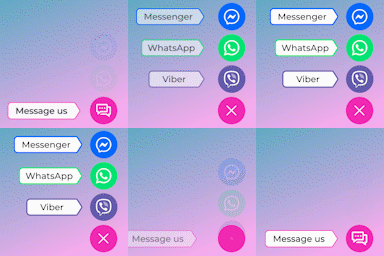
Floating Chat Button – Eye-catching floating button with pulse animation that appears on every page
WooCommerce Integration – Display dedicated Viber buttons on product pages for customer inquiries
Multi-Agent Routing – Assign different Viber contacts for different pages and sections
Gutenberg Block Support – Native WordPress block editor integration for inline chat buttons
Elementor Widget – Full Elementor page builder support with drag-and-drop configuration
Customizable Design – Adjust button size (small/medium/large), alignment, and messaging
Pre-filled Messages – Set custom messages that populate when users click the button
Privacy-First – No external API calls, GDPR compliant, server-side locale detection
Accessibility – Full WCAG compliance with aria-labels, focus states, and motion preferences
Multi-language Ready – Complete internationalization support for global audiences
Use Cases
Customer support chat for e-commerce stores
Product inquiry buttons on specific WooCommerce items
Sales team direct messaging links
Customer service channels on contact pages
Multi-agent support routing by department
Message Variables
Pre-filled messages support these variables:
– {url} – Current page URL
– {title} – Current page title
– {product_name} – WooCommerce product name (product pages only)
– {price} – WooCommerce product price (product pages only)
Example: “Hi, I’m interested in {product_name} ({price}). Can you help?”
Privacy & GDPR
This plugin is fully GDPR compliant:
– No external requests – All functionality is server-side
– No IP tracking – Uses server-side locale detection only
– No cookies – Viber links open via standard URL parameters
– No analytics – No tracking of user behavior or interactions
– User control – Visitors can disable JavaScript to prevent button display
Accessibility
Full WCAG 2.1 compliance:
– Semantic HTML with proper aria-labels
– Keyboard navigation support
– Focus indicators for all interactive elements
– Respects prefers-reduced-motion for users with motion sensitivities
– Tested with screen readers and accessibility validators
Support
For questions, feature requests, or bug reports, please visit the plugin support page.
You can also reach out to Viber Support for help with your Viber Business account, questions, or to report issues: help.viber.com.
License
This plugin is licensed under the GPL-2.0-or-later license. See LICENSE file for details.
Contributing
Contributions are welcome! Please submit pull requests or feature suggestions through the official WordPress plugin repository.