20+
安裝啟用
—
尚無評分
3052 天前
最後更新
—
問題解決
WordPress 4.8+ PHP 5.6+ v1.0.0 上架:2017-11-08
內容簡介
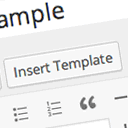
這個外掛可以讓你在 TinyMCE 文字編輯器中嵌入 iframe。
你只需要點擊 TinyMCE 中的按鈕,一個視窗將出現以放置 iframe 資料。
然後只需點擊「確定」,一個 shortcode 將被插入 iframe 資料並在前端呈現 iframe。
外掛標籤
開發者團隊
原文外掛簡介
With this plugin you can place an iframe inside the TinyMCE text editor.
You click a button in TinyMCE and a window appears to place the iframe data.
Then just click on Ok and a shortcode is inserted with the iframe data and on the front the iframe is presented.
Com este plugin você consegue colocar um iframe dentro do editor de texto TinyMCE.
Voce clica em um botão no TinyMCE e aparece uma janela para colocar os dados do iframe.
Depois é só clicar em Ok e um shortcode é inserido com os dados do iframe e no front é apresentado o iframe.