內容簡介
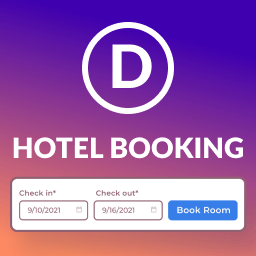
Quotel Hotel Booking 是一款全方位的 WordPress 酒店訂房外掛,專為酒店、度假村、民宿及任何需要房間預訂的物業設計。它提供自訂房間目錄、訂單資料庫、智慧定價及乾淨的 React 驅動控制台,讓用戶輕鬆管理訂房業務。
【主要功能】
• 自訂房間類型及設施分類
• 實時訂單管理與日曆編輯
• 支援 WooCommerce 線上支付
• 快速響應的訂房表單
• REST API 支援自訂整合
• 開放原始碼,無鎖定限制
外掛標籤
開發者團隊
② 後台搜尋「Quotel Hotel Booking – Hotel Booking, Reservation & Room Management for WordPress」→ 直接安裝(推薦)
原文外掛簡介
Quotel Hotel Booking is an all-in-one hotel booking plugin for WordPress built for hotels, resorts, B&Bs, guest houses, vacation rentals and any property that takes room reservations. It ships a custom Rooms catalog, bookings database, smart pricing, availability rules and a clean React-powered dashboard — all free.
Designed to be production-ready out of the box: install, activate the setup wizard, add rooms, drop a shortcode on a page and start taking bookings.
Free vs. Pro
Everything is free except online customer payment. With the free plugin you get real bookings, manual bookings, calendar editing, reports, CSV export, emails, rooms, shortcodes and the full admin UI.
Online WooCommerce checkout (customer pay-now, product sync, order lifecycle) requires Quotel Hotel Booking Pro with an active license. Activate it under Hotel Booking → License / Get Pro.
Pro pricing: $49 / 1 year, $69 / 3 years, $150 lifetime.
Plugin homepage »
Why choose Quotel Hotel Booking
Hotel reservation system in one plugin – rooms, bookings, calendar, pricing, reports.
WooCommerce-native online payments – use any WooCommerce gateway (Stripe, PayPal, bank transfer, COD, etc.).
React-powered booking form – fast, accessible, mobile-first checkout flow.
REST API first – every screen is driven by qhb/v1 so you can build custom integrations.
No lock-in – open code, GPLv2, translation-ready, runs on any standard WordPress host.
Core features
Rooms & content
Custom post type qhb_room with archive support (pretty URLs under /rooms/ by default).
Taxonomies for room types and amenities (categorise and filter rooms).
Rich room editor with featured image, gallery, pricing meta and a dedicated single-room layout including an optional gallery modal and a “Continue to booking” CTA.
Bookings & availability
Custom tables for bookings, per-day availability, pricing rules, extra services and booking-service links.
Date-range availability checks; supports multiple units per room type.
Guest and logged-in booking flows; settings for guest booking, required phone and cancellation windows.
Manual bookings for staff (admin capability) via the REST API.
Smart pricing
Base and weekend rates per room.
Optional date-range pricing rules.
Tax and long-stay discounts (weekly / monthly) via Settings.
Server-side pricing endpoint so the booking summary always matches what is actually charged.
WooCommerce integration
Each room syncs to a catalog-hidden variable WooCommerce product with Standard / Weekend rate variations.
Bookings are linked to WooCommerce order IDs.
Order status drives booking lifecycle (pending payment → confirmed; cancelled/refunded → released).
Optional “Pay now” link in the pending-payment email using the WooCommerce order pay URL.
Admin experience
Top-level Hotel Booking menu: Welcome, Dashboard, Bookings, Calendar, Settings.
Setup wizard on first activation: hotel basics, booking rules, notifications, optional WooCommerce auto-install.
Booking calendar – month and timeline-style views, room filter, booking density indicator and per-day management.
Reports REST endpoints: dashboard stats, revenue, bookings, occupancy, room performance, guest analytics, CSV export.
Guest experience
Shortcode-driven React apps for the entire reservation journey.
Compact booking bar for hero sections and home pages with Flatpickr date picker.
Deep-link friendly URLs with qhb_room, check_in, check_out, adults, children and room_type query args.
Security & roles
Custom capability manage_hotel_bookings (granted to administrators on activation).
REST routes use nonces and dedicated permission callbacks for public vs. admin operations.
All input is sanitized; output is escaped; SQL is built with $wpdb->prepare().
Available shortcodes
Drop any of these shortcodes on a page or post. Default pages are auto-created on first activation if they do not already exist.
[qhb_booking_form]
Renders the multi-step React booking wizard (search → pick a room → guest details → summary → checkout). Mounts to #qhb-booking-root. Best placed on the Book a Room page.
[qhb_room_search]
Renders the filterable room search and results grid. Mounts to #qhb-search-root. Best placed on a Search Rooms page.
[qhb_my_bookings]
Lists the current user’s bookings (logged-in only). Mounts to #qhb-mybookings-root. Best placed on a My Account / My Bookings page.
[qhb_booking_bar]
A compact horizontal booking strip with check-in / check-out date pickers, rooms / adults / children counters, room category dropdown and a “Book now” button. Use it inside hero sections, sidebars or the home page. Submitting it deep-links into the page that hosts [qhb_booking_form].
Available [qhb_booking_bar] attributes:
redirect – override the booking page URL. Defaults to the auto-created Book a Room page or /book/.
Example: [qhb_booking_bar redirect="https://example.com/reservations/"]
button – override the submit button label. Defaults to “Book now”.
Example: [qhb_booking_bar button="Check availability"]
Backwards compatibility
The legacy [hbm_booking_form], [hbm_room_search], [hbm_my_bookings] and [hbm_booking_bar] shortcodes from version 1.0.0 are still registered as transparent aliases, so any pages you saved earlier keep working unchanged. The previous REST namespace hbm/v1 is also still served alongside the new qhb/v1.
Technical snapshot
Text domain: quotel-hotel-booking (translation-ready; works with Loco Translate, WPML, Polylang and standard .po / .mo files).
REST namespace: qhb/v1 – e.g. /wp-json/qhb/v1/rooms, /bookings, /settings, /pricing, /availability, /calendar/..., /reports/....
Custom post type: qhb_room (rewrite slug rooms).
Taxonomies: qhb_room_type, qhb_amenity.
Database tables (using your $wpdb->prefix): qhb_bookings, qhb_pricing_rules, qhb_availability, qhb_extra_services, qhb_booking_services.
Capability: manage_hotel_bookings (assigned to administrators on activation).
Requirements
WordPress 5.9 or higher.
PHP 7.4 or higher.
WooCommerce is recommended for online payments – the booking → checkout flow is built around it.
Use cases
Single hotel or boutique hotel booking system.
Resort with several room categories.
B&B / guest house reservation form.
Vacation rental landing page with check-in / check-out widget.
Inn or homestay running on WordPress + WooCommerce.
Privacy
The plugin stores booking data you collect from guests (name, email, phone, dates, party size, optional notes) in the WordPress database and may associate each record with a WooCommerce order ID for payment tracking. Treat this data according to your privacy policy and applicable law (GDPR, CCPA, etc.). Email delivery uses WordPress’ wp_mail() facilities. No data is sent to third parties by the plugin itself.