內容簡介
一個易於使用的會員外掛,可讓您建立提供免費和付費內容的網站
這款簡單的會員外掛可讓您保護文章和頁面,因此只有會員可以查看受保護的內容。
與 WordPress 核心系統的流動整合
Quickr Membership 能與 WordPress 核心系統完美整合,因此不需要維護獨立的使用者資料庫。因此,不會有使用者資料不同步的問題。由於它嚴重依賴 WordPress 核心,因此能夠充分利用 WordPress 的新版本。
無限會員存取級別
設置無限的會員級別(例如:免費、銀牌、金牌等),並使用您創建的會員級別來保護您的文章和頁面。
用於內容保護的使用者介面
當您在 WordPress 編輯器中編輯文章或頁面時,您可以選擇保護會員查看的帖子或頁面。
非會員查看受保護的頁面時,將提示其登錄或成為會員。
免費和付費會員資格
您可以配置免費和/或付費會員資格來加入您的網站。付費會員支付經由 PayPal 安全處理。
支持一次性和定期/訂閱付款。
會員付款記錄
所有會員付款都記錄在外掛中。您可以在管理儀表板中訪問付款菜單隨時查看它們。
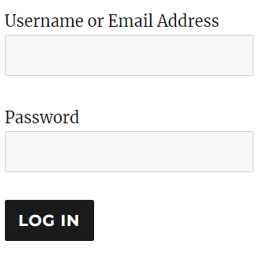
側邊欄的會員登錄小工具
您可以在您的網站的側邊欄輕鬆添加會員登錄小工具。只需在側邊欄小工具中使用登錄表單短碼即可。
您也可以通過在您的主題(或子主題)文件夾中創建自定義模板文件來自定義會員登錄小工具。
文檔
在安裝外掛後,請閱讀設置文檔開始使用。
外掛支持
如果您有任何問題,請通過發送電子郵件至 [email protected] 聯繫我們。
其他
與任何 WordPress 主題配合使用。
能夠保護相片庫。
能夠保護附件頁面。
顯示預告內容,以將訪問者轉換為會員。
保護帖子上的評論功能。
有一個選項可以啟用調試記錄,因此您可以輕鬆解決與會員付款相關的問題(如果有)。
能夠自定義顯示給非會員的內容保護信息。
可以在會員電子郵件通知中使用合併變數。
由插件處理會員管理方面。
能夠手動批准您的會員。
能夠將 WordPress 使用者作為會員導入。
通過帳戶狀態篩選會員列表。
可以翻譯成任何語言。
從您的網站前端隱藏管理工具欄。
允許您的會員刪除其會員賬戶。
向您的會員發送快速通知電子郵件。
自定義會員的密碼重置電子郵件。
如果您使用響應式主題,登錄和註冊小部件將支援響應式設計。
能夠僅限會員使用評論功能。
前端會員註冊頁面。
前端會員個人資料。
前端會員登錄頁面。
語言翻譯
英文
您可以使用語言
外掛標籤
開發者團隊
原文外掛簡介
An easy-to-use membership plugin that enables you to create site offering free and paid content
The simple membership plugin lets you protect your posts and pages so only your members can view the protected content.
Fluid Integration with Core WordPress System
Quickr Membership nicely integrates with core WordPress system. It doesn’t have to maintain separate user database. Therefore, no chance of
user data getting out of sync. Since it heavily relies on core wordpress, it is able to take full advantage of new release of WordPress.
Unlimited Membership Access Levels
Set up unlimited membership levels (example: free, silver, gold etc) and protect your posts and pages using the membership levels you create.
User Friendly Interface for Content Protection
When you are editing a post or page in the WordPress editor, you can select to protect that post or page for your members.
Non-members viewing a protected page will be prompted to login or become a member.
Have Free and Paid Memberships
You can configure it to have free and/or paid memberships on your site. Paid membership payment is handled securely via PayPal.
Both one time and recurring/subscription payments are supported.
Membership Payments Log
All the payments from your members are recorded in the plugin. You can view them anytime by visiting the payments menu from the admin dashboard.
Member Login Widget on The Sidebar
You can easily add a member login widget on the sidebar of your site. Simply use the login form shortcode in the sidebar widget.
You can also customize the member login widget by creating a custom template file in your theme (or child theme) folder.
Documentation
Read the setup documentation after you install the plugin to get started.
Plugin Support
If you have any issue with this plugin, please send us a contact: [email protected]
Miscellaneous
Works with any WordPress theme.
Ability to protect photo galleries.
Ability to protect attachment pages.
Show teaser content to convert visitors into members.
Comments on your protected posts will also be protected automatically.
There is an option to enable debug logging so you can troubleshoot membership payment related issues easily (if any).
Ability to customize the content protection message that gets shown to non-members.
Ability to use merge vars in the membership email notification.
Membership management side is handled by the plugin.
Ability to manually approve your members.
Ability to import WordPress users as members.
Filter members list by account status.
Can be translated to any language.
Hide the admin toolbar from the frontend of your site.
Allow your members to delete their membership accounts.
Send quick notification email to your members.
Customize the password reset email for members.
The login and registration widgets will be responsive if you are using a responsive theme.
Ability to restrict the commenting feature on your site to your members only.
Front-end member registration page.
Front-end member profiles.
Front-end member login page.
Language Translations
English
You can translate the plugin using the language translation documentation.
Arbitrary section
None