
[WordPress] 外掛分享: Quick Toolbar Links

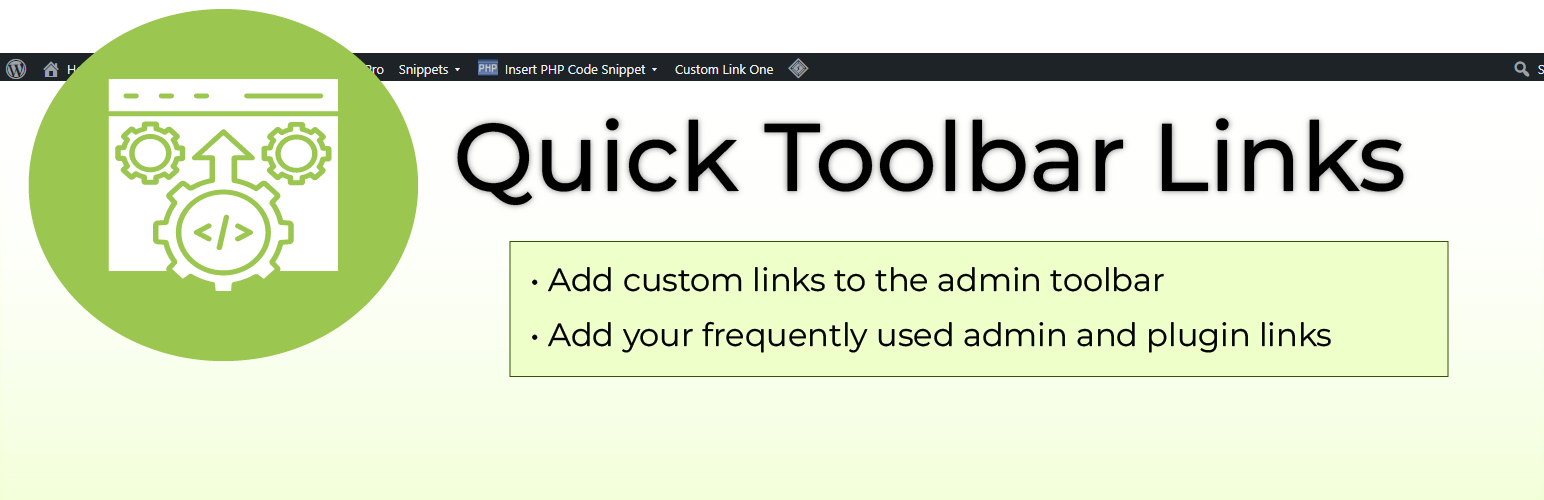
WordPress 外掛 Quick Toolbar Links 的封面圖片。

前言介紹

  • 這款 WordPress 外掛「Quick Toolbar Links」是 2026-01-06 上架。
  • 目前尚無安裝啟用數,是個很新的外掛。如有要安裝使用,建議多測試確保功能沒問題!
  • 上一次更新是 2026-01-07,距離現在已有 49 天。
  • 外掛最低要求 WordPress 5.0 以上版本才可以安裝。
  • 外掛要求網站主機運作至少需要 PHP 版本 7.4 以上。
  • 尚未有人給過這款外掛評分。
  • 還沒有人在論壇上發問,可能目前使用數不多,還沒有什麼大問題。

外掛協作開發者

ecommnet | heatherfeuer | gavinwilliams |

外掛標籤

admin | toolbar | adminbar | quick links |

內容簡介

<HTML>
<ul>
<li>這是一個全新經過改良並更新的 Quick Links 外掛,最初由 Ecommnet Ltd. 創建。</li>
</ul>
</HTML>

問題與答案:
1. 這個外掛的功能有哪些?
- 可將管理和外掛連結添加到管理工具欄。
- 可將自訂連結添加到管理工具欄的外部頁面。
2. 這些管理工具欄連結對於誰可見?
- 這些連結對於已登入使用者在前端是可見的。
3. 除非當前使用者擁有正確權限,否則會如何處理這些連結?
- 如果當前使用者沒有正確權限,這些連結將不會顯示。
4. 這個外掛如何提高安全性?
- 通過 nonces 和合適的數據消毒,增強安全性。
5. 這個外掛與現代 WordPress 和 PHP 版本完全兼容嗎?
- 完全與現代 WordPress 和 PHP 版本兼容。
6. 這個外掛帶來了哪些未來新增功能?
- 使用者和角色特定連結。
- 編輯自訂連結。
- 在工具欄中重新排列連結。
- 在所有管理頁面中加入「新增至快速工具欄」按鈕。

原文外掛簡介

Note: This is a completely remastered and updated version of the Quick Links plugin originally created by Ecommnet Ltd.
Due to the extensive library of WordPress plugins available, the admin menu can become unwieldy very quickly. Quick Toolbar can help.
Are you constantly digging into menus and sub menus to access the same admin and plugin links? Using Quick Toolbar you can add them as Quick Links to the admin toolbar at the top of every admin page, giving you easy access to the pages you frequently use.
Along with adding admin and plugin links, Quick Toolbar gives you the option of adding custom links to the toolbar.
Summary of Features

Add admin and plugin links to the admin toolbar.
Add custom links to external pages to the admin toolbar.
Toolbar links are visible on the front-end to logged in users.
Links are not displayed if the current user doesn’t have the correct permissions.
Enhanced security with nonces and proper data sanitization.
Fully compatible with modern WordPress and PHP versions.
Improved accessibility with ARIA attributes.
Better jQuery compatibility for WordPress 5.5+.

Future Additions

User and role specific links.
Editing custom links.
Rearranging links in the toolbar.
‘Add to Quick Toolbar’ button on all admin pages.


各版本下載點

  • 方法一:點下方版本號的連結下載 ZIP 檔案後,登入網站後台左側選單「外掛」的「安裝外掛」,然後選擇上方的「上傳外掛」,把下載回去的 ZIP 外掛打包檔案上傳上去安裝與啟用。
  • 方法二:透過「安裝外掛」的畫面右方搜尋功能,搜尋外掛名稱「Quick Toolbar Links」來進行安裝。

(建議使用方法二,確保安裝的版本符合當前運作的 WordPress 環境。


1.0.0 | trunk |

延伸相關外掛(你可能也想知道)

  • Show Current Template 》這是一款 WordPress 外掛程式,可以在工具列中顯示目前的模板檔案名稱、主題名稱和已包含的模板檔案名稱。如果您喜歡這個外掛, 歡迎買我一杯咖啡!😉此外,...。
  • What The File 》What The File 是一個 WordPress 外掛,在您的工具列中增加了一個選項,顯示目前正在檢視的頁面所使用的文件和模板部分。, 您可以通過單擊文件名直接使用佈景...。
  • Hide Admin Bar Based on User Roles 》這個外掛可根據所選用戶角色和用戶功能來隱藏管理列,非常有用。, , 這是個簡單但棒的外掛。🙂, – wptoolsdev, 完美無缺的運作!🙂, – thebr...。
  • Hide Admin Bar from Non-Admins 》安裝、啟用,即可完成。, 本外掛可隱藏 WordPress 工具列(管理員列)對於沒有「管理者」角色的訪客及使用者。這是一個相當簡單的外掛,不需要進行設定。, , ...。
  • Toolbar Extras for Elementor & More – WordPress Admin Bar Enhanced 》on and Elementor Pro supported, Create new Elementor templates right from the Toolbar, Jump to Granular Controls settings with one click, Plugin In...。
  • Admin Bar Disabler 》設置非常簡單.. 只需要在您選擇的網站上安裝並啟用它(或網絡啟用),並根據您的需要設置設置。, 此外,此外掛支援 Per-Site 和 Per-Network( WordPress Mul...。
  • My WP Customize Admin/Frontend 》這個外掛讓管理者和前端使用者都能輕鬆地進行自訂設定。許多自訂篩選器和操作,還包含開發者工具。, 示範網站在這裡:https://tastewp.com/new/?pre-installe...。
  • which template file 》想知道 WordPress 在前台顯示頁面時使用哪個模板嗎?, 這個外掛可以幫您達成這個目的。您可以在免費的模擬網站上嘗試使用:點此連結 => https://tastewp.c...。
  • Auto Hide Admin Bar 》自動隱藏管理列 (Auto Hide Admin Bar) 可以讓 WordPress 工具列消失,在游標移到瀏覽器視窗頂部時,它又會重新出現。, 這樣您就可以擁有一個整潔的網站視圖...。
  • Admin Bar & Dashboard Access Control 》這是一個簡單的外掛,可根據用戶角色禁用管理工具列並防止訪問 WordPress 控制台。, 就是這麼簡單 😀, 你會喜歡的外掛:, , ProfilePress:一個簡單且功能強...。
  • Real Accessability 》真正的無障礙外掛會在您的網站上添加易於使用且直覺的無障礙工具欄。, 真正的無障礙擁有以下特點:, , 增加字體/文字大小, 減少字體/文字大小, 將視圖變為黑...。
  • Disable Toolbar 》這個簡單的外掛在「設定」>「一般」中加入一個選項,可以控制網站訪客在查看您的網站時是否看到 WordPress 工具列。, 您可以按使用者角色開啟或關閉工具列...。
  • WPDevDesign – Oxygen – Navigator 》這個外掛在工具列中添加了模板和頁面,以便直接使用 Oxygen 編輯所選項目。, 頂級的 模板(Templates) 和 頁面(Pages) 管理列選單項目會連結到 WordPress 管理...。
  • WooCommerce Admin Bar Addition 》, 更快速地存取您的 WooCommerce 商店資源-省時省力!, 這個小巧、輕量化的外掛程式只是將大量 WooCommerce 相關資源添加到您的 WordPress 工具列 / 管理員工...。
  • Remove Admin Bar logo 》此外掛會移除 WordPress 後台工具列上的標誌,讓介面更簡潔。無需設定,啟用後立即生效。。

文章
Filter
Apply Filters
Mastodon




