內容簡介
快速設置網站圖示
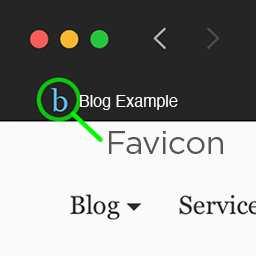
快速設置網站圖示可以輕鬆地上傳和設置 Favicon、iOS/ Apple Touch 圖示、Android/Chrome 圖示和 Windows 8 圖塊,讓您的 WordPress 網站更具個性化。
在進行調整時,還可以顯示每個尺寸圖示的即時預覽!
前端和後端瀏覽器圖示可以設置不同的圖示。
瀏覽器圖示
Google TV 瀏覽器圖示
96 x 96 像素
Mac OS Safari 瀏覽器圖示
32 x 32 像素
標準瀏覽器圖示
16 x 16 像素
iOS/ Apple Touch 圖示
搭載 iOS8 的 iPhone 6 Plus
180 x 180 像素
搭載 iOS7 的 Retina iPad
152 x 152 像素
搭載 iOS6 或更早版本的 Retina iPad
144 x 144 像素
搭載 iOS7 的 Retina iPhone
120 x 120 像素
搭載 iOS6 或更早版本的 Retina iPhone
114 x 114 像素
搭載 iOS7 的非 Retina iPad
76 x 76 像素
搭載 iOS6 或更早版本的非 Retina iPad
72 x 72 像素
搭載 iOS7 的非 Retina iPhone
60 x 60 像素
搭載 iOS6 或更早版本的非 Retina iPhone
57 x 57 像素
Android/Chrome 圖示
搭載 M39+ Chrome 瀏覽器,具備 4.0 螢幕密度
192 x 192 像素
搭載 M39+ Chrome 瀏覽器,具備 3.0 螢幕密度
144 x 144 像素
搭載 M39+ Chrome 瀏覽器,具備 2.0 螢幕密度
96 x 96 像素
搭載 M39+ Chrome 瀏覽器,具備 1.5 螢幕密度
72 x 72 像素
搭載 M39+ Chrome 瀏覽器,具備 1.0 螢幕密度
48 x 48 像素
搭載 M39+ Chrome 瀏覽器,具備 0.75 螢幕密度
36 x 36 像素
Windows 8/8.1 圖塊
Windows 8/IE11 大型圖塊
310 x 310 像素
Windows 8/IE11 寬型圖塊
310 x 150 像素
Windows 8/IE11 中型圖塊
150 x 150 像素
Windows 8/IE10
144 x 144 像素
Windows 8/IE11 小型圖塊
70 x 70 像素
外掛標籤
開發者團隊
原文外掛簡介
What Quick Favicon Can Do
Quick Favicon allows you to easily upload and set Favicons, iOS / Apple Touch Icons, Android / Chrome Icons, and Windows 8 Tiles for your WordPress site.
It displays live previews of each size icon while you’re making adjustments!
Front-end and back-end Browser Favicons can be set differently.
Broswer Favicons
Google TV Favicon
96 x 96 pixels
Safari Favicon on Mac OS
32 x 32 pixels
Standard Favicon
16 x 16 pixels
iOS / Apple Touch Icons
iPhone 6 Plus with iOS8
180 x 180 pixels
Retina iPad with iOS7
152 x 152 pixels
Retina iPad with iOS6 or prior
144 x 144 pixels
Retina iPhone with iOS7
120 x 120 pixels
Retina iPhone with iOS6 or prior
114 x 114 pixels
Non-retina iPad with iOS7
76 x 76 pixels
Non-retina iPad with iOS6 or prior
72 x 72 pixels
Non-retina iPhone with iOS7
60 x 60 pixels
Non-retina iPhone with iOS6 or prior
57 x 57 pixels
Android / Chrome Icons
Chrome M39+ with 4.0 screen density
192 x 192 pixels
Chrome M39+ with 3.0 screen density
144 x 144 pixels
Chrome M39+ with 2.0 screen density
96 x 96 pixels
Chrome M39+ with 1.5 screen density
72 x 72 pixels
Chrome M39+ with 1.0 screen density
48 x 48 pixels
Chrome M39+ with 0.75 screen density
36 x 36 pixels
Windows 8 / 8.1 Tiles
Windows 8 / IE11 Large Tile
310 x 310 pixels
Windows 8 / IE11 Wide Tile
310 x 150 pixels
Windows 8 / IE11 Medium Tile
150 x 150 pixels
Windows 8 / IE10
144 x 144 pixels
Windows 8 / IE11 Small Tile
70 x 70 pixels