內容簡介
- "Query Loop Post Selector" 是一個強大的 WordPress 外掛程式,能夠擴充原生的 WordPress Query Loop 區塊。
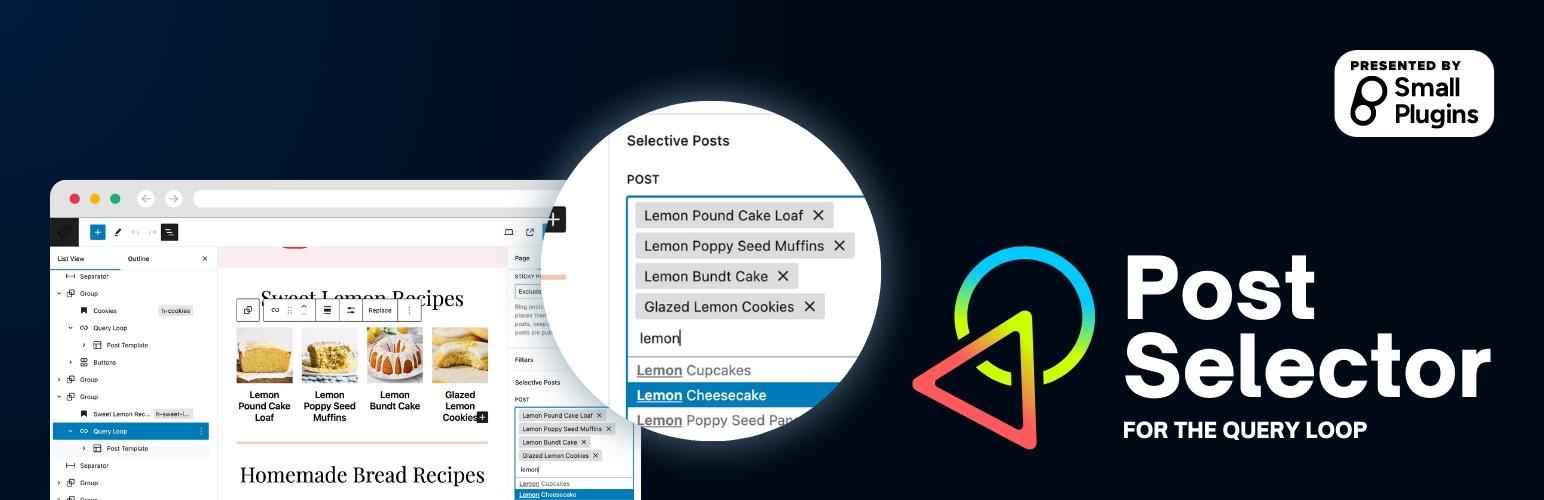
- 使用這個外掛程式,使用者現在可以從下拉選單中具體選擇要顯示的文章,並在查詢迴圈中顯示它們,使內容選擇更直觀和使用者友好。
- 使用方法:
- 新增或編輯一個 Query Loop 區塊。
- 在區塊設定面板中,找到「文章」下拉選單。
- 從下拉選單中選擇所需的文章。
- 儲存或更新您的文章/頁面,並在前端檢視變更。
- 注意:當您使用這個外掛程式進行具體選擇文章時,文章的順序會被覆寫,以符合透過下拉選單選擇的文章順序。
問題與答案:
- Query Loop Post Selector 是什麼外掛程式?
- 使用 Query Loop Post Selector 外掛程式的好處是什麼?
- 如何使用 Query Loop Post Selector 外掛程式來選擇要顯示的文章?
- 使用 Query Loop Post Selector 外掛程式時需要注意什麼?
外掛標籤
開發者團隊
原文外掛簡介
Query Loop Post Selector is a powerful extension to the native WordPress Query Loop block. With this plugin, users can now have the flexibility to specifically select posts from a dropdown and display them within the query loop, making content selection more intuitive and user-friendly.
Usage
Add or edit a Query Loop block.
From the block settings panel, locate the “post” dropdown.
Select the desired post(s) from the dropdown.
Save or update your post/page, and view the changes on the front end.
Note: When you’re specifically selecting posts using this plugin, the posts order is overriden to match the order of posts selected via the dropdown.