外掛標籤
開發者團隊
原文外掛簡介
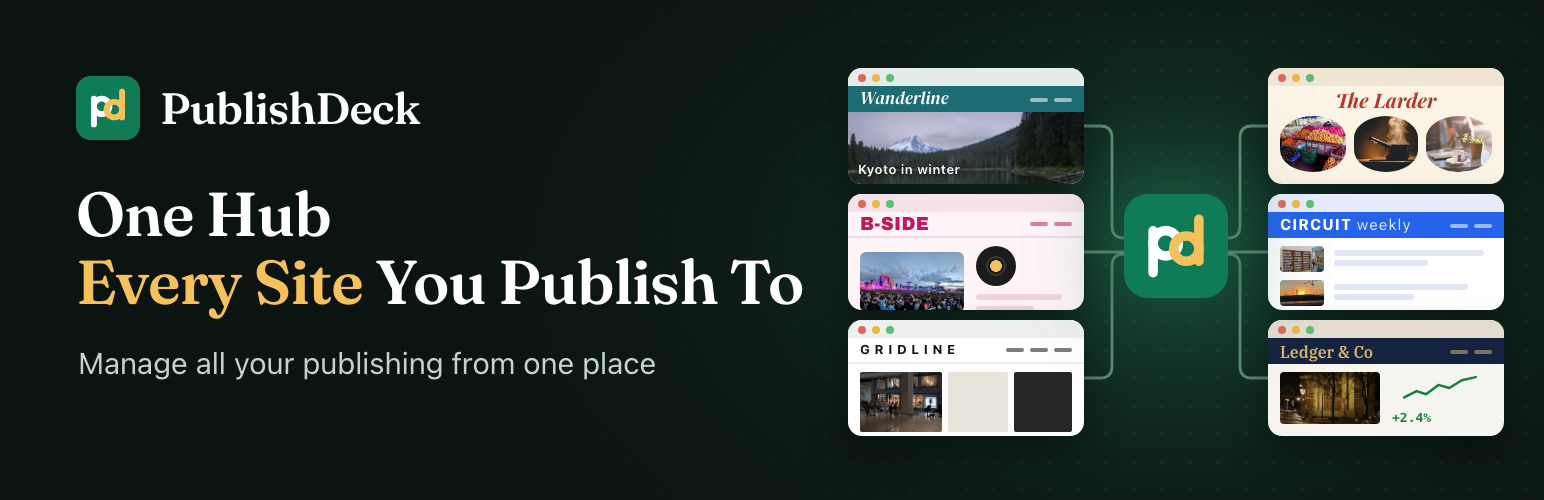
Running several WordPress sites means signing in to each one to publish, or copying posts by hand and losing images and blocks. PublishDeck gives your team one hub to write in and to see every post, site and result.
Write in the block editor on the hub, choose the post’s site in the editor sidebar, and publish. PublishDeck sends it in the background as block markup, so it stays fully editable in that site’s block editor, with its author, categories, tags, featured image and media.
The receiving sites need nothing installed: no companion plugin, no custom endpoint. PublishDeck uses the WordPress core REST API and an Application Password over HTTPS, so any up-to-date WordPress site can receive posts, including sites in a multisite network.
Who it is for
Publishers running several niche or brand sites from one editorial team.
Agencies writing and approving client posts in one place, each published to the client’s site.
Organisations with regional or department sites.
Features
Blocks stay blocks – posts travel as block markup, never flattened to HTML.
One site per post – connect as many sites as you need and send each post to the one it belongs on.
Two-way sync – pull edits made on a site back into the hub, one post or all at once, with a conflict warning.
Block compatibility check – each block is compared with the blocks the site has registered, so you are warned before one would not display there.
People and access – find each site’s users, match them to hub accounts by email, and set each person’s level per site: Write (drafts for that site to approve), Publish or Editor.
Deleted copies are noticed – the editor offers Re-publish or Remove link, and your hub post is never changed because of it.
Media – images and files upload with the post, and are removed only when no other post sent from the hub uses them.
Dashboard, Content and Activity – statistics, site health, every hub post with its state, quick edit, and a log of every push and pull with Retry.
Built to be safe – pushes run in the background, a retried job never makes a second copy, and the hub post stays the source.
How it works
On the receiving site, create an Application Password for an account that can publish there.
On the hub, open PublishDeck > Sites, add the site’s address with that account and password, and test the connection.
Write a post on the hub and choose the site in the editor sidebar.
Save or publish. A background job sends the post and records the result in Activity.
External services
PublishDeck connects only to the WordPress sites you add on its Sites screen. It sends nothing to the plugin author or any other service: no telemetry, no remote scripts or fonts.
It contacts a site when you connect it, when a post is published, updated, pulled, trashed or removed there, when you sync people, and on scheduled checks that the site is reachable and each copy still exists. Every request goes to that site’s REST API at /wp-json/, over HTTPS, signed in with the Application Password you entered.
Sent: the post’s title, content, excerpt, slug, status, date, categories, tags, featured image and media; its sticky, format, comment, ping and password settings; footnotes and any post meta keys you allow in Settings. To credit the right author, the hub author’s email address is sent as a search on the site’s user list.
Read: the copies of your posts, the site’s registered blocks, and its users’ names, email addresses and roles, to match them to hub accounts.
PublishDeck never creates, edits or deletes users on a connected site. Every site it talks to is one you connected, so no third-party terms apply.
Source code and third-party libraries
The admin screens (Vue 3) and the editor sidebar (React on WordPress’s own editor packages) ship compiled in assets/. PHP dependencies: composer install --no-dev.
Action Scheduler by Automattic, GPL-3.0-or-later, in vendor/woocommerce/action-scheduler/, runs background jobs. https://actionscheduler.org/
Vue and Vue Router, MIT, compiled into assets/admin/. https://vuejs.org/
Fraunces typeface, Copyright 2018 The Fraunces Project Authors, SIL Open Font License 1.1; the licence is in assets/admin/assets/Fraunces-OFL.txt. https://github.com/undercasetype/Fraunces