內容簡介
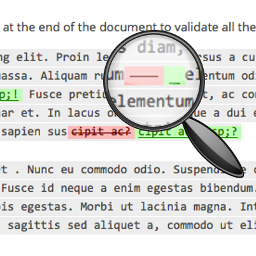
這個校對外掛讓您能夠提升文章、頁面和整個 WordPress 網站的質量。
它能讓您在不到一秒的時間內,檢查文章、頁面和草稿內的文字更正!
按下“分析”按鈕,就會列出所有發現的錯誤。
這個外掛能夠辨識不同類型的文字錯誤(感謝 Languagetool.org)。以下是一些錯誤類型的例子:
* 打錯字
* 標點符號
* 排版
* 常見混淆的單詞
* 非標準短語
* 語義
* 文法
* 冗餘的短語
這個校對外掛支援多種語言,例如:
* 英文
* 西班牙文
* 德文
* 義大利文
* 日文
* 法文
* 葡萄牙文
* 俄文
* 等等…
對於每種語言,在設定頁面中,您可以自訂出您有興趣的錯誤類別,隱藏其他的錯誤。
外掛標籤
開發者團隊
📦 歷史版本下載
原文外掛簡介
Proofreading plugin allows you to improve the quality of your posts, pages and all your WordPress website.
It gives you the possibility to check the correction of the texts inserted into posts, pages and drafts in less than a second!
Press the “Analyze” button and you will have a list of all found errors.
The plugin allows to recognize different types of text errors (thanks to Languagetool.org). Here some examples of error types:
* Typos
* Punctuation
* Typography
* Commonly Confused Words
* Nonstandard phrases
* Semantic
* Grammar
* Redundant Phrases
Proofreading plugin supports a lot of languages. For example:
* English
* Spanish
* German
* Italian
* Japanese
* French
* Portuguese
* Russian
* and so on…
For every language, in the settings page, you can customize which are the error categories you are interesting, hiding the others.