
內容簡介
這個外掛是使用最簡單且設置更多功能的 WooCoommerce 外掛,可以按單位售賣產品。
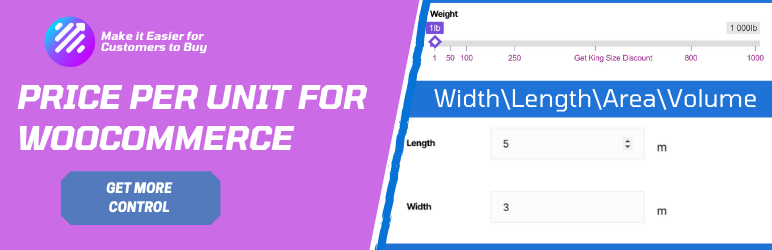
這個外掛可以讓您依賴單位售賣您的產品
(重量、長度、面積和體積)。您可以使用此外掛更改依賴單位的價格。這個外掛可以幫助您將價格差異非常清晰地呈現給您的觀眾。
基本版功能
支持數字和滑桿多種顯示方式
具有價格滑桿的可見性更高
價格差異容易注意到
基於重量/長度工作
描述中的價格信息標籤
易於安裝
適用於觸摸式移動設備
僅支持簡單產品
專業版功能
支持數字和滑桿多種顯示方式
具有價格滑桿的可見性更高
價格差異容易注意到
基於重量、長度、面積或體積工作
描述中的價格信息標籤
易於安裝
支援以所需數量銷售
使用自定標籤使價格差異更容易注意到
獲得高級支援服務。
支援簡單產品和變量產品
官方測試的外掛
Loco Translate
WPML
Polylang
設置流程
我們開發這個外掛時就已經考慮到非常容易設置。從管理面板進入您的產品頁面。您會得到一組輸入字段,並帶有合適的描述,稱為「價格每單位 metaboxes」。您需要填寫這些字段。就這樣。如果您需要有關此字段的更多信息,建議您查看此鏈接。 文檔
要檢查演示,請訪問此鏈接。
價格每單位詳細資料
如果您有任何建議,請告訴我們。 功能請求。這樣,您可以幫助我們在各方面改進外掛。
更新日誌
1.1
修復重大的錯誤
更新設置面板
1.2
新增數字顯示方式
1.3
修復數字顯示方式的移動觸摸問題
默認狀態從啟用變更為停用
可翻譯。
修復小問題。
1.3.1
修復與翻譯相關的問題
1.3.2
修復 Jquery 就緒問題
根據 WooCommerce 通貨選項設置顯示價格
修復數字顯示方式的十進制點增量
1.3.3
修復關於訂單數據的問題
外掛標籤
開發者團隊
② 後台搜尋「Price Per Unit For WooCommerce」→ 直接安裝(推薦)
原文外掛簡介
Sell product price per unit with the easiest to set up and more configurable Plugin with WooCoommerce.
This plugin allows you to sell your product depends on the unit
( Weight, length, area, and volume). You can change the price depends on the unit with this plugin. This plugin can help you to depict the price difference very clearly to your audience.
Basic Version Features
Support Multiple views (Numeric and Slider)
Tiered pricing — different prices for different quantity ranges
Work with Weight, Length, Area, and Volume basis
Stock management per unit with WooCommerce integration
Stock validation — cap slider at stock level or show error on cart
Unit-aware availability text (e.g., “50 meters available”)
Price Info tab in the product description
HPOS (High-Performance Order Storage) compatible
Touch support for mobile devices
Translation ready (WPML, Polylang, Loco Translate compatible)
Easy to install and configure
Supports Simple Products
Pro Version Features
Support Multiple views ( Numeric and Slider)
More Visible with Pricing Slider
Price difference easily noticeable
Work With Weight, length, area, or volume basis
Price Info tab in the description
Easy to install
Touch Support for mobile device
Sell Only the desire amount
With Custom labels make the price difference more visible to buyers.
Get Premium Support.
Support Simple and variable Products
OFFICIALLY TESTED PLUGINS
Loco Translate
WPML
Polylang
Setting-up Process
We have developed the plugin remembering in our mind; it should be easy to set up. Enter your product page from the admin panel. You will get a set of the input fields with proper descriptions called “Price Per Unit metaboxes.” You need to fill those fields. That’s it. To get more info about this field, I will suggest you follow this link. Documentation
To check the demo, Please Visit this link.
Price Per Unit Details
If You Have Any Suggestions, let us know, please. Feature Request. This way, you can help us to improve the plugin in every way.
Changelog
1.4.0
Fixed version constant mismatch (was 1.0.0, now matches plugin header)
Added HPOS (High-Performance Order Storage) compatibility for WooCommerce
Fixed undefined array key warning for range_slider_view
Fixed wp_localize_script deprecated usage for currency symbol
Removed leftover debug var_dump and error_log calls
Fixed translation loading by moving textdomain to init hook
Deferred metabox initialization to prevent early translation loading
Fixed repeater_field_support parameter order in Custom Metabox
Updated plugin description and author URI in header
Fixed activator translation calls (removed __() from wp_die during activation)
Raised minimum requirements: WordPress 6.0+, PHP 8.0+, WooCommerce 7.0+
Tested up to WordPress 6.8 and WooCommerce 9.0
1.1
Fixed Major bug
update settings panel
1.2
Add Numeric View
1.3
Fix Mobile touch issue for the Numeric view
By default, active status changed to deactivate
Translatable.
Fix small issues.
1.3.1
Fixed tranlation related issue
1.3.2
Fixed Jquery Ready issue
Price display according to WooCommerce Currency options settings
Fixed Nurmice View Decimal point increment
1.3.3
Fixed Order Data issue














