內容簡介
PressPrimer Assignment 是一款專業的作業提交與評分外掛,為 WordPress 教育工作者提供收集學生作業、提供有意義的反饋及追蹤成績的完整解決方案,無需繁瑣的電子郵件附件或共享雲端硬碟。
【主要功能】
• 支援多種提交類型,包括檔案上傳與豐富文本提交
• 集中式評分控制台,內建文件檢視器
• 提供豐富的文字反饋與行內註解功能
• 無限作業與提交,完全免費
• 整合 LMS,並提供電子郵件通知
外掛標籤
開發者團隊
② 後台搜尋「PressPrimer Assignment – Homework Submission, Document Viewer & LMS Grading Workflows」→ 直接安裝(推薦)
原文外掛簡介
PressPrimer Assignment is a professional assignment submission and grading plugin that gives WordPress educators everything they need to collect student work, provide meaningful feedback, and track grades, all without juggling email attachments, shared drives, or clunky LMS add-ons.
Students get a clean, focused submission experience. Teachers get a centralized grading dashboard with a built-in document viewer, rich text feedback, and inline annotations available via the School addon. And you keep full control of your data on your own WordPress site.
This is a genuinely free plugin. Unlimited assignments, unlimited submissions, full grading tools, LMS integration, and email notifications are all included at no cost. We earn upgrades by building specialized features worth paying for — like group management, rubric grading, AI-assisted grading and proofreading, document annotations, anonymous grading, AI content and plagiarism detection, xAPI / LRS support, automated data retention, audit logging, and white-label branding — not by crippling what you get for free.
Why PressPrimer Assignment?
Built-in assignment tools in WordPress LMS plugins are often afterthoughts, limited to basic file uploads with no real grading workflow, limited feedback options, and dated interfaces. Dedicated assignment platforms charge monthly fees with per-student pricing that gets expensive fast.
PressPrimer Assignment delivers a focused, polished assignment workflow with the features educators actually need:
Flexible Submission Types – Accept file uploads, rich text submissions, or let students choose. Support for PDF, DOCX, PPTX, TXT, RTF, ODT, and image files out of the box.
Grade Without Leaving WordPress – A dedicated grading queue with a side-by-side interface: the student’s document renders on the left while you score and write feedback on the right. Built-in viewers for PDF, Word documents, PowerPoint decks, images, and text files mean you never have to download, open, and track files on your desktop.
Native LMS Integration – Works with LearnDash, Tutor LMS, LifterLMS, and LearnPress. Assignments appear in lessons, passing grades trigger lesson completion, and instructor roles are mapped automatically.
Secure File Handling – Six-layer file validation and permission-based file serving. Student files are never directly accessible via URL.
Customizable Email Notifications – Automatic emails for submission confirmation, grade release, and new submission alerts. Fully customizable templates with token placeholders.
Three Professional Themes – Default, Modern, and Minimal themes that match the PressPrimer Quiz visual style.
Features Included Free
PressPrimer Assignment includes everything you need to manage assignments at any scale:
Assignment Creation
Unlimited assignments and submissions
Configurable maximum points and passing score
Three submission types: file upload, text/rich text, or student’s choice
Configurable file types, file size limits, and multiple files per submission
Duplicate any assignment to copy its settings
Student Submission Experience
Drag-and-drop file upload with progress indicators
TinyMCE rich text editor with live word count and auto-save drafts
Student notes field for context or questions
View submission status, grade, and instructor feedback
Previous submission history with feedback for each attempt
Grading & Feedback
Centralized grading queue with filter and sort
Side-by-side grading interface: document viewer on the left, grading panel on the right
Built-in viewers render PDF, DOCX, PPTX slides, images, and text files directly in WordPress; no downloading required
Automatic text extraction from PDF, DOCX, PPTX, ODT, RTF, and TXT files with quality scoring
Rich text feedback editor with bold, italic, lists, and links — feedback is rendered with its formatting on the student view, not as plain text
Submissions list filterable by score range, feedback presence, and submission date range
Grading guidelines reference panel pulled from the assignment
Email Notifications
Submission confirmation, grade notification, and new submission alert emails
Customizable subject and body templates per email type
Token placeholders: student name, assignment title, score, feedback URL, and more
Admin Dashboard & Reports
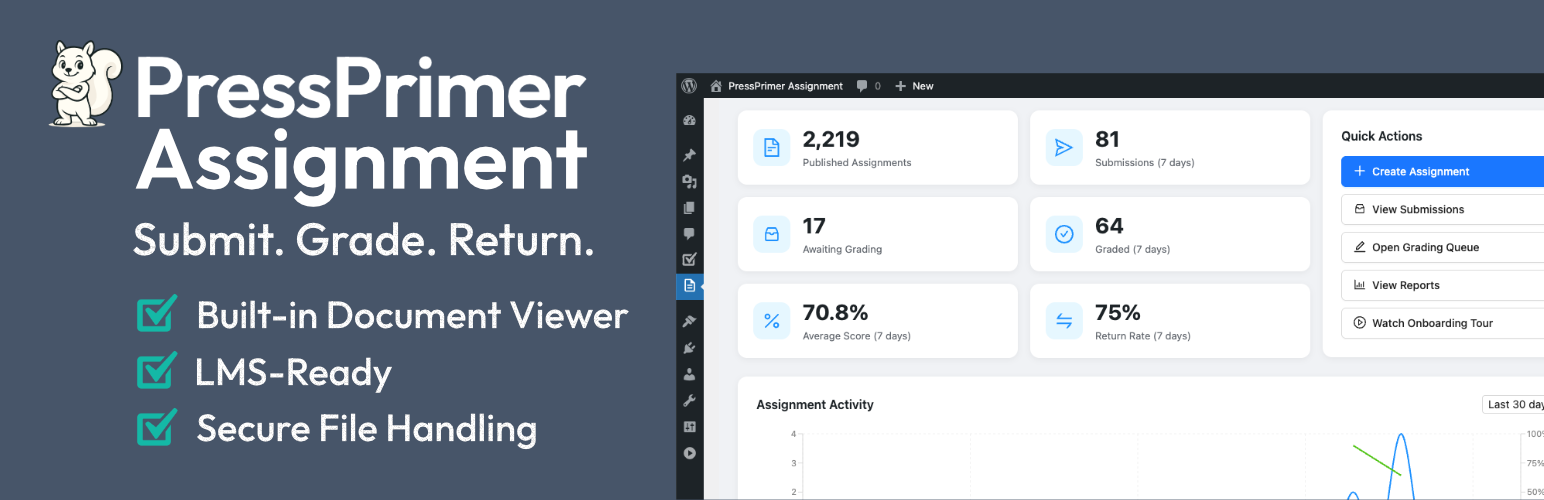
Dashboard with submission statistics, activity chart, and recent submissions
Reports page with filterable submission data
Security & Accessibility
Six-layer file upload validation (extension whitelist, MIME verification, double-extension blocking, dangerous file rejection)
Files stored outside webroot with permission-based serving through PHP
Capability-based access control (teachers see only their own assignments)
WordPress Privacy API integration (Tools > Export/Erase Personal Data)
Clean uninstall with optional complete data and file removal
Keyboard navigation, screen reader support, and reduced motion preferences
Perfect For
Course creators using LearnDash, Tutor LMS, LifterLMS, or LearnPress who need better assignments than built-in tools
University departments collecting essays, lab reports, or research papers
Corporate trainers gathering certification documents and project deliverables
Standalone WordPress educators who need assignments without a full LMS
Online course entrepreneurs selling courses with graded assignments
Built-in Integrations
PressPrimer Assignment automatically detects and integrates with popular WordPress LMS plugins:
LearnDash: Attach assignments to lessons or topics via the editor sidebar. Passing an assignment can automatically mark the lesson or topic complete. LearnDash Group Leaders are granted teacher-level permissions to create assignments and grade their students’ submissions. The “Mark Complete” button is hidden until a required assignment is passed.
Tutor LMS: Attach assignments to lessons via the course builder. Passing an assignment can auto-complete the lesson and trigger course completion when all lessons are done. Tutor LMS Instructors are granted teacher-level permissions.
LifterLMS: Attach assignments to lessons via meta box. Passing an assignment can auto-complete the lesson and course. Works with open/free courses, enrolled students, and instructor roles.
LearnPress: Attach assignments to lessons via the lesson settings panel. Link passing an assignment to lesson and course completion. Works with open courses, enrolled students, and instructor roles.
Uncanny Automator: Four triggers available—user submits an assignment, user is graded, user passes, user fails.
All integrations are bundled in the free version.
Premium Features
Unlock additional premium features at pressprimer.com. Premium capabilities are organized across three tiers — Educator, School, and Enterprise — each building on the one below it:
Educator
Groups & Assignments – Organize students into groups, distribute assignments with per-group due dates, and track completion progress.
Group Reports – Per-group completion dashboards with submission status grids, score distributions with pass-threshold coloring, drill-down student data.
Rubric Builder – Create analytic rubrics with criteria and performance levels, attach them to assignments for structured grading with automatic score calculation and per-criterion feedback.
Per-Criteria Report – See where students are struggling at the rubric-criterion level.
Teacher Role – Teachers manage their own groups and grade only their students’ submissions, while admins retain full access to all data.
Data Retention & Cleanup – Automatically prune old submission files and orphaned data.
School (everything in Educator, plus)
Inline Document Annotations – Mark up PDFs, images, and text submissions directly in the grading interface with highlights, underline, strikethrough, freehand drawing, and comments.
AI-Assisted Grading – Generate suggested scores and feedback for submissions using OpenAI or Anthropic. Rubric-aware: returns per-criterion scores when a rubric is attached.
AI Proofreading – Detect spelling and grammar issues in student submissions with one-click insertion of notes into feedback. Configurable locale for regional spelling variants.
xAPI / LRS Integration – Send Experience API statements to your Learning Record Store. Built-in queueing system ensures reliable delivery.
Enterprise (everything in School, plus)
AI Content & Plagiarism Detection – Run submitted text through Winston AI, GPTZero, or Originality.ai to surface AI-generated content and plagiarism scores. Auto-check on submission or run manually. Provider-aware grading panel shows scores and interpretation.
Plagiarism Report – Cohort-wide report with AI-likelihood and originality-score distributions, stat cards, a per-provider confidence breakdown, and a paginated flagged-submissions table with color-coded scores and tooltips explaining exactly why each row was flagged.
Anonymous Grading – Per-assignment toggle that masks student identity throughout the grading window so grades aren’t biased by who wrote the work. Identity stays hidden until submissions have been graded and returned.
Audit Logging – Immutable log of every assignment, submission, grading, settings change, annotation, xAPI emission, plagiarism check, and cleanup run with configurable retention, role-based viewer, and export. Audit Trail report on the Reports page surfaces filterable events with object links and a search box.
White-Label Branding – Remove all PressPrimer branding and customize with your own plugin name, logos, colors, and custom CSS.
Built for Developers
Action hooks for assignment creation, submission, grading, and email events
Filter hooks for submission permissions, file access, email templates, and role mapping
Full REST API for assignments, submissions, files, categories, and statistics
Custom database tables with automatic schema migration
Documentation & Support
Knowledge Base
Source Code & Development
The full uncompressed source code for all JavaScript and CSS files is available in our public GitHub repository:
GitHub Repository
The /src directory contains all unminified source files. The plugin uses webpack for building production assets. To rebuild from source:
Clone the repository
Run npm install to install dependencies
Run npm run build to compile assets
Privacy
PressPrimer Assignment stores student submission data (files, text, grades, and feedback) in your WordPress database under your full control. No student or submission data is ever transmitted to external servers. The single exception to “nothing leaves your site” is the optional email-course opt-in described under External Services — it sends only an email address that an administrator or teacher explicitly typed in and submitted. All submitted files are stored in a protected directory under wp-content/uploads/ppa-submissions/ and served via PHP with permission checks.
The plugin integrates with the WordPress Privacy API:
Tools > Export Personal Data — includes all submissions, grades, feedback, and uploaded file metadata for the requested user.
Tools > Erase Personal Data — permanently deletes all submissions, grades, and uploaded files for the requested user.
Administrators can permanently delete all plugin data (database tables, uploaded files, options, and user meta) via Settings > Advanced > “Remove all data on uninstall” before uninstalling the plugin.
External Services
This plugin offers an optional free email course for teachers and administrators. When — and only when — a user types their email address into the opt-in form and clicks the subscribe button, the plugin connects to pressprimer.com to register the subscription.
When: Only on an explicit opt-in submission. No request is ever made automatically — no telemetry, no activation pings, no environment data.
What data: The typed email address and a tag naming which screen the form was on. Nothing else.
Unsubscribing: Every email includes an unsubscribe link, honored immediately.
Terms of Service: https://pressprimer.com/terms/
Privacy Policy: https://pressprimer.com/privacy/
Dismissing the offer is remembered permanently and is stored only on your own site.
Third-Party Libraries
The plugin bundles the following open-source JavaScript libraries (compiled into the plugin’s script bundles; nothing is loaded from a CDN and no external requests are made):
PDF.js (pdfjs-dist 3.11.174) — Apache-2.0 by Mozilla — renders PDF submissions in the browser. https://github.com/mozilla/pdf.js
Mammoth (mammoth 1.8.0) — BSD-2-Clause — renders Word (.docx) submissions in the browser. https://github.com/mwilliamson/mammoth.js
PptxViewJS (pptxviewjs 1.1.9, pinned) — MIT — renders PowerPoint (.pptx) submissions as slides on a canvas. Rendering is approximate for exotic constructs; the original file is always downloadable. https://github.com/gptsci/pptxviewjs
Chart.js (chart.js 4.x) — MIT — used by PptxViewJS to draw charts embedded in presentations. https://github.com/chartjs/Chart.js
JSZip (jszip 3.x) — MIT — reads the PPTX (ZIP) container in the browser. https://github.com/Stuk/jszip