內容簡介
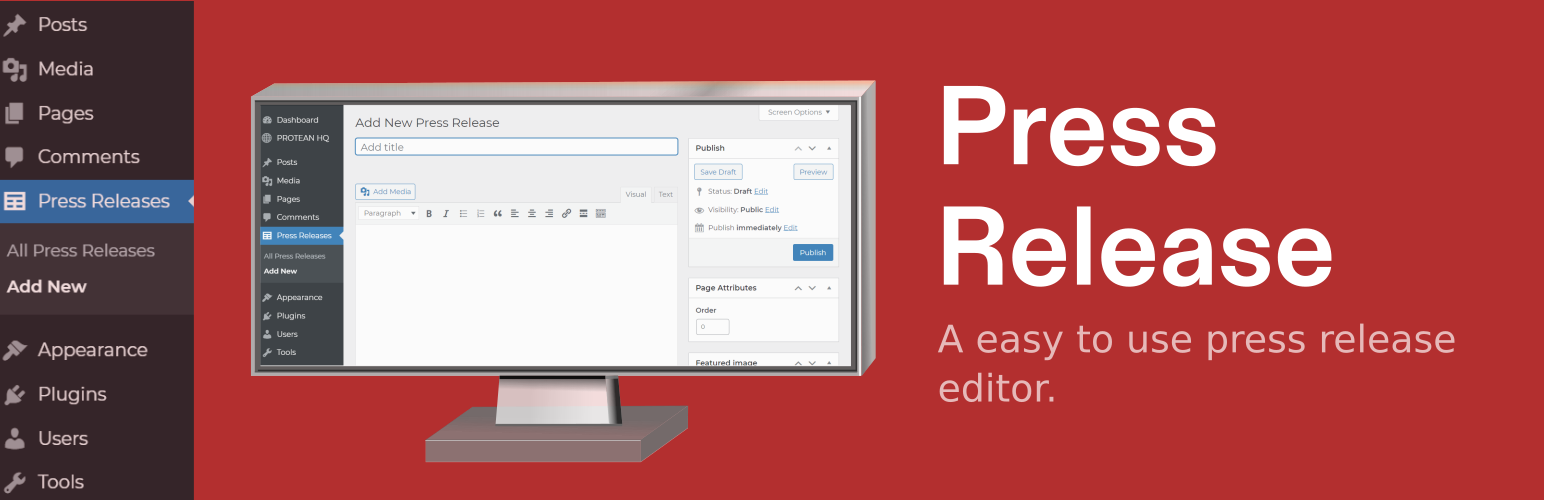
一個搭載了免費新聞稿範本的新聞稿編輯器外掛。當你需要撰寫新聞稿時,可以使用這個方便的新聞稿編輯器,專為你的 WordPress 網站或部落格打造。在 WordPress 後台中快速撰寫新聞稿,並快速發布。
在 WordPress 儀表板中新增了新聞稿區段,位於文章和頁面區段旁邊。從自己的區段中發布新聞稿,保持它們與所有文章和頁面分開。
重要安裝提示:請在啟用外掛之後重新儲存永久連結設定,否則你的文章將僅在網站內部顯示。要重新儲存永久連結設定,請在啟用外掛後前往 WordPress 設定菜單,然後進入 –» 永久連結 –» 然後再次單擊“儲存變更”按鈕以更新永久連結設定,完成外掛設置成功。
請訪問 PR Wire Access Pro 以獲取更多免費可編輯的新聞稿範本,或如果你有興趣使用 新聞稿發布服務。現在就提交你的新聞稿,下載 新聞稿發布外掛
新聞稿發布服務 可用於將新聞稿發布到新聞線、記者、報導者、社交網絡、新聞聚合器和其他新聞媒體。
新聞線將新聞發布到各種組織,如記者、報導者、在線報紙、部落格、雜誌、廣播網絡和電視廣播公司。新聞線有時也被稱為“新聞代理機構”。
你可以使用新聞線輕鬆地將你的新聞稿發布到新聞線、代理機構、記者、報導者和其他各種媒體。
白標新聞稿發布 可將你的 新聞稿 發布到廣泛的目標媒體,這些媒體將在其網站或新聞源上發布你的消息。
新聞稿 是網絡上最廉價的宣傳業務或網站的方法之一。
它們提供有關公司獨特產品/服務的相關信息。新聞稿將幫助你在搜索引擎上排名靠前,並在 Google、Yahoo、Bing 等搜索引擎中出現。新聞稿發布也會幫助你為更多相對於網站的關鍵詞排名,因為它們通常包含與你的網站相關的鏈接和內容。
這是你的 WordPress 網站的營銷工具,在此提交無限量新聞稿。 新聞稿,在 PR Wire Pro 的新聞稿網絡和社交發布網絡上提交無限量免費新聞稿。這是一個營銷 新聞稿發布服務 工具。
需要快速的線上幫助,請在社交媒體上訪問我們 - Twitter – Facebook
外掛標籤
開發者團隊
原文外掛簡介
A press release editor with an included free press release template. When you need to write a press release use this handy press release editor made just for your WordPress website or blog. Write a press release quickly within your wordpress panel and then quickly distribute your press release.
Adds a new section for press releases within your wordpress dashboard, right next to your post and pages section. Publish your press releases from their own section and keep them separate from all of your post and pages.
Important Installation note: Please make sure to re save your permalink settings after you have activated the plugin or your posts will not show up publicly on your site, only privately. To resave your permalinks settings, please go to to your wordpress settings menu after you have activated the plugin and then go to –» permalinks –» and then please re-click the Save Changes button one more time to update the permalink settings and then the plugin is now setup successfully.
Please visit prwirepro.com to learn more about the plugin. For any questions about the plugin or help with the plugin please contact our support team at anytime through our website – Contact PR Wire Pro Support Visit our website to find the best Press Release Distribution Services or download our other plugin available on wordpress.org press release distribution plugin. For press release writing tips and help please visit https://howtocreateapressrelease.com.
Credits