內容簡介
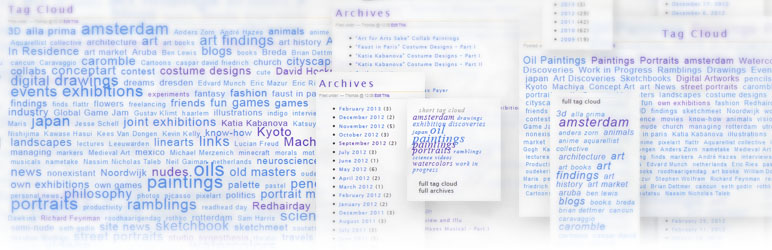
標籤雲和存檔對訪客和搜尋引擎都很有用,可以幫助它們找到並索引與您部落格相關的主題。透過簡碼,「Post Tags and Archives」可輕鬆地將標籤雲或存檔加入文章和頁面中。
以前,您只能將其放在側邊欄或小工具中,這可能會損壞相關關鍵詞的搜索排名,並且使側邊欄過於擁擠。因此,您必須截斷雲和存檔,或者將其取消(或使用一些更複雜的技巧)。
現在您只需要將它們拖放到您的文章中並透過選項輕鬆更改外觀。
選項
應該是自我解釋的。
高級功能:請小心HTML部分。
存檔格式設置「下拉選單選項」是為那些想要設置表單的人。您必須自行添加適當的表單-包括select/post等。然後,此功能將添加所有存檔(您選擇的類型)作為
待辦事項
添加產品標籤支援
可能會像這樣:
$args = array(
‘number’ => 15,
‘taxonomy’ => ‘product_tag’
);
返回$args;從WP 1.5開始理論上功能正常:(大多數功能來自2.5 ,「分隔符」- 來自2.9,僅適用於標籤功能的「標籤排序」從3.5開始)
外掛標籤
開發者團隊
原文外掛簡介
Tag clouds and Archives are useful for visitors, but also for search engines to find and index what topics your blog relates to. “Post Tags and Archives” makes it easy to add Tag Clouds or Archives to posts and pages via shortcodes.
Before, you could only put it in the sidebar or widgets. That could hurt the search ranking for relevant terms and crowds the sidebar. So one either had to truncate the cloud and archive – or get rid of them (or use some more complicated trickery).
Now you can just drop them in your posts and change the look easily via the options.
Options
Should be self-explanatory.
The advanced features: Please be careful with the HTML parts.
The archive-format setting “options for dropdown-menu” is for people who want to setup forms. You have to add a proper form yourself – with select/post and all. Then this feature will add all archives (in the type you chose) as
TODO
add products tag support
Probably like this:
$args = array(
‘number’ => 15,
‘taxonomy’ => ‘product_tag’
);
return $args;Theoretically functional: from WP 1.5 (most features from: 2.5. “separator”-option from 2.9, “Tags-Order” for tags feature only from 3.5)