內容簡介
Post SMTP 是一款專為 WordPress 設計的 SMTP 外掛,旨在解決郵件發送問題,確保網站郵件安全且可靠地送達。它提供多種 SMTP 整合選項,並具備詳細的郵件日誌與追蹤功能,適合各類網站使用。
【主要功能】
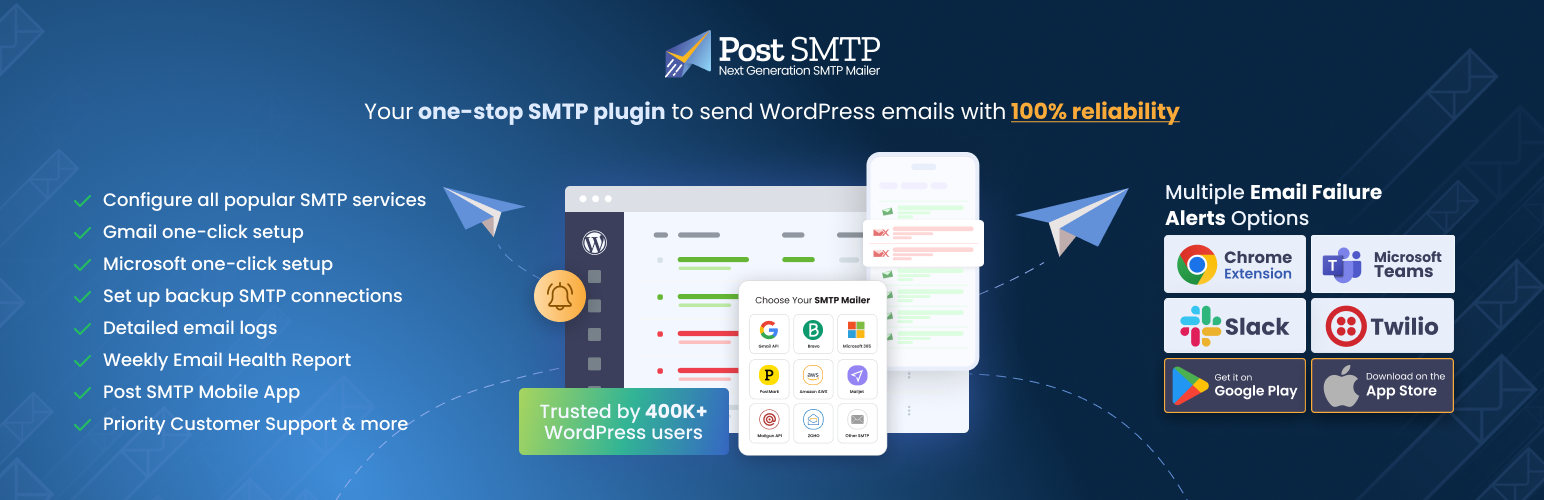
• 支援 15+ 種 SMTP 郵件發送選項
• 提供詳細的郵件日誌與統計報告
• 支援郵件開啟追蹤功能
• 多種郵件警報選項(如 Teams、Webhook)
• 簡單的一鍵 SMTP 設定
外掛標籤
開發者團隊
② 後台搜尋「Post SMTP – Complete Email Deliverability and SMTP Solution with Email Logs, Alerts, Backup SMTP & Mobile App」→ 直接安裝(推薦)
📦 歷史版本下載
原文外掛簡介
👑 Go Pro | 💻Live Demo | 🔌Extensions | 📱Mobile Application
WordPress Mail SMTP Plugin
Are you facing the WordPress not sending emails issue❓Don’t worry! Install the Post SMTP Plugin aka (WordPress mail SMTP plugin), for smooth WordPress email deliverability.
Over 400,000 website owners use Post SMTP daily to send WordPress emails securely and reliably💯 using Gmail SMTP, Microsoft Office 365/Outlook, and other SMTP integrations.
Post SMTP is a free, next-generation WordPress SMTP plugin that improves email deliverability for your WordPress site.
The best part is that to ensure high email deliverability the Post SMTP plugin offers 15+ SMTP mailer options, including Gmail, Brevo, Microsoft 365 SMTP (formerly Office 365), Amazon SES, Zoho Mail, Postmark, Mailgun, SendGrid, etc.
With the ✨Post SMTP Pro version✨, you can unlock even more advanced features, such as detailed email logs, email delivery stats and reporting, email open-tracking, premium SMTP integration (Microsoft 365, Amazon SES, and Zoho Mail SMTP), multiple options for email alerts (i.e., Teams, Webhook, Twilio, and Slack), and much more.
What is SMTP, and Why Do You Need It?
SMTP, short for Simple Mail Transfer Protocol, is the most widely used protocol for online email transmission. SMTP configuration with proper authentication for your WordPress site ensures that your WordPress emails do not end up in spam.
By default, WordPress sends emails using the PHP mail function, which isn’t ideal because most WordPress hosting servers don’t support PHP email.
On top of that, most email clients, such as Outlook (Office 365 / Microsoft365), Yahoo, Gmail, Brevo, Zoho, Amazon SES, Mailgun, etc., automatically block or mark spam emails that lack proper authentication.
That’s why you need to install the Post SMTP plugin on your WordPress site to configure the SMTP mailer of your choice with one-click SMTP setup for Gmail, Microsoft 365, and more.
How Does Post SMTP Work?
Post SMTP allows you to easily replace the default PHP mail function (wp_mail) of your WordPress site with the SMTP mailer of your choice, like Microsoft 365(Office 365), Brevo, Zoho, SendGrid, Mailgun SMTP, Gmail (Gmail SMTP Server), Post Mark, Amazon SES etc., which in turn improves WordPress email deliverability.
This WordPress mail SMTP plugin provides detailed email logs, email open tracking, email alerts, and a mobile app to monitor WordPress email deliverability.
Additionally, with a 3-step setup wizard you can configure any SMTP mailer (e.g., Gmail SMTP (Gmail one-click setup), Microsoft Office 365, Mailgun, Brevo, etc.) securely via API Keys in seconds without providing your SMTP account credentials.
NOTE: If you want to set up a Gmail SMTP server for WordPress, check out our detailed guide on how to configure Gmail SMTP server to send WordPress emails reliably.
Ultimately, this WordPress SMTP plugin helps you fix all your issues related to WordPress not sending emails.
⚡ Features That Make Post SMTP Stand Out
✅ Quick Setup Wizard: Easy-to-use and powerful 3-Step Setup Wizard for quick WordPress SMTP configuration with One-click SMTP setup for Gmail SMTP and Microsoft 365 SMTP.
✅ SPF, DKIM & DMARC Checks: Keep an eye on domain’s reputation with out built-in Spam Score Checker that looks at your DNS records..
✅ Detailed Email Logs: Quickly view, filter, and check the status of all your WordPress emails and error messages with a simple click, ensuring your email logs are always up to date.
✅ Post SMTP Mobile App: Get WordPress email alerts directly on your mobile phone so you can track email deliverability on the go.
✅ Extensive Email Reporting: Get a thorough report at a glance regarding your WordPress email deliverability performance, including email open tracking and other important stats.
✅ Resend Email Attachments [PRO]: With a single click, you can resend any email attachment right through your email log screen, maintaining a seamless record in your email logs.
✅ OAuth 2.0 Support: Authenticate all major SMTP service providers’ accounts (i.e., Microsoft Office 365/Microsoft365, Brevo, Gmail SMTP (Gmail one-click setup), Amazon SES, SendGrid, Mailgun, etc.) securely using APIs.
✅ Fallback Mailing: Easily set up a backup WordPress SMTP mailer to send any transactional email in case of a failure with the main mailer.
✅ Instant Failure Notification: In case of any WordPress email delivery failure, you’ll get an instant email alert, Slack notification, SMS (via Twilio), push notification (via webhook and Chrome Extension), etc.
✅ Free Chrome Extension:Receive all your WordPress email alerts for failed email deliveries directly into your Chrome browser window.
✅ Weekly Email Summary: Get a snapshot of your WordPress email deliverability report right in your inbox every week, which reveals the total number of emails, the number of failed emails, total successful email deliveries, and your recent email logs.
✅ Unparalleled Customer Support: We offer multiple support options, including email, a WordPress forum, and even one-on-one expert assistance for WordPress SMTP Configuration and all your email delivery issues.
⚡ Post SMTP Mobile App: Get an Instant Pulse of Your WordPress Emails
✅ Keep track of Your Emails: You can monitor all the emails sent from your WordPress site and check the status of each email.
✅ Get Instant Alerts: When an email fails to deliver, you will receive an instant notification on your phone.
✅ Resend Failed Emails [PRO]: With one tap on your app, you can resend any failed email.
Preview Any Email: You can preview your emails and see how it looks.
✅ Connect Multiple Sites [PRO]: Monitor email logs and get email failure notifications (email alerts) for all your WordPress sites right from the app.
✅ Troubleshoot Errors: Quickly fix email failure issues by viewing the error details with a single tap.
SMTP Mailer Options for Post SMTP
With Post SMTP, you get many SMTP mailer options, such as:
SMTP.com SMTP – Newly Added
CloudFlare SMTP – Newly Added
Sweego SMTP – Newly Added
Mailtrap SMTP – Newly Added
Emailit SMTP
Resend SMTP
MailerSend SMTP
Brevo (formerly Sendinblue) SMTP
Microsoft 365 SMTP (Formerly Office 365 and Outlook)
Gmail SMTP (Gmail API, G Suite, Google Workspace)
Amazon SES SMTP
Zoho Mail SMTP
Mandrill SMTP
Mailgun SMTP
SendGrid SMTP
Mailjet SMTP
SparkPost SMTP
Postmark SMTP
Elastic Email SMTP
Other SMTP (To connect any SMTP server)
You often need to install a different WordPress mail smtp plugin for each SMTP mailer setup. However, with Post SMTP, you can set up all popular SMTP providers, such as Gmail one-click setup, Microsoft Office 365, Mailgun, Amazon SES, Zoho Mail, etc.
Microsoft 365 SMTP
Millions of businesses around the world use Microsoft 365 (formerly Office 365) or Outlook for their email communications. With Post SMTP Pro, you can easily connect your existing Outlook or Microsoft 365 (formerly Office365) account with WordPress via one-click SMTP setup to improve email deliverability.
👉 For more details, check out our guide on how to set up Microsoft 365 for WordPress emails.
Amazon SES SMTP
Amazon SES (Simple Email Service) is a cloud-based email service that can send transactional and mass emails. SES is cost-effective, reliable, and scalable. Using the Post SMTP Pro, you can securely integrate your Amazon SES account with WordPress via APIs so that you can send large numbers of emails on a budget.
👉 For more details, check out our Amazon SES documentation.
Zoho Mail SMTP
Connect your Zoho mail personal or business account with WordPress via Post SMTP Pro to improve email deliverability. It has a 99.9% server uptime and offers a free option.
👉 For more details, check out our Zoho Mail documentation.
👉 To learn about all the supported SMTP mailers, check out our Complete SMTP Mailer Guide.
⚡ Added Benefits of Getting Post SMTP Pro
The Post SMTP Pro gives you an edge that makes your WordPress email management and performance reporting a breeze! With Post SMTP Pro, you get the following additional perks:
✅ Microsoft 365 One-Click: Upgrade to unlock a smooth and effortless Microsoft email setup. Just enable Microsoft 365 One-Click Setup. With a single toggle, Post SMTP automatically configures everything needed for secure and reliable Outlook / Office 365 email delivery no manual settings required, no technical steps to worry about.
✅ Google (Gmail) SMTP One-Click: Upgrade now for a worry-free Gmail SMTP integration. Activate Gmail One-Click Setup and let Post SMTP Setup Wizard handle all the API-related technicalities.
✅ Microsoft Teams Notifications: This WordPress SMTP plugin enables you to receive real-time notifications for your emails on Microsoft Teams with a simple webhook.
✅ Native SMTP Integration: You can use this WordPress SMTP plugin to securely configure 15+ SMTP service provider accounts, such as Microsoft 365 (Microsoft Office 365), Gmail SMTP, Amazon SES, Zoho Mail, Mailgun, Postmark, etc., with WordPress using APIs.
✅ Twilio (SMS) With this WordPress SMTP plugin, you can easily configure and receive all your WordPress email failure alerts through SMS by connecting your Twilio account.
✅ Secondary SMTP Connection: Using the Post SMTP Pro, you can set up multiple SMTP mailers so that for any reason, whenever an email fails to deliver, Post SMTP will automatically route that email through the secondary SMTP connection. In turn, this will improve your email delivery rate.
✅ Weekly Email Health Report: As a Post SMTP Pro member, you get a weekly email report that reveals all your deliverability statistics at a glance, such as the total number of emails sent from your WordPress site, the number of failed emails, the total number of successful email deliveries, and the complete email logs report so you can identify any issues right away without login into your WordPress.
✅ Email Open Tracking: Are you curious about which of your emails get opened? With Post SMTP Pro, you can easily view email open tracking right on your email log screen, which greatly enhances your ability to analyze the performance of your WordPress emails.
✅ Auto Resend Failed Emails: With Post SMTP Pro, you can effortlessly increase your WordPress email delivery success rate by simply specifying the number of resubmission attempts after the first failed submission.
✅ Email Batching and Quota Scheduling: Avoid any spam detection and daily email limit exceeding issues with the Post SMTP email batching and quota scheduling feature. As a pro user, you can easily specify the duration and number of emails per batch and choose how often to send the emails (hourly, daily, weekly, or monthly) for optimal email delivery.
✅ Priority Support: We offer exceptional customer support to all the Post SMTP Pro users. You can access our team of WordPress experts on one-on-one email support 24/7 for any WordPress email-related issue. Also, we offer WordPress SMTP Configuration service on demand.
🆕 MainWP Post SMTP Extension – NEW
Manage WordPress SMTP Configuration Across All Your Sites From A Single Dashboard
With MainWP Post SMTP Extension, you can:
Set up and sync your SMTP settings for all your sites with one click.
Ensure email deliverability with backup SMTP connections.
Receive instant email failure alerts via email webhook, Slack, SMS, and Microsoft Teams.
Track and resend your WordPress emails with a dedicated mobile app
Access detailed email logs of all your sites in one place
MainWP Post SMTP Extension is the ultimate solution for WordPress email management. Get it today and enjoy the benefits of easy and efficient WP SMTP management.🙃
⛑ Need Help? Get Expert Assistance on Demand!!!
With our Expert Assistance, you can get help with email deliverability and SMTP plugin configuration for Gmail, Microsoft Office 365, and any SMTP setup for WordPress.
All you need is to click here, fill out the form, sit back, and relax while our WordPress expert sets up your SMTP configuration. Also, you can request us to configure all your DNS records for proper email authentication.
In short, our Expert Assistance is your one-stop destination for all your WordPress email delivery issues.
Compatibility and Support
Contact Form 7
Woocommerce
New User Approve
Password Protected
Elementor Forms
Gravity Forms
Login Designer
Visual Forms Builder
Mailster Newsletter plugin
SendPress Newsletters
WP HTML Mail
Email Templates
.. and every other plugin that uses the WordPress API wp_mail to send mail!
Try Our Other Awesome WordPress Plugins
Gutena Forms – Create modern, responsive contact forms directly in the Gutenberg block editor. Add advanced fields, protect against spam with reCAPTCHA and Cloudflare Turnstile, manage form entries, and more.
Password Protected – Secure your WordPress site, posts, pages, and categories with simple password protection.
WP EasyPay – Accept Square payments and donations easily on your WordPress site.
WC Shop Sync – Add Square payments and sync WooCommerce products, customers, and orders with your Square POS.
Advanced File Manager – Easily manage and organize your WordPress files directly from the dashboard.
CF7 Apps – Add honeypot, hCaptcha, and database entries to Contact Form 7. New extensions are continuously added.
myCred – Add gamification, rewards, ranks, badges, and points management systems to your WordPress website.
New User Approve – Control user registrations by manually approving or denying new signups.
Bookify – Your go-to online bookings and appointment scheduling plugin for WordPress.
All In One Login – Secure your WordPress login page, change the wp-login.php URL, and add social logins like Google, Facebook, Microsoft, LINE, and more.
WPExperts WooCommerce Store – Explore premium WooCommerce plugins and professional solutions by WPExperts.== Requirements ==
WordPress v6.2 and above is recommended
PHP v7.6 and above is recommended.
Memory should be at least 800KiB per processing at idle.
Ensure your email service provider allows SMTP connection through 3rd party applications, if not you can have it enabled.(Other SMTP)
For reliable email deliverability, valid credentials are required.