外掛標籤
開發者團隊
② 後台搜尋「PN Scripts Tabcrest – Custom Product Tabs & FAQ」→ 直接安裝(推薦)
原文外掛簡介
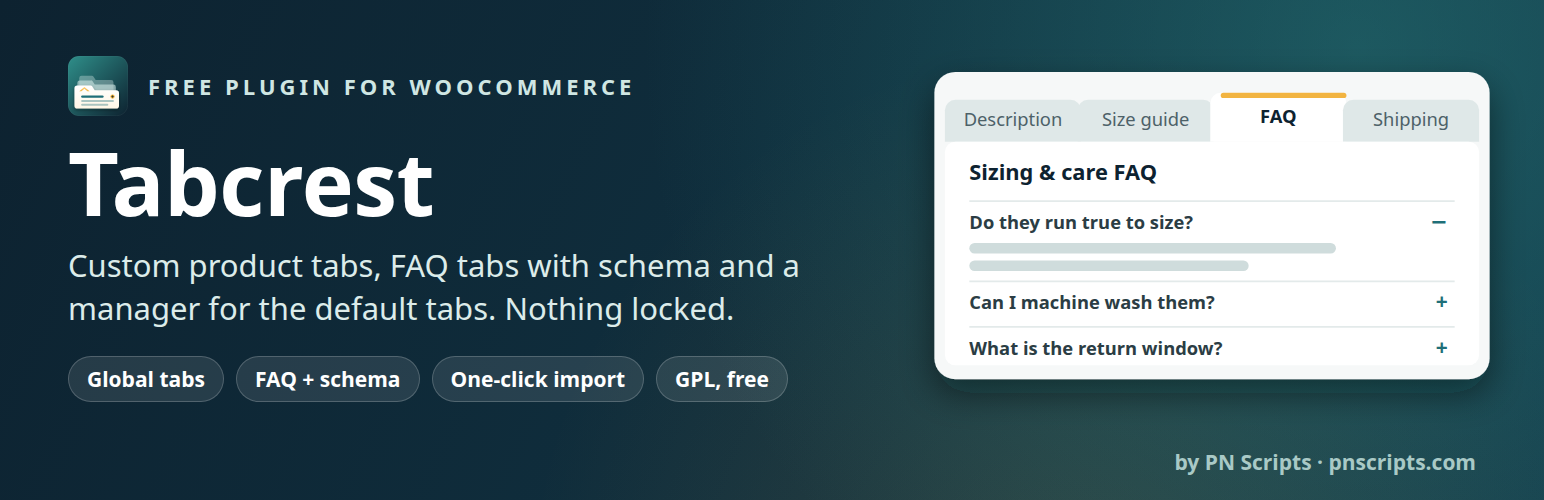
PN Scripts Tabcrest adds the tabs your product pages need (size guides, shipping and returns, care instructions, warranties, ingredients, FAQs) and manages WooCommerce’s own Description, Additional information and Reviews tabs. Everything is free and nothing is locked.
Per-product tabs
Add any number of tabs to a product under Product data → Custom tabs.
Rich text with the WordPress editor (media, links, shortcodes, embeds), or a FAQ list.
Drag to reorder, switch a tab off without deleting it, remove it.
Global (reusable) tabs
Write a tab once in the block editor and show it on all products, on products in chosen categories (subcategories included) or with chosen tags, or only where you add it.
Hide a global tab on a single product, or place it at a specific position on one product.
Edit it once, every product updates.
FAQ tabs with FAQPage schema
Questions and answers as an accessible list (native details/summary, no JavaScript).
Optional FAQPage structured data, one block per page, with a switch to turn it off when your SEO plugin already outputs FAQ markup.
Default WooCommerce tabs
Rename Description, Additional information and Reviews (the Reviews title can show the review count with %d).
Reorder them by priority, hide them store-wide or on single products, keep Reviews last.
Classic and block themes
Classic themes such as Storefront use the standard WooCommerce tabs.
Block themes such as Twenty Twenty-Five: works with the Product Details block, both the tabbed version and the newer accordion version. In the accordion, custom tabs appear at their priority among Description, Additional information and Reviews, and renaming or hiding the default tabs works there too.
Moving from Custom Product Tabs for WooCommerce (YIKES)
The importer copies every product’s YIKES tabs and the YIKES saved tabs in one click:
Saved tabs become global tabs; products that used a saved tab are linked to it, so editing the global tab updates them all. Saved tabs that YIKES Pro assigned to all products or to categories/tags keep those rules.
Your product pages look the same after the import: same tabs, same order, same content. Tabs YIKES never showed (no title, or hidden by another tab with the same title) are imported switched off and listed in the report.
Dry run first: the report shows exactly what the import will do and changes nothing.
YIKES data is only read, never changed. Until you deactivate YIKES, its copy of imported tabs is hidden so nothing shows twice.
Safe to run again (no duplicates; unchanged products are skipped), works in batches for large catalogues, and can be undone.
Command line: wp pnscripts-tabcrest import-yikes --dry-run, then wp pnscripts-tabcrest import-yikes.
Built for current WooCommerce
Compatible with High-Performance Order Storage (HPOS) and the cart and checkout blocks (the plugin never touches orders, cart or checkout).
Fast: tabs are stored with the product and global tabs are read from one cached index, so product pages do not run a query per tab. Styles load only when a FAQ tab is shown; no JavaScript on the storefront.
Translation-ready; translations come from translate.wordpress.org.
Clean uninstall: data is kept by default; one setting removes all tabs and settings when the plugin is deleted.
No tracking, no external requests, no ads in the admin.
For developers
Filters and actions: pnscripts_product_tabs_resolved, pnscripts_product_tabs_global_tab_applies, pnscripts_product_tabs_content, pnscripts_product_tabs_heading, pnscripts_product_tabs_faq_schema, pnscripts_product_tabs_use_the_content, pnscripts_product_tabs_accordion_integration, pnscripts_product_tabs_index_entry, pnscripts_product_tabs_global_tab_settings, pnscripts_product_tabs_global_tab_saved, pnscripts_product_tabs_loaded.