
內容簡介
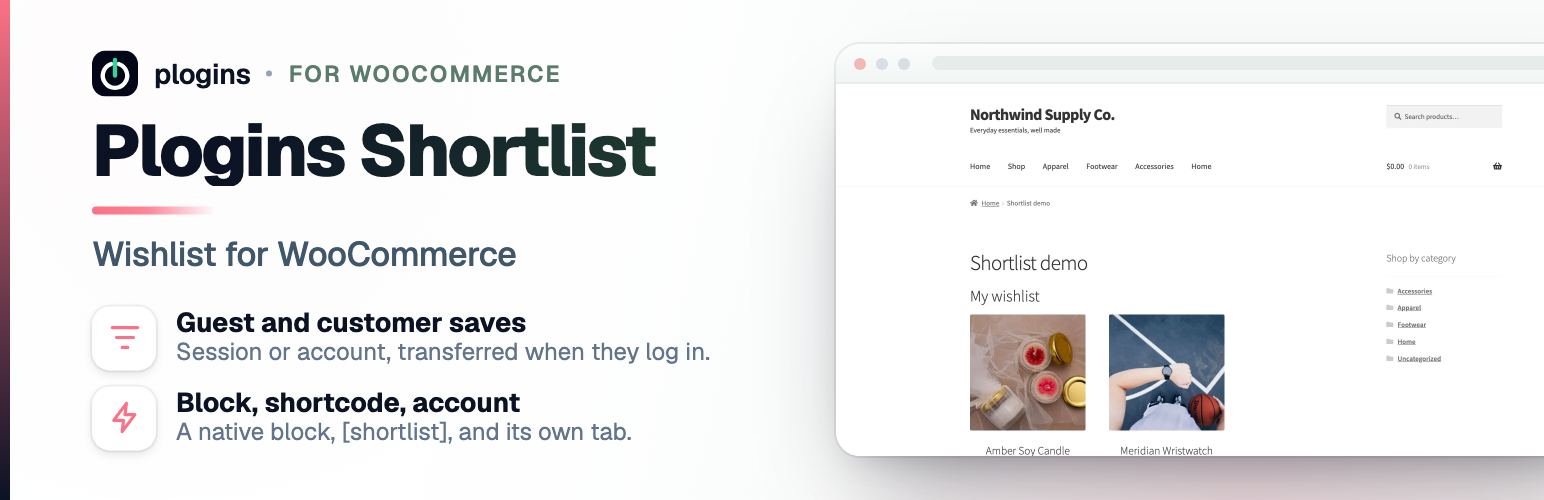
Plogins Shortlist 是一款為 WooCommerce 商店設計的外掛,讓顧客能夠輕鬆地將商品加入願望清單,並在未來回來時查看和管理他們的收藏。此外掛不僅提升了用戶體驗,還能增加顧客的回訪率。
【主要功能】
• 在商品頁面和商店循環中新增「加入願望清單」按鈕
• 支援訪客在登入前儲存商品
• 自訂願望清單顯示位置和內容
• 提供無需重新載入頁面的儲存和移除功能
• 支援變數商品的選擇儲存
• 簡單的設定介面,適合商店管理員使用
外掛標籤
開發者團隊
② 後台搜尋「Shortlist – Wishlist for WooCommerce」→ 直接安裝(推薦)
📦 歷史版本下載
原文外掛簡介
Shortlist adds an “Add to wishlist” button to your WooCommerce shop loop and product pages. Shoppers save products, favourites and save-for-later items, then come back from a “Wishlist” tab in My Account, a page of their own, or anywhere you drop the [shortlist] shortcode.
Guests can save products before they log in. A guest list lives in a cookie; the next time that visitor signs in, their saved items move onto their account, so nothing is lost at the login step. Logged-in customers’ lists are stored in a custom database table keyed to their user id.
The plugin is written for stores that care about front-end weight and accessibility:
The front-end script is vanilla JavaScript with no jQuery dependency. It is deferred and loaded in the footer.
The toggle button reserves its space, so switching between the add and remove states does not reflow the page (no CLS).
The toggle is a real
On variable products the button follows the selected variation, so a customer saves the exact size or colour they chose rather than the parent product. Until they pick options the button stays disabled, with a hint you can word yourself.
The source lives on GitHub at github.com/wppoland/plogins-shortlist, that’s the place for bug reports and patches.
Documentation and links
Documentation: plogins.com/plogins-shortlist/docs/
Plugin page: plogins.com/plogins-shortlist/
Source code: github.com/wppoland/plogins-shortlist
Bug reports and feature requests: github.com/wppoland/plogins-shortlist/issues
Shortlist Pro: plogins.com/plogins-shortlist-pro/
Where the button and list can appear
The single product page, below the add-to-cart area.
Product cards in the shop, category and tag loops.
Product cards in block-theme Product Collection grids (for example a homepage grid in Twenty Twenty-Five), next to each card’s add-to-cart button.
A header counter, via the [shortlist_count] shortcode: a heart link to the wishlist with a live count badge. In a block theme, put it in the header with the Shortcode block.
A “Wishlist” tab in WooCommerce My Account, optionally showing a saved-item count like “Wishlist (3)”.
A dedicated page you pick or create from the settings screen.
Any post or page, via the [shortlist] shortcode.
The block editor, via the Shortlist Wishlist block (server-rendered, so the editor preview matches the front end).
The Elementor editor, via the Wishlist widget (same list as the shortcode; loads only when Elementor is active).
Each placement is a separate switch on the settings screen.
Settings
The Shortlist menu in wp-admin opens to shop managers (it uses the manage_woocommerce capability), not only administrators. From there you can:
Turn the wishlist on or off, and decide whether guests may use it.
Choose where the button shows up: single product, shop loop, My Account, and a dedicated page.
Show or hide the saved-item count on the My Account menu.
Remove a product from the wishlist when the shopper adds it to the cart (off by default).
Set the add and remove button labels, and the variation hint.
Shape the list itself: heading, intro and empty-list text, how many columns the grid uses, and which details (image, name, price, add-to-cart, remove button) each saved product shows.
Every setting has a “?” next to it that opens a short explanation of what it does.
Shortlist only loads its stylesheet and script on the pages where the wishlist actually appears, so the rest of your store stays untouched.
Works with other Plogins plugins
Quotlet – Request a Quote for WooCommerce – a “Request a quote for these items” button under the wishlist adds the saved quote products to a quote request. It follows Quotlet’s own on/off switch.
Waitlist – Back in Stock for WooCommerce – out-of-stock simple products on the wishlist show Waitlist’s sign-up form right there; out-of-stock variable products link to their page. Switch: “Show the waitlist form on out-of-stock items on the wishlist”, on by default.
Versus – Product Compare for WooCommerce – with two or more saved products, a “Compare these” button opens them in the comparison table.
Shortlist Pro
Shortlist Pro is a separate paid plugin that extends Shortlist.
Included in Shortlist:
Wishlist button
My Account tab
[shortlist] shortcode
Guest support
AJAX add and remove
Shortlist Pro adds:
Multiple named lists
Share links
Wishlist analytics
Price alerts
The free edition is not a trial and its features stay available without a time limit.
Shortlist Pro – plogins.com/plogins-shortlist-pro/
Compare editions and pricing – plogins.com/plogins-shortlist-pro/pricing/
PRO documentation – plogins.com/plogins-shortlist-pro/docs/
External Services
Shortlist does not connect to any external service. Saving and removing items happens over your own site’s admin-ajax endpoint, and all wishlist data stays in your WordPress database: logged-in customers’ lists live in a custom shortlist_items table keyed to their user id, guest lists live in a cookie on the visitor’s own browser until they log in, and settings are stored in the shortlist_settings option. The plugin sends no email and loads no third-party fonts, scripts or trackers.
Translations
Plogins Shortlist is fully translatable and ships the plogins-shortlist.pot template. Translations are delivered by WordPress.org language packs from translate.wordpress.org, which is where Polish, German and Spanish are being contributed; the package itself carries no compiled translation files.














