內容簡介
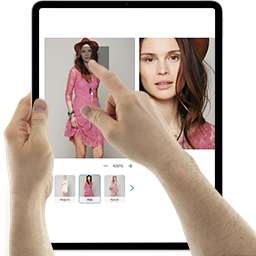
Plogins Reel 是一款為 WooCommerce 單一產品畫廊升級的外掛,提供產品圖片放大、可存取的畫廊燈箱以及特色產品影片,提升顧客的購物體驗。
【主要功能】
• 滑鼠懸停放大功能,支持自訂縮放比例
• 可存取的燈箱,支援鍵盤操作
• 特色影片顯示,支持自我託管或外部連結
• 簡單的管理介面,功能開關一目了然
• 支援短碼在產品內容中嵌入影片
外掛標籤
開發者團隊
② 後台搜尋「Reel – Product Gallery Zoom & Video for WooCommerce」→ 直接安裝(推薦)
📦 歷史版本下載
原文外掛簡介
Reel upgrades the WooCommerce single product gallery with product image zoom, an accessible gallery lightbox and a featured product video:
Hover zoom. Gallery images magnify on hover at a zoom scale you set (1.0× to
3.0×). The transform is clipped to the gallery frame, so the rest of the page
stays put.
Accessible lightbox. Click, or press Enter/Space, on any gallery image to
open it full screen. The lightbox is keyboard-operable: Tab stays on the close
button so focus can’t slip behind the overlay, Escape closes it, and focus
returns to the image you opened. It’s a fixed overlay that starts hidden, so it
reserves no space until used.
Featured video. Show a per-product video, a self-hosted MP4/WebM file or a
YouTube/Vimeo (oEmbed) URL, after the gallery or before the product summary.
The video sits in a 16:9 frame sized with aspect-ratio, so its space is held
before it loads.
The markup is built in PHP and progressively enhanced by one vanilla-JavaScript
file (no jQuery), deferred and loaded in the footer. Scripts and styles only
enqueue on the single product page.
Settings live under a top-level Reel admin menu. Each of the three features
has its own on/off switch; you can also set the zoom scale and skip it on touch
devices, show an alt-text caption in the lightbox, relabel the open-image control
for screen readers, and choose the video’s position, autoplay, heading and intro
text. The per-product video URL is set on the Reel tab in the product editor,
with an optional heading for that product.
To place the video somewhere other than the gallery area, drop the [reel_video]
shortcode (it takes id and title attributes) into any product content. It
renders the current product’s video in the same 16:9 frame.
Source and issue tracker: github.com/wppoland/plogins-reel, the plugin is
developed in the open, so bug reports and pull requests are welcome there.
Documentation and links
Documentation: plogins.com/reel/docs/
Plugin page: plogins.com/reel/
Source code: github.com/wppoland/plogins-reel
Bug reports and feature requests: github.com/wppoland/plogins-reel/issues
Features
Gallery image hover zoom with a configurable scale.
Accessible, keyboard-operable full-screen lightbox (Escape / backdrop close).
Featured product video (self-hosted or oEmbed) with selectable position.
[reel_video] shortcode to place the video anywhere.
Optional lightbox caption from the image alt text.
Skip hover zoom on touch devices (where hover is unreliable).
Custom accessible label for the open-in-lightbox control.
Default video heading and optional intro paragraph.
Reserved-space markup throughout, so no Cumulative Layout Shift.
No jQuery; one deferred, in-footer script loaded only on product pages.
Independent on/off toggle for each feature.
“Settings” link on the plugins list; clean uninstall removes plugin options.
Fully translatable: ships the plogins-reel.pot template, with Polish, German and Spanish delivered by the WordPress.org language pack.
HPOS and cart/checkout blocks compatible.
Plogins Reel PRO
The free edition upgrades the WooCommerce gallery: zoom, lightbox and self-hosted video. Plogins Reel PRO adds richer video and per-variation media:
Per-variation gallery – a distinct image and video set that swaps in when the shopper selects a variation
Video autoplay rules – control when and how product videos autoplay
Everything in the free edition stays free and open. Plogins Reel PRO starts at 19 EUR per year, priced and charged in EUR.
Compare editions and pricing: plogins.com/plogins-reel-pro/pricing/
External Services
Reel makes no API calls or analytics requests of its own; the zoom, lightbox and self-hosted video features run entirely on your site, and the only data Reel stores is the reel_settings and reel_db_version options plus each product’s _reel_video_url and _reel_video_title meta.
The one exception is when you set a product’s video URL to a YouTube, Vimeo or other oEmbed link. In that case WordPress core’s own wp_oembed_get() fetches the embed markup from that provider, sending the video URL to the provider you chose so it can return the player; Reel caches the result in a transient to avoid repeat requests. No request is made for self-hosted (MP4/WebM) videos. Use of those providers is governed by their own terms and privacy policies, e.g. YouTube (https://www.youtube.com/t/terms, https://policies.google.com/privacy) and Vimeo (https://vimeo.com/terms, https://vimeo.com/privacy).
Translations
Plogins Reel is fully translatable and ships the plogins-reel.pot template. Translations are delivered by WordPress.org language packs from translate.wordpress.org, which is where Polish, German and Spanish are being contributed; the package itself carries no compiled translation files.