內容簡介
### 總結:
這款 WordPress 外掛可以展示真實的 3D 行星,並具有逼真的渲染效果(光線、環境地圖和陰影)。您可以添加標記、提示框和信息窗口,控制動畫,並將相機移動至預定位置。
### 問題與答案:
1. 這款WordPress外掛的主要特點是什麼?
- 答:主要特點包括實時排版、桌面和行動設備優化、介紹的兩種轉換類型、視差效果、滾動縮放等功能。
2. 可以在哪些情況下使用這款外掛?
- 答:可以在帖子或頁面中嵌入3D行星、產品視覺化預覽、GLTF/GLB行星互動展示、創建3D熱點和註釋、以及在作品集或文檔中展示3D資產時使用。
3. 如何配置這款外掛?
- 答:啟用後,在WordPress管理區域打開外掛的設置,創建一個新的查看器預設值。然後在任何帖子或頁面中使用下面的短碼即可。
外掛標籤
開發者團隊
原文外掛簡介
Showcase authentic 3D planets with realistic rendering (lights, environment maps and shadows). Add markers with tooltips and info windows, control animations, and tween the camera to predefined positions.
Video Tutorial
Highlights
Realistic 3D Planets – Realistic rendering with lights, environment maps and shadows.
Easy To Configure And Install – Includes documentation, video tutorials, demo pages, updates, and support from the developer – Tibi @ FWD.
Main Features
Responsive Layout – Fully responsive and adaptable regardless of which device or screen size is used.
Desktop & Mobile Optimized – Adapts to any screen size and device, whether on iOS/iPhone, Android, or desktop browsers.
Two Intro Transition Types – When the scene is displayed for the first time, there are two available transitions: teleportation and opacity.
Parallax – Optional vertical parallax.
Scale On Scroll – This option lets Planet Pop start zoomed in, and as the user scrolls the page, the celestial smoothly returns to its normal scale.
Customizable Size – The size of the images and the spacing between them can be adjusted as needed.
Customizable Geometry – Configure the radius on the X and Z axes independently to create a true oval shape.
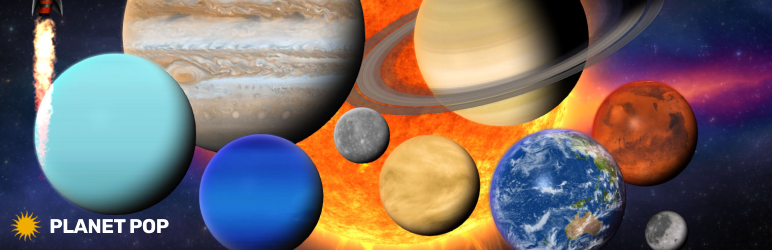
Sun – Add realistic solar system planets to your page at any size, with configurable parameters like spin speed, light direction, and more… Saturn, Jupiter, Uranus, Neptune, Mercury, Venus, Earth, Moon, Mars, Nebula.
Planets – Subtle camera rotation that follows the mouse, with adjustable strength for fine-tuned interaction.
Bonus Rocket – Bonus rocket that can be added to your page at any size. Example here.
Custom Tool To Place Celestials – Detailed documentation for both WordPress and JavaScript versions.
Configuration
After activation, open the plugin settings in the WordPress admin area and create a new viewer preset. Then use the shortcode below in any post or page.
Use Cases
Embedding 3D planets in posts or pages
Product visualization with 3D previews
Showcasing GLTF/GLB planets interactively
Creating 3D hotspots and annotations
Displaying 3D assets in portfolios or documentation
Links
Homepage & Docs
Demo
Support
Revolution Lightbox
Shortcode
Basic example:
[fwdpp id=”1″]
Development
This plugin’s full source code is publicly available for transparency and verification.
Developed and maintained by FutureWebDesign.
Source code & build tools — includes original uncompiled files and Vite build configuration.
Distributed plugin uses a compiled build generated by Vite for optimal performance.