
內容簡介
以下是此WordPress外掛的總結概要:
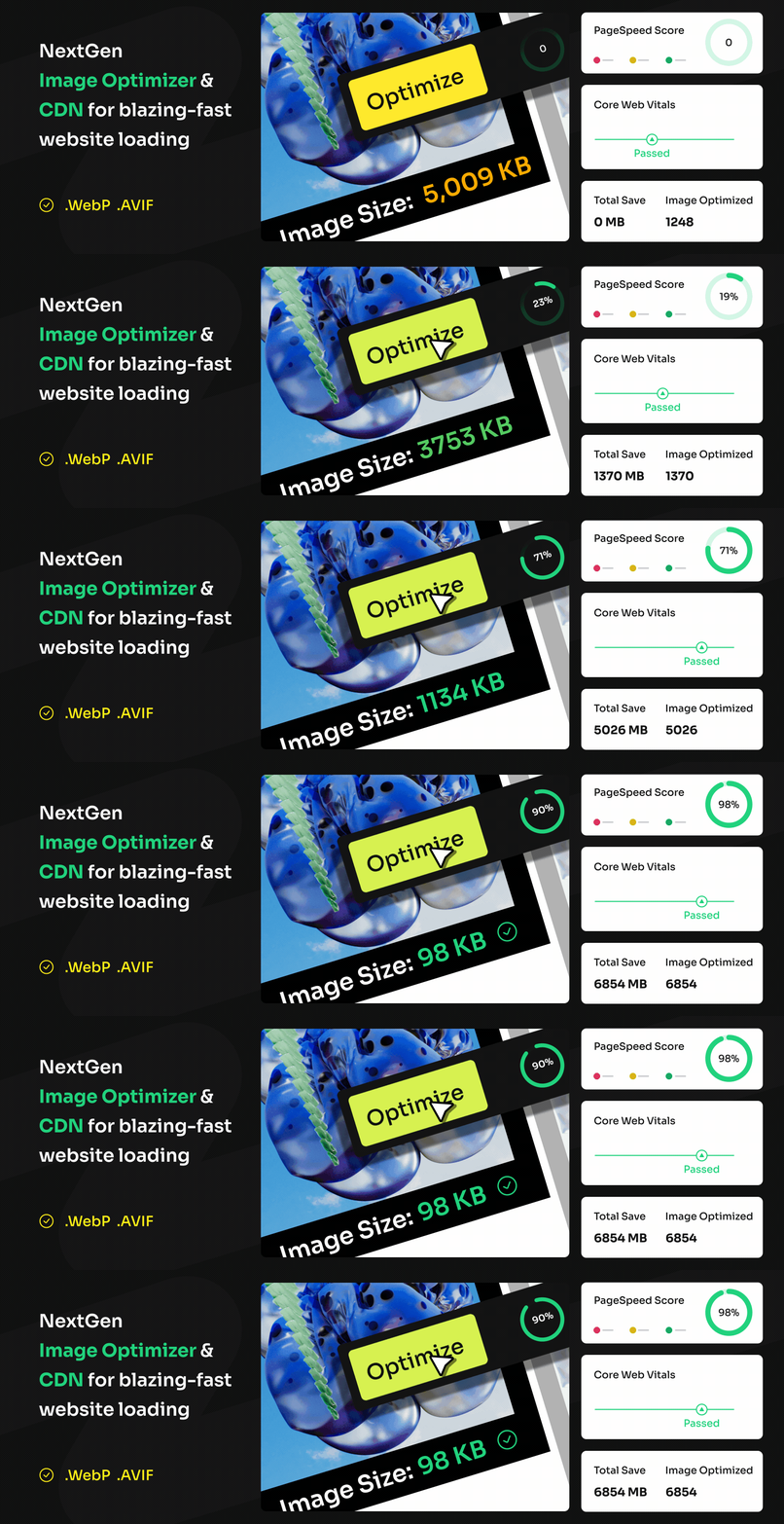
PixJet 是由Addonix Inc設計的全面WordPress外掛,旨在優化、保護和加速您的網站媒體內容。憑藉圖像優化、水印設置和使用高級CDN網絡等功能,PixJet既提升了網站的性能,又保護了您寶貴的媒體資產。啟用後,PixJet將自動優化上傳的圖像,應用可選水印,並確保全球交付時延最小化,為用戶提供無縫體驗。
在這基礎上,以下是問題與答案的清單:
<ul>
<li>問題:PixJet如何幫助提升網站圖像內容的效能?</li>
<li>答案:PixJet具有自動壓縮圖像的功能,無需犧牲圖像品質,同時具有水印設置功能,保護媒體資產,另外還可使用高級CDN網絡,全球交付圖像,讓圖像載入速度更快。</li>
<li>問題:PixJet提供了哪些關鍵功能?</li>
<li>答案:關鍵功能包括圖像優化、水印設置、高級CDN、自動工作流程以及用戶友好的儀表板。</li>
<li>問題:什麼是PixJet的損失壓縮功能?</li>
<li>答案:損失壓縮功能能夠刪除圖像中未使用的數據,壓縮圖像而不犧牲品質,確保視覺保持原始清晰度和細節,為用戶提供高品質體驗,同時減小文件大小,提升載入速度。</li>
<li>問題:PixJet的智能延遲載入功能有什麼作用?</li>
<li>答案:智能延遲載入功能可通過僅在需要時載入圖像來加快頁面載入時間。這將延遲加載屏幕外的圖像,直至用戶滾動到它們時再加載,大大提升網站速度和用戶滿意度。</li>
</ul>
外掛標籤
開發者團隊
② 後台搜尋「PixJet – NextGen Image Optimizer & CDN」→ 直接安裝(推薦)
原文外掛簡介
PixJet is a comprehensive WordPress plugin by Addonix Inc designed to optimize, secure, and accelerate your website’s media content. With features like image optimization, watermarking, and access to a Premium CDN network, PixJet enhances your website’s performance while protecting your valuable media assets.
When activated, PixJet automatically optimizes uploaded images, applies optional watermarks, and ensures global delivery with minimal latency (pro), giving your users a seamless experience.
Note: Do not use PixJet alongside other image optimization, CDN, or watermarking plugins to avoid conflicts.
Video Tutorial
Watch the quick start video to see PixJet in action:
Key Features
Image Optimization: Automatic compression without compromising image quality.
Watermarking: Add custom watermarks to protect your media assets from unauthorized use.
Premium CDN: Effortlessly deliver your images globally with lightning-fast load times.
Auto Workflow: Seamlessly optimize and protect media on upload.
User-Friendly Dashboard: Configure, manage, and monitor your media optimizations from a single interface.
Boost Your Website with Top-Notch Image Optimization Features
Lossless Compression – Remove unused data and compress images without sacrificing quality. This ensures that your visuals maintain their original clarity and detail, providing a high-quality experience for your users while reducing file sizes to enhance loading speeds.
Lossy Compression – Reduce file sizes even more with minimal quality loss, perfect for faster web performance. This method strikes a balance between image quality and file size, ensuring your images look great while loading quickly, enhancing the overall user experience.
Smart Lazy Loading – Speed up page load times by loading images only when they’re needed. This feature improves your site’s efficiency by deferring the loading of off-screen images until the user scrolls to them, significantly boosting page speeds and user satisfaction.
Convert to WebP – Change your images to WebP format to dramatically cut down file sizes while keeping them sharp. WebP is designed for the web, providing superior compression and quality, which helps improve your site’s speed without compromising on visual quality.
Convert to AVIF (Pro) – Get smaller, high-quality images with AVIF conversion for pro users. AVIF offers even better compression rates than WebP, enabling faster loading times and reduced bandwidth usage, perfect for professional websites that need top performance.
Bulk Optimize – Save time by optimizing many images at once with our easy-to-use bulk tool. Whether you’re uploading hundreds of photos or updating your entire media library, bulk optimization ensures all your images are efficiently compressed with minimal effort.
Auto Resize Images – Automatically adjust image sizes to maintain a consistent look on your site. This feature ensures that all your pictures fit perfectly within your site’s layout, enhancing the overall aesthetics and user experience by avoiding awkwardly cropped images.
Global CDN (Pro) – Deliver images quickly anywhere in the world with our global content delivery network. A CDN stores your images on servers globally, ensuring fast delivery to users no matter where they are, reducing latency and improving load times for a seamless experience.
Automated Optimization – Let our tool automatically keep your images optimized all the time. You can set it and forget it, knowing that our system will continually keep your images at their best, improving site speed and user experience without any manual effort.
No Server Impact – Enhance images without slowing down your server, ensuring your site stays fast. Our optimization processes run independently, so your server maintains its performance while delivering optimized images to your users.
Remote Configuration – Control your image settings from anywhere for ease and flexibility. Manage your optimization preferences remotely, allowing you to tweak and adjust settings as needed without being tied to a specific location.
Image/Text Watermark – Protect and brand your images with customizable watermarks. Watermarking helps safeguard your content from unauthorized use and adds a professional touch by incorporating your brand’s logo or other identifying marks directly onto your images.
No need for extra plugins for image compression, CDN, or watermarking. Everything you need is built-in, simplifying your workflow and enhancing your site’s speed and performance. Our comprehensive solution ensures that all your image optimization needs are met in one place, making it easier to maintain a fast, visually appealing, and professionally branded website.
For more details, visit PixJet Official Website.