全新外掛
安裝啟用
—
尚無評分
1807 天前
最後更新
—
問題解決
WordPress 5.0+ PHP 5.6+ v0.0.0.1 上架:2021-04-04
內容簡介
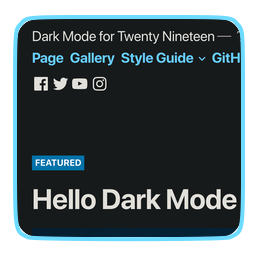
這個外掛可以根據使用者的作業系統自動啟用網站的美麗黑暗模式。支援的作業系統有macOS、Windows、Android和iOS。
使用方法
只需啟用此外掛,你的網站就會進入黑暗模式。就這樣。
外掛標籤
開發者團隊
原文外掛簡介
The plugin will automatically enables a stunning dark mode of your website based on user’s operating system. Supports macOS, Windows, Android & iOS.
How to Use
Just activate the plugin and your website will be in dark mode. That is all.