內容簡介
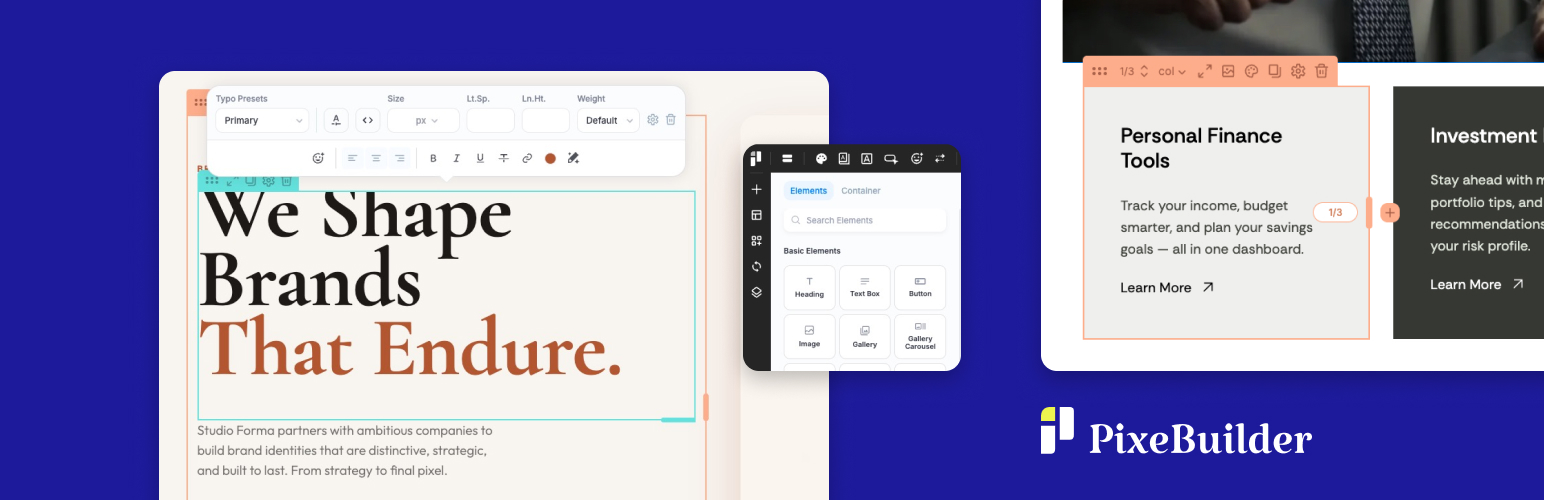
PixeBuilder 是一款免費的 WordPress 拖放式頁面建構器,讓使用者可以輕鬆編輯頁面元素,並保持頁面載入速度快速。無需試用或信用卡,無限制網站數量,提供完整的建構功能。
【主要功能】
• 拖放式視覺編輯器,支援即時彈出編輯
• 14 種核心元素,包括文字、圖片、影片等
• 多層嵌套欄位設計
• 桌面、平板及手機預覽功能
• 字型庫支援 Google Fonts 或自訂字型
• 字型及顏色預設可全站重複使用
外掛標籤
開發者團隊
② 後台搜尋「PixeBuilder – Drag & Drop Page Builder & Website Builder」→ 直接安裝(推薦)
原文外掛簡介
PixeBuilder is a free drag & drop page builder for WordPress. Click any element on your page and edit it right there with the on-click popup, or switch to a classic side panel when you want every setting in view.
Pages stay lean: PixeBuilder outputs clean HTML and loads only the CSS and JavaScript each page actually uses.
The free version is a complete builder, not a trial: no time limit, no credit card, unlimited sites. When a project needs more, PixeBuilder Pro adds 100+ elements, 400+ prebuilt blocks, 200+ prebuilt pages, AI writing and image tools, and a header, footer and popup builder, with a 30-day money-back guarantee.
Built by a team with 14+ years of WordPress theme and plugin development.
Why PixeBuilder
Two ways to edit, one click apart
Click any element to open a compact settings popup right on the canvas, or switch to the Side Panel when you want every setting in view. Change modes at any time.
Lightweight by design, so your pages load fast
PixeBuilder adds no jQuery to your pages: its scripts are plain JavaScript. Icons are inline SVG, so there are no icon fonts, images further down the page lazy-load, and PixeBuilder’s styles and scripts load only on pages built with it. A resource manager loads only the CSS and JavaScript each page needs, and the output is clean HTML, so your pages stay lean as your site grows.
Set your styles once, use them everywhere
Add Google Fonts or upload your own in the Font Library, then save typography and color presets and reuse them on every page.
What’s Free
The free plugin is a complete page builder, not a demo: no time limit, no credit card, unlimited sites.
Drag & drop visual editor with On-Click Popup and Side Panel editing modes
14 core elements for text, images, video, buttons, icons, tabs, accordions, tables, maps and more
Multi-level nested columns
Desktop, tablet and mobile preview
Font Library: Google Fonts or your own uploaded fonts
Typography presets and color presets, reused site-wide
Parallax backgrounds
Page transitions
Clean HTML output that loads only the CSS and JavaScript a page uses
Adds no jQuery to your pages: its scripts are plain JavaScript
Works with any well-coded theme
What Pro Unlocks
Upgrade to a Pro plan to unlock the complete toolkit for professional and agency work.
Full Element Library (100+ elements)
43 standard elements for flexible content layouts
10 composite elements for advanced, pre-combined content sections
22 query elements for dynamic post, taxonomy, and archive displays
16 WooCommerce elements for shop, cart, and checkout pages
15 single WooCommerce elements for individual product page design
Prebuilt Templates & Assets
400+ premium prebuilt blocks — ready to drop into any page
200+ complete prebuilt page templates — import and customize in minutes
Carousel and slider container — no third-party slider plugins required
Editor & Layout Power
Per-element device visibility controls
Content hover animations
Custom CSS per element
Revision history with undo/redo
Scroll motion effects
Site-Wide Design Tools
Header and Footer Builder — custom, site-wide navigation and footers
Popup Builder — build modal windows and overlays
Synced (Global) Blocks — edit once, update everywhere across your site
Custom Blocks and Custom Page Templates — save and reuse designs across projects
Post and taxonomy archive templates
Template parts and conditional theme management
Pro Design Presets
Icon, Button, Bullet and Navigation style presets
Variable Manager — design tokens for spacing, typography, radius, and shadows, with Fixed and Fluid modes (CSS clamp() output)
Variable Presets — save and instantly switch between complete design configurations
AI Tools
AI Writing Assistant — generate, rewrite, or polish website copy directly inside the editor
AI Image Generation — create custom visuals for any image element, gallery, or section background without leaving the canvas
Stock Image Browser — insert Pexels photos directly into your layouts
WooCommerce, Forms & More
WooCommerce shop, single product, cart and checkout layouts
Contact Form Builder
PayPal button element
Password-protected content sections
Free vs Pro
The free version is free, forever. No time limit, no credit card required. It includes the full drag-and-drop editor and 14 core elements — everything you need to explore PixeBuilder and start building.
Upgrade to Pro to unlock the complete element library, prebuilt templates, AI tools, WooCommerce support, site-wide design tools, and multi-site licensing. Pro plans include a money-back guarantee.
See plans and pricing at pixebuilder.com
Useful Links
PixeBuilder Website
Features Overview
Prebuilt Blocks Library
Prebuilt Website Templates
Documentation
Pricing
Contact & Support
Third Party / External Services
This plugin connects to external services to provide certain features.
Vimeo
Used to embed Vimeo videos and retrieve video information.
Data sent: Vimeo video URL.
When: When a video element is used.
Terms: https://vimeo.com/terms
Privacy: https://vimeo.com/privacy
YouTube
Used to embed YouTube videos.
Data sent: YouTube video URL.
When: When a video element is used.
Terms: https://www.youtube.com/t/terms
Privacy: https://policies.google.com/privacy
Google Maps
Used to display maps.
Data sent: Map location entered by the user.
When: When a map element is used.
Terms: https://cloud.google.com/maps-platform/terms
Privacy: https://policies.google.com/privacy
Google Fonts
Used to load fonts for page design.
Data sent: Selected font family name.
When: When a page uses Google Fonts.
Terms: https://developers.google.com/fonts/faq
Privacy: https://policies.google.com/privacy
PayPal
Used to create a PayPal button.
Data sent: Payment data required by PayPal.
When: When a user clicks the PayPal button to initiate a payment.
Terms: https://www.paypal.com/webapps/mpp/ua/useragreement-full
Privacy: https://www.paypal.com/webapps/mpp/ua/privacy-full
PixeBuilder API
Used to import prebuilt templates and AI tools.
Data sent: Request parameters (template_id, text prompts, image generation prompts).
When: When a user imports prebuilt content or uses AI features.
Terms: https://pixebuilder.com/terms-and-conditions/
Privacy: https://pixebuilder.com/privacy-policy/
Pexels
Used to browse and insert free stock photos into your layouts.
Data sent: Search query terms.
When: When a user searches for stock images in the editor.
Terms: https://www.pexels.com/terms-of-service/
Privacy: https://www.pexels.com/privacy-policy/
Third Party Libraries
This plugin includes the following third-party libraries:
Font Awesome
License: SIL Open Font License 1.1
Source: https://fontawesome.com/
Lucide
License: ISC License
Source: https://lucide.dev/
Material Symbols
License: Apache License 2.0
Source: https://fonts.google.com/icons
DOMPurify
License: Apache License 2.0
Source: https://github.com/cure53/DOMPurify
html2canvas
License: MIT License
Source: https://github.com/niklasvh/html2canvas
GLightbox
License: MIT License
Source: https://github.com/biati-digital/glightbox