內容簡介
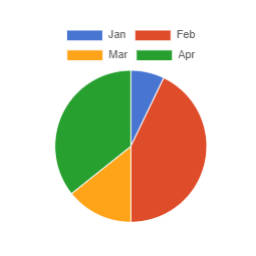
使用 chart.js 库创建交互式饼图:
1)使用简短的代码
2)Elementor 饼图插件
代码示例-
1)[piechart id = ’23’ data = ‘20,40,30’ label = ‘apple,orange,grapes’ type = ‘polarArea’]
2)[piechart id = ’24’ data = ‘20,40,30,60’ label = ‘apple,orange,grapes,cherry’ type = ‘pie’]
3)[piechart id = ’25’ data = ‘20,40,30,60’ label = ‘apple,orange,grapes,cherry’ type = ‘doughnut’]
特点
* 100%响应式和交互式
* 在文章和页面任何位置使用
* 编写或创建简短的代码。
* Elementor 部件,可实时编辑图表
* 使用开源的 chart.js JavaScript 库
* 对于同一页面上的多个图表,请使用唯一的 ID / 图表 ID
* 基于 Canvas 的图表</li>
* Shortcode 需要 4 个参数。 1)id 2)data 3)label 4)type
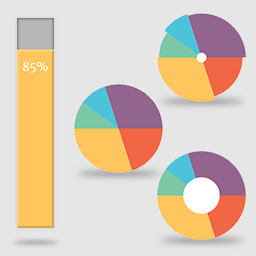
* "type" 参数可以是 1)饼图 2)圆环图 3)极地区域图
外掛標籤
開發者團隊
原文外掛簡介
Make interactive pie charts using chart.js library using:
1) Simple short code
2) Elementor Widget Pie Chart
Shortcode Example-
1) [piechart id = ’23’ data = ‘20,40,30’ label = ‘apple,orange,grapes’ type = ‘polarArea’]
2) [piechart id = ’24’ data = ‘20,40,30,60’ label = ‘apple,orange,grapes,cherry’ type = ‘pie’]
3) [piechart id = ’25’ data = ‘20,40,30,60’ label = ‘apple,orange,grapes,cherry’ type = ‘doughnut’]
Features
* 100% Responsive and interactive
* Use anywhere in post and pages.
* Write or Create simple short code.
* Elementor Widget for live editing of charts
* Using Open source chart.js Javascript Library
* For multiple charts on same page, use unique id/chart id
* Canvas based charts
* Shortcode requires 4 parameters. 1) id 2) data 3) label 4) type
* "type" paratmeter can be either 1) pie 2) doughnut 3) polarArea