內容簡介
**總結:**
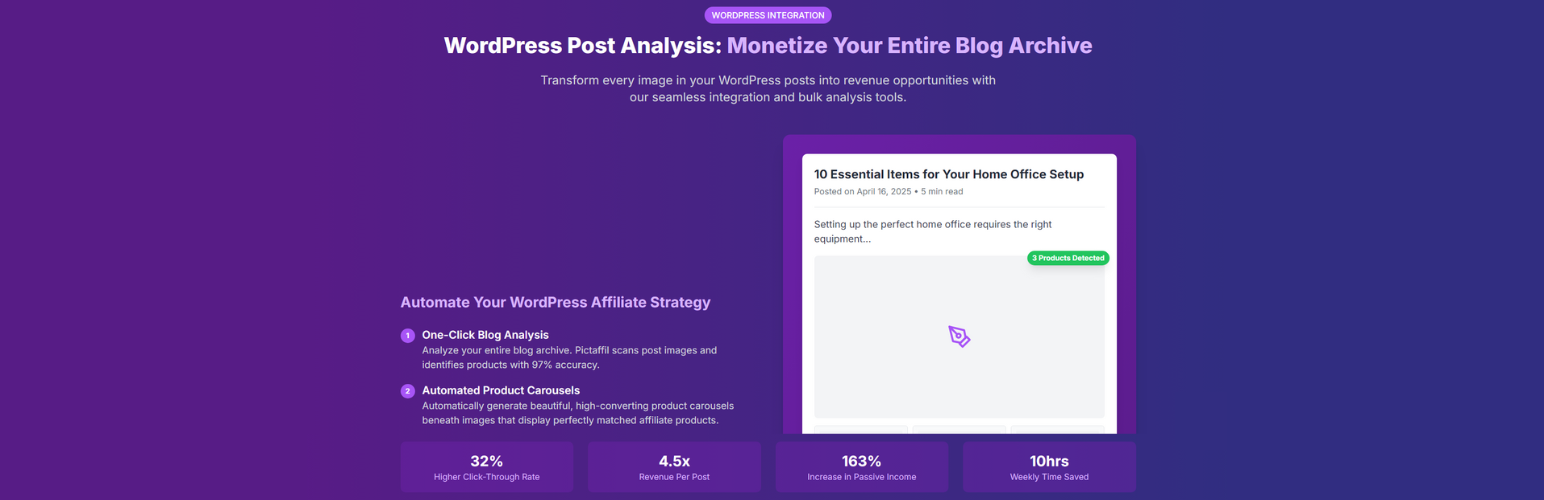
Pictaffil 是一個 WordPress 外掛,與 Pictaffil 平台完美融合,讓您將視覺內容轉化為收入來源。利用先進的人工智慧技術,Pictaffil 分析圖像以識別產品並生成優化的聯盟連結。
**問題與答案:**
1. Pictaffil 是什麼?
- Pictaffil 是一個與 Pictaffil 平台無縫整合的 WordPress 外掛,用於將視覺內容轉化為收入來源。
2. 如何進行圖像內容分析?
- 您可以分析您的 WordPress 文章中的圖像,處理來自媒體庫的內容,並透過一鍵生成聯盟連結來將現有圖像內容變現。
3. Pictaffil API 服務用於什麼?
- Pictaffil API 是一個基於雲端的圖像分析和產品匹配服務,負責此外掛的核心功能。它分析圖像以識別產品並提供亞馬遜產品匹配。
4. 什麼是 Amazon Product Advertising API (PAA)?
- Amazon Product Advertising API 是一項官方亞馬遜服務,使外掛可以獲取最新的產品資訊(如價格、圖片和標題)並生成聯盟連結。此功能可在外掛設置中啟用,需要使用者自行輸入亞馬遜產品廣告 API 憑證設置。
外掛標籤
開發者團隊
📦 歷史版本下載
原文外掛簡介
Pictaffil is a WordPress plugin that seamlessly integrates with the Pictaffil platform, allowing you to transform your visual content into revenue streams. Using advanced AI technology, Pictaffil analyzes images to identify products and generate optimized affiliate links.
Note: Video frame analysis is currently available exclusively through the official Pictaffil Chrome Extension, which is easily available through the Google Chrome Web Store. WordPress plugin users can analyze images in their posts and media library, while access to YouTube video analysis features requires using the Chrome Extension.
Features
Image Content Analysis
* Analyze images from your WordPress posts
* Process content from your Media Library
* Generate affiliate links with just one click
* Monetize your existing image content
Advanced AI Technology
* 97% accurate product detection in images
* Smart product matching with Amazon’s marketplace
* Automated content generation for better conversions
* Higher commission rates through intelligent optimization
Complete Monetization Solution
* Seamless integration with your WordPress workflow
* Generate product carousels that boost engagement
* Track performance with detailed analytics
* Currently featuring Amazon integration with more affiliate marketplaces coming soon
Platform Integration
* Connect to your Pictaffil dashboard for comprehensive analytics
* Use shared credits across platforms (web app, WordPress, Chrome extension)
* Access YouTube video analysis features through the official Pictaffil Chrome Extension
* Optimize your affiliate strategy with cross-platform insights
External Services
This plugin connects to the Pictaffil API service to provide its core functionality. Below is detailed information about this service:
Pictaffil API Service
What it is and what it is used for:
The Pictaffil API is a cloud-based image analysis and product matching service that powers the core functionality of this plugin. It analyzes images to identify products and provides Amazon product matches.
What data is sent and when:
* When you analyze an image: The image file or URL is sent to Pictaffil’s servers for analysis
* When checking credits: Your API key is sent to verify your account status and available credits
* When using the plugin: Usage statistics may be collected to improve service quality
Service Provider:
* Provider: Pictaffil
* Terms of Service: https://pictaffil.com/legal/terms
* Privacy Policy: https://pictaffil.com/legal/privacy
Amazon Product Advertising API (PAA)
What it is and what it is used for:
The Amazon Product Advertising API is an official Amazon service that allows the plugin to fetch up-to-date product information (such as prices, images, and titles) and generate affiliate links. This feature is optional and can be enabled in the plugin settings. To use it, you must enter your own Amazon Product Advertising API credentials (Access Key, Secret Key, Partner Tag, and Region) in the plugin settings.
What data is sent and when:
* When enabled, product search keywords, selected region, and your Amazon credentials are sent directly from your website/server to Amazon’s API endpoints to retrieve product data and generate affiliate links.
* No Amazon API data is sent to the plugin developer or any third party; all requests are made directly from your server to Amazon using your credentials.
Service Provider:
* Provider: Amazon.com, Inc.
* Terms of Service: https://affiliate-program.amazon.com/help/operating/policies
* Privacy Policy: https://affiliate-program.amazon.com/help/operating/agreement
* API Documentation: https://webservices.amazon.com/paapi5/documentation/
Amazon Product Advertising API Hosts by Region
Region Code
Host
Marketplace
Country
us
webservices.amazon.com
www.amazon.com
United States
uk
webservices.amazon.co.uk
www.amazon.co.uk
United Kingdom
de
webservices.amazon.de
www.amazon.de
Germany
fr
webservices.amazon.fr
www.amazon.fr
France
es
webservices.amazon.es
www.amazon.es
Spain
it
webservices.amazon.it
www.amazon.it
Italy
ca
webservices.amazon.ca
www.amazon.ca
Canada
in
webservices.amazon.in
www.amazon.in
India
jp
webservices.amazon.co.jp
www.amazon.co.jp
Japan
br
webservices.amazon.com.br
www.amazon.com.br
Brazil
mx
webservices.amazon.com.mx
www.amazon.com.mx
Mexico
au
webservices.amazon.com.au
www.amazon.com.au
Australia
sg
webservices.amazon.sg
www.amazon.sg
Singapore
ae
webservices.amazon.ae
www.amazon.ae
United Arab Emirates
nl
webservices.amazon.nl
www.amazon.nl
Netherlands
Usage
Setup
Go to Pictaffil > Settings in your WordPress admin
Enter your Pictaffil API key
You can find this in your Pictaffil account dashboard
Enter your Amazon Associate ID
Analyzing Images
Go to Pictaffil > Analyze Images in your WordPress admin
Choose one of the following options:
Upload an image from your computer
Enter an image URL
Select an image from your Media Library
View the analysis results and product recommendations
Using Shortcodes
Use the [pictaffil_product] shortcode to display Amazon products with your affiliate links:
[pictaffil_product asin="B07PXGQC1Q" title="Product Title" image="https://example.com/image.jpg" price="$19.99" rating="4.5" link="https://amazon.com/dp/B07PXGQC1Q"]
Parameters
asin – Amazon product ASIN (required)
title – Product title (required)
image – Product image URL
price – Product price
rating – Product rating (0-5)
link – Amazon product link (required)