內容簡介
Peligent AI Assistant 是一款專為 WooCommerce 商店設計的外掛,透過人工智慧協助商家自動化管理,提升效率並增強顧客體驗。它能監控商店運作、分析數據並提供具體建議,讓商家專注於業務成長。
【主要功能】
• 監控風險顧客並提供挽回建議
• 分析網站速度並找出問題來源
• 批量編輯產品資料以節省時間
• 檢查外掛健康狀況及安全風險
• 自訂 AI 機器人以滿足特定需求
外掛標籤
開發者團隊
📦 歷史版本下載
原文外掛簡介
Running a WooCommerce store means spending hours on things that don’t grow your business: editing product images one by one, writing descriptions from scratch, digging through error logs, wondering why your site feels slow, and trying to figure out which customers are slipping away.
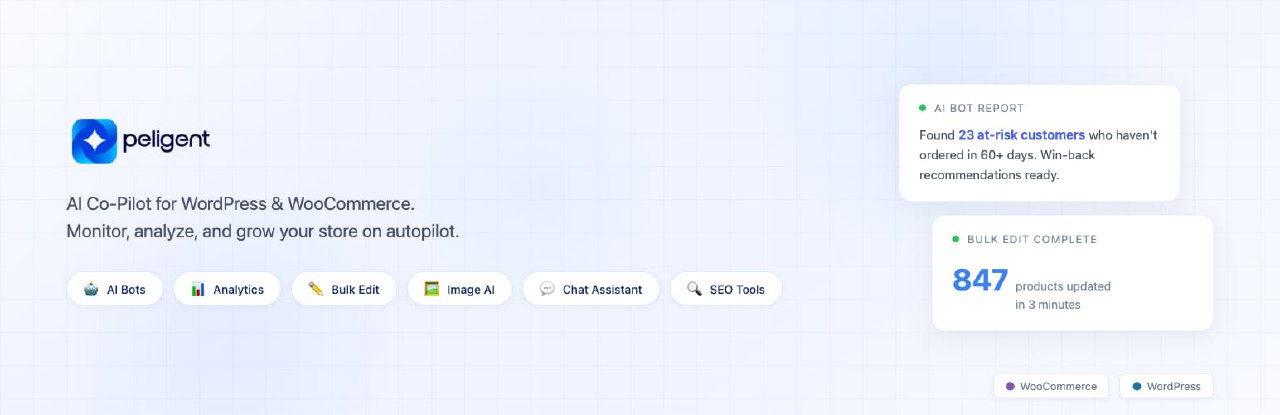
Peligent brings AI directly into your WordPress and WooCommerce admin to handle all of it. Connect your store, and you get an AI assistant that already knows your products, orders, and customers — plus a growing library of AI bots that monitor, analyze, and report back so you don’t have to.
AI Bots That Monitor and Grow Your Store
Peligent bots run on your schedule and deliver clear, actionable reports. You choose what to monitor and how often. Out of the box, bots can:
Find at-risk customers before they stop buying, with specific win-back recommendations
Monitor site speed and pinpoint exactly what’s slowing you down — which plugin, which image, which script
Check plugin health for conflicts, outdated versions, and security risks
Review error logs and surface critical issues in plain language, not developer jargon
Spot growth opportunities hiding in your store data — missed cross-sells, pricing gaps, and untapped revenue
And this is just the starting point. Our team builds custom bots for your specific needs at no extra cost. If you have a problem you want automated, tell us and we’ll build it.
Bulk Edit Your Entire Catalog
Updating products one by one doesn’t scale. Select hundreds of products and let AI update them all at once:
Rewrite descriptions with consistent brand voice and SEO optimization
Remove backgrounds and create studio-quality product images
Update prices, categories, tags, and attributes across your catalog
Optimize SEO meta titles, descriptions, and alt text in bulk
Whether you’re migrating to WooCommerce, running a seasonal update, or cleaning up years of inconsistent product data — bulk edit handles it in minutes instead of weeks.
Product Image Background Removal
Upload a product photo and Peligent removes the background automatically, then creates a clean, studio-quality image ready for your store. No design tools, no photographer, no editing skills needed.
AI Content Generation
Generate product descriptions, blog posts, and other content in seconds. Adjust the tone and style to match your brand, then publish directly from your dashboard. Stop staring at blank pages — let AI draft it and you refine it.
Ask Your Store Anything
The AI chat assistant lives inside your WordPress and WooCommerce admin sidebar. Ask about orders, customers, store performance, or anything else in plain language. No filters, no reports to build — just ask and get an answer.
“What were my top-selling products last month?”
“Show me customers who haven’t ordered in 60 days”
“Which products have no images?”
Conversion Analytics
Connect Google Analytics and see which products, categories, and brands actually convert. Traffic, orders, and revenue in one view — synced automatically so your data is always fresh.
Works in Multiple Languages
Peligent supports multiple languages, making it useful for store owners and teams around the world.
Start Free, No Payment Required
Every new account includes free AI credits to explore all features. No credit card required. Use your free credits, see the results, then decide.
We Build What You Need
Peligent is shaped by its users. If you need a feature, a bot, or a workflow that doesn’t exist yet — reach out at [email protected]. We take every request seriously and regularly ship what our users ask for.
How it works
After activation, visit WooCommerce > Peligent. Paste your Peligent Connect Secret, click “Save & Connect to Peligent”, and your website is connected. The AI assistant starts learning your store right away.
External services
This plugin connects to the Peligent service at https://app.peligent.com to provide AI-powered features for your website. All communication is encrypted over HTTPS.
How the connection works
When you click “Save & Connect to Peligent”, the plugin establishes a secure connection between your website and the Peligent service. This allows the AI assistant to learn about your store and provide personalized insights, recommendations, and content.
Keeping your AI assistant up to date
Once connected, the plugin keeps the AI assistant in sync with your store so it can provide accurate, relevant responses. This includes your product catalog, order activity, and store configuration. The sync happens automatically when changes occur in your store, so your AI assistant always has the latest information.
Google Analytics and Search Console
You can optionally connect Google Analytics and Google Search Console from your Peligent dashboard to view traffic, search performance, and conversion data alongside your store metrics. These connections are read-only. Peligent cannot modify your Google data. You can disconnect at any time.
Peligent’s use of Google API data adheres to the Google API Services User Data Policy, including the Limited Use requirements. For details, see our Google API Disclosure.
Dashboard features
Several plugin pages (Bulk Update, Bots, Reports, Action History, and the AI chat sidebar) load content from app.peligent.com within your WordPress admin. These may request microphone access if you use voice input with the AI assistant.
You are in control
You can disconnect from Peligent at any time from the plugin settings page, which stops all data sharing immediately. Uninstalling the plugin removes all stored credentials and settings from your website. For Google services, you can also revoke access from your Google Account permissions.
For full details on how we handle your data, see our Terms of Service and Privacy Policy.