內容簡介
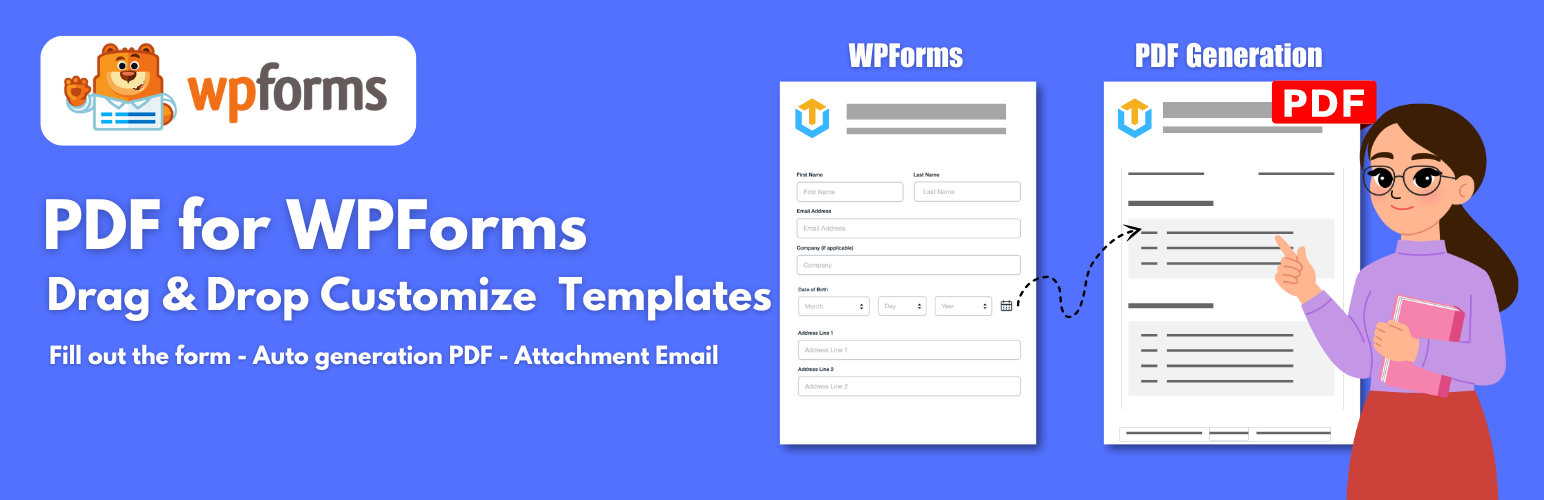
總結:WPForms 的 PDF 外掛是一個附加的插件,擴展了 WPForms 的功能,提供生成 PDF 文件並附加到郵件通知中的功能。該插件允許使用者輕鬆建立和自定義 PDF 模板,無需編碼知識,只需通過拖放和幾次點擊即可快速生成並體驗 PDF 模板,並發送給客戶。
1. 這個外掛的主要功能是什麼?
- 提供從表單提交生成 PDF 文件以及將文件附加到電子郵件通知的功能。
2. 如何可以建立和自定義 PDF 模板?
- 使用者可以通過拖放和網頁編輯器來建立和自定義 PDF 模板,無需編碼知識。
3. 這個外掛支援哪些元素和組件?
- 外掛支援 QR 碼、條碼、圖表、文字標籤、HTML 內容、線條等元素。
4. 這個外掛有什麼特點?
- 不限制 PDF 文件數量,資料保護安全,支援多種語言,可自訂字型、使用短碼與合併標籤,以及分頁和條件邏輯功能。
5. Pro 版本提供哪些增值功能?
- 支援QR 碼、條碼、浮水印、標頭、標底,條件邏輯等功能,並提供30天退款保證和1年技術支援。
請檢查:https://pdf.add-ons.org/document/
外掛標籤
開發者團隊
② 後台搜尋「PDF for WPForms + Drag and Drop Template Builder」→ 直接安裝(推薦)
原文外掛簡介
DEMO: https://pdf.add-ons.org/wpforms/
Download Pro Version: https://add-ons.org/plugin/pdf-for-wp-forms-pro/
Documents: https://pdf.add-ons.org/document/
The PDF For WPForms add-on is an additional plugin that extends the functionality of WPForms by providing features for generating PDF files from form submissions and attaching PDF files to email notifications.
The plugin provides sufficient base elements and WPForms elements as well as developmental tools for users to build a completed PDF: Text/HTML, Table, QRCode, Barcode, Page Break, Divider, Image, Spacer,…and other elements.
Drag and Drop Templates
The plugin offers a web-based drag & drop PDF template editor that lets you design templates and generate PDF documents from reusable templates without coding.
Unlimited Use, No Restrictions
There are zero hard limits to the number of PDFs you can configure across all your forms or generate on your entries.
Additional Fonts
Match your branding and enhance the overall look and feel of PDFs by install your own fonts.
Custom PDF Paper Size
Allows you to add custom different paper sizes for your PDF templates.
Shortcode and Merge Tags
You can generate a link or URL to PDFs using both shortcodes and merge tags so your users can download the PDF right after form submission.
Conditional Logic
You can hide or show PDF content or create or uncreate pdf
The Second PDF For a Form
It is possible to make a generation of multiple PDFs for the same form.
Download PDF Files
You can view and download PDFs from the WPForms Entries page.
Smart Real-Time Preview
View the instant preview of the customization for documents as you make them. See real-time previews of the last placed order with your desired custom appearance.
Privacy and Security
Your form data is never sent to a third party to generate the PDFs and the documents are generated directly on your web server.
Page Break
We can use Page Break and new content will be move on next pages in PDF.
Multilingual
A multitude of languages from across the globe can be displayed in PDFs, include complex scripts like Hebrew, Arabic, Thai, Japanese, Chinese, and Korean.
PRO VERSION
Table Customization
QRcode Supports
Barcode Supports
Watermarks Supports
Header Supports
Footer Supports
Conditional logics Supports
30-day money-back guarantee
1-year support
External services
This plugin connects to the Dropbox API to store PDF files. Data is only sent to Dropbox when the user has configured and enabled the integration in the plugin settings. This service is provided by Dropbox, Inc.
terms of use https://www.dropbox.com/terms, privacy policy https://www.dropbox.com/privacy