
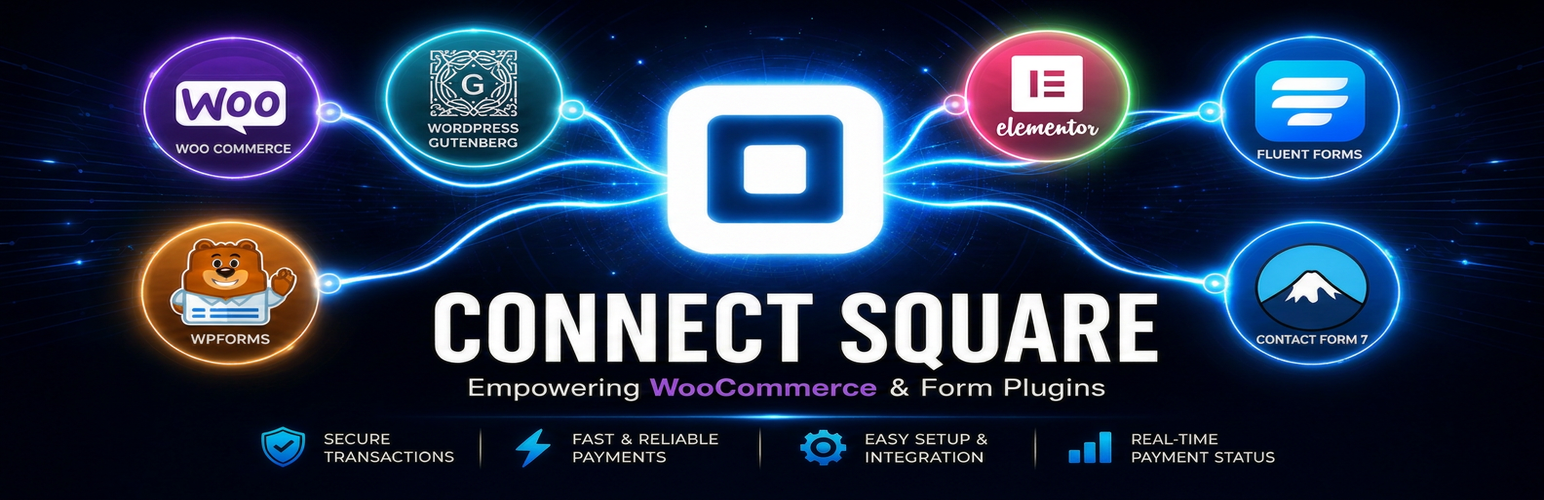
內容簡介
Payments Connect Square for WooCommerce 是一款專為 WooCommerce 設計的支付外掛,無需硬體讀卡機,透過手機應用程式即可輕鬆接受客戶的非接觸式支付,並提供安全的支付流程,提升線上與實體商店的交易效率。
【主要功能】
• 支援 Square Hosted Checkout,安全支付頁面
• 無需嵌入卡片表單,簡化支付流程
• 自動庫存同步,確保庫存準確
• 支援多種支付方式,包括 Apple Pay 和 Google Pay
• 提供退款功能,直接在控制台操作
• 每日連接健康檢查,確保支付穩定性
外掛標籤
開發者團隊
② 後台搜尋「Payments Connect Square for WooCommerce」→ 直接安裝(推薦)
📦 歷史版本下載
原文外掛簡介
No hardware card reader required. Install Payments Connect Square, pair the free Connect Square Payments Android app, and turn your phone into a Square Tap-to-Pay reader. Open an unpaid WooCommerce order in the app, ask the customer to tap their contactless card or wallet on your phone – no card number typing, no separate POS terminal. Online checkout stays on Square Hosted Checkout; in-person pay happens on the same WooCommerce orders from your pocket.
Payments Connect Square for WooCommerce adds a professional Square payment gateway using Square Hosted Checkout.
Square Online users: Switch to WooCommerce and keep Square for payments.
Need help migrating? Install the plugin and open a support request – we can
assist with product sync, store setup, and payment configuration.
Send buyers to Square’s secure hosted payment page – no card fields in your theme, no JavaScript conflicts, and a permanent fix for common payment nonce is missing or EMPTY_VALUE errors on WooCommerce checkout and Pay for Order pages.
Connect Square once and accept payments across your entire WordPress site:
* WooCommerce Square gateway (classic and Blocks checkout)
* Paid Memberships Pro (recurring memberships without WooCommerce Subscriptions)
* Fluent Forms, Contact Form 7 (CF7), and WPForms
* Ninja Forms, Formidable Forms, MetForm, SureForms, and Forminator
* Square Payment Links (buttons for Gutenberg, Elementor, Beaver Builder, and shortcodes)
* Square Subscriptions for recurring billing
* Android Tap-to-Pay companion app – pair from Payments Square Connect > Mobile App (QR), charge pending WooCommerce orders in person; APK download on that screen. Square credentials stay in WordPress. Live Tap-to-Pay follows Square-supported regions; elsewhere use a Square Reader or sandbox Mock Reader for testing.
Live demo – Documentation – Support
Location stock demo
See Location stock – link WooCommerce products to Square locations and update inventory from one screen:
Square Hosted Checkout demo
Watch Square Hosted Checkout with WooCommerce in action:
Elementor payment links demo
See Square Payment Links with Elementor – Pay Now buttons and Square Hosted Checkout on a WordPress page:
Why merchants choose this plugin:
If you searched for Square payment for WordPress, you have probably seen on-site card fields break after a theme update or plugin conflict. Payments Connect Square for WooCommerce is a no-code integration: connect Square once, enable the gateway, and send buyers to Square Hosted Checkout – no card form embedded in your theme.
Fix WooCommerce Square nonce error: Hosted checkout removes failure points like square-credit-card.js conflicts, session timeouts, and EMPTY_VALUE on Pay for Order pages.
Digital wallets included: Apple Pay, Google Pay, Cash App Pay, and Afterpay / Clearpay (BNPL) supported on Square’s page.
No extra platform fees: You pay Square’s normal processing rates only; no per-transaction plugin fee.
Reliable Inventory Sync: Simple SKU-based stock sync updates Square On hand when WooCommerce orders are paid, and can update WooCommerce stock when Square inventory changes.
POS orders in Woo (Pro): Bring Square in-person sales into WooCommerce as orders. Creates Woo products for new Square items, links them to the order, and reduces stock.
Proactive Connection Alerts (Free): Daily token health checks plus email and wp-admin notices when Square OAuth refresh fails or API calls report an expired or revoked token – reconnect before checkout breaks.
Features
Hosted checkout – customers pay on Square’s secure page and return to your store.
Refunds from wp-admin – full or partial refunds directly on the WooCommerce order screen.
Pay for Order links – email or copy a secure invoice payment link for unpaid orders.
Payment sync – automatically check pending orders and mark them paid without needing complex webhooks.
Customer sync (WordPress -> Square) – optionally push WordPress customers to Square (off by default; does not create WordPress users from Square).
Inventory sync (Square -> WooCommerce) – update Woo stock from Square inventory webhooks when enabled.
Square Loyalty Rewards – earn points on all paid orders (Free); redeem at checkout (Premium).
Proactive connection alerts (Free) – email and wp-admin notice when Square OAuth renewal fails or tokens are rejected.
Automatic OAuth token renewal – daily refresh cron keeps access tokens current.
24/7 Support – dedicated help via email, WhatsApp, and the WordPress.org forum.
Premium features
Upgrade under Payments Connect Square for WooCommerce -> Pricing to unlock:
* Location stock – link products to specific Square locations for accurate inventory.
* Bulk Location stock admin – manage locations and stock levels for your entire catalog at once.
* Square gift cards at checkout.
* Loyalty reward redemption directly on the checkout page.
* Order import from Square (Pro) – optionally create WooCommerce orders when Square POS / Register payments complete.
* Dispute alerts (Plus) – email admin and show dashboard notices when Square chargebacks/disputes arrive.
* Payout reconciliation (Pro) – log payout webhooks and link recent WooCommerce orders.
* Refund sync (Pro) – Square Dashboard refunds create matching WooCommerce refunds with stock restoration.
* Terminal checkout sync (Pro) – complete or cancel WooCommerce orders when Square Terminal checkout status changes.
* And many more – see Payments Connect Square for WooCommerce -> Pricing for the full Plus and Pro feature list.
External services
This plugin connects to third-party services to process payments and optional helper features:
Square API (connect.squareup.com / connect.squareupsandbox.com) – used when you connect your Square account and when the store creates checkouts, refunds, syncs customers/inventory, or refreshes OAuth tokens. Data sent can include order amounts, line items, customer name/email/phone (when provided), location IDs, and OAuth tokens stored on your site. Square Terms – Square Privacy Policy
Square Web Payments SDK (web.squarecdn.com / sandbox.web.squarecdn.com) – loaded in the browser for on-site Apple Pay / Google Pay / wallet flows when those gateways are enabled. Payment details are handled by Square’s SDK; your site receives payment tokens/results as needed to complete the order. Square Terms – Square Privacy Policy
QRServer (api.qrserver.com) – used only on the Mobile App admin screen to generate a QR image from a pairing payload so you can link the companion app. The QR payload is sent to QRServer to render the image. QRServer / goQR.me – Privacy Policy
Freemius may also load in wp-admin for optional upgrade/licensing UI when the bundled SDK is present. Freemius is not required to accept Square payments with the free features above.
Looking for Square on Odoo?
This plugin is for WordPress / WooCommerce. If you need a Square solution on Odoo instead – inventory sync, multi-location stock, Square Hosted Checkout, Google Pay, Apple Pay, Cash App Pay, Afterpay, and Square Terminal – use our free Odoo module Square Sync & Pay.
Same team (WPPayments). No module subscription fee – you only pay Square’s normal processing rates.














