內容簡介
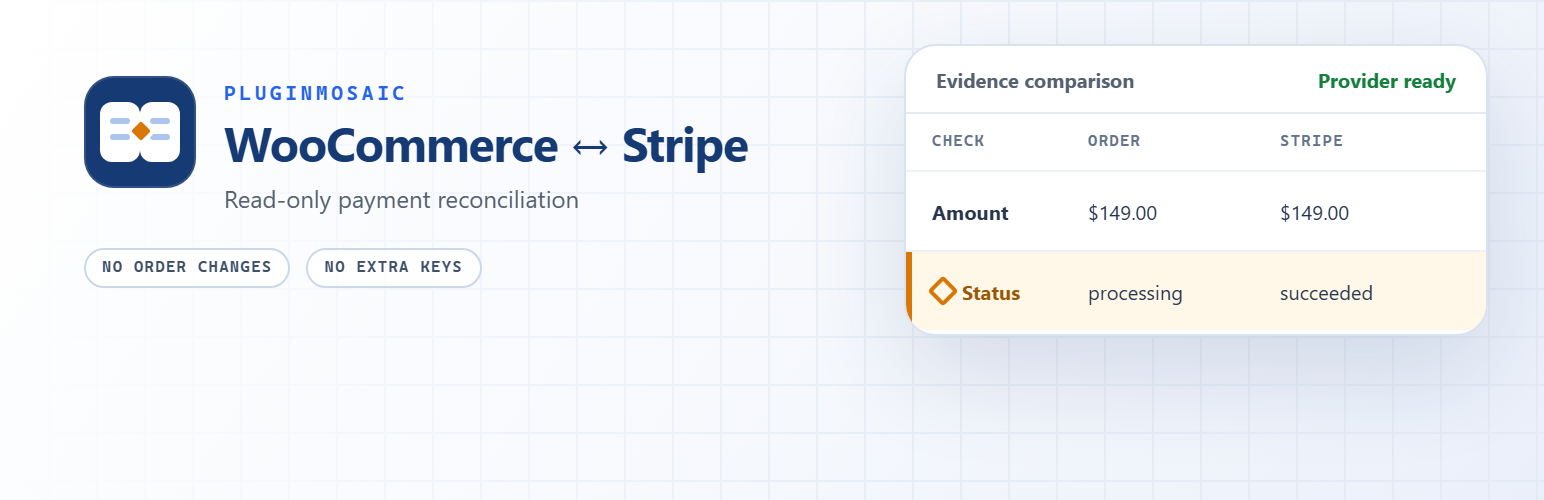
Payment Truth 是一款專為 WooCommerce 商店設計的外掛,旨在協助商家檢查 Stripe 付款狀態與 WooCommerce 訂單之間的差異,確保付款資訊的準確性,並提供安全的查詢功能,無法更改任何訂單狀態。
【主要功能】
• 檢查 Stripe 付款與 WooCommerce 訂單的狀態不一致
• 比較付款金額、貨幣及退款總額的差異
• 提供安全的只讀查詢,不會更改訂單狀態
外掛標籤
開發者團隊
② 後台搜尋「Payment Truth for WooCommerce」→ 直接安裝(推薦)
原文外掛簡介
Payment Truth helps WooCommerce stores find Stripe payments that succeeded while the matching order is still pending, on hold, failed, or otherwise unpaid. It also detects WooCommerce and Stripe amount, currency, refund, and payment-status mismatches.
The plugin is a read-only second opinion. It never changes an order status, captures a payment, issues a refund, retries a payment, or replays a webhook.
When this plugin helps
Use Payment Truth when you need to investigate situations such as:
Stripe shows a successful payment, but the WooCommerce order is still unpaid.
WooCommerce marks an order paid, but Stripe reports a cancelled or failed payment.
The order total and the amount authorized or collected by Stripe do not match.
WooCommerce and Stripe use different currencies for the same order.
WooCommerce and Stripe report different refunded totals.
A Stripe order remains pending longer than the configured threshold.
A Stripe order has no usable PaymentIntent or charge reference.
How it works
Scans a bounded window of recent orders created by the official WooCommerce Stripe Gateway.
Finds the Stripe PaymentIntent or charge reference stored on each supported order.
Uses the official gateway’s existing Stripe connection to read the matching provider record.
Compares payment status, gross amount, currency, and refunded total.
Places mismatches in one WooCommerce admin queue for investigation.
A finding means that the two records disagree. It does not by itself prove that a webhook failed or identify the root cause. Delayed webhooks, interrupted checkouts, manual order edits, refunds, plugin conflicts, or integration failures can all produce inconsistent evidence. Review the order notes, Stripe record, and relevant logs before changing or fulfilling an order.
Designed to fail safely
Read-only: never captures, refunds, retries, or changes an order.
No extra Stripe keys: uses the official gateway’s existing connection.
No customer PII stored in the findings table.
Five-minute grace period reduces false positives during normal asynchronous updates.
Bounded hourly scans and a manual scan button.
Actionable scan health explains provider read errors and the next investigation step.
Email, Feishu/Lark, DingTalk, and WeCom alerts are opt-in and fire only for newly opened findings.
Compatible with WooCommerce High-Performance Order Storage (HPOS).
External services
Payment Truth connects to external services only for features described below.
Stripe
For each supported order with a Stripe object reference, Payment Truth asks Stripe for the matching PaymentIntent or charge. The request is made through the official WooCommerce Stripe Gateway and uses that gateway’s existing authentication. Stripe receives the object ID and the standard request metadata sent by the official gateway. This read is required for provider-side reconciliation.
Stripe API documentation: https://docs.stripe.com/api
Stripe Services Agreement: https://stripe.com/legal/ssa
Stripe Privacy Policy: https://stripe.com/privacy
Optional team webhooks
Feishu/Lark, DingTalk, and WeCom webhooks are disabled by default. If a store administrator selects a channel and saves its official HTTPS webhook URL, Payment Truth sends a minimal alert summary to that service for newly opened findings. The summary contains an order number, severity, finding title, WooCommerce and Stripe statuses, and an admin order URL. It does not contain customer identity or card data.
Disable the channel or remove the saved webhook URL at any time under WooCommerce > Payment Truth > Settings.
Feishu webhook documentation: https://open.feishu.cn/document/ukTMukTMukTM/ucTM5YjL3ETO24yNxkjN
Feishu User Terms of Service: https://www.feishu.cn/feishu-lite-terms
Feishu Privacy Policy: https://www.feishu.cn/feishu-lite-privacy
Lark Customer Terms of Service: https://www.larksuite.com/en_us/customer-terms-of-service
Lark Privacy Policy: https://www.larksuite.com/en_us/privacy-policy
DingTalk Terms of Service: https://terms.alicdn.com/legal-agreement/terms/suit_bu1_dingtalk/suit_bu1_dingtalk202010200940_84493.html
DingTalk Privacy Policy: https://terms.alicdn.com/legal-agreement/terms/suit_bu1_dingtalk/suit_bu1_dingtalk202010070946_49604.html
WeCom Terms of Service: https://work.weixin.qq.com/nl/eula
WeCom Privacy Policy: https://work.weixin.qq.com/nl/privacy
Privacy
The plugin stores normalized reconciliation evidence in the WordPress database: order ID, gateway ID, provider object ID, issue type/severity, WooCommerce and provider statuses, gross/refund amounts, currency, and timestamps. It does not store customer names, addresses, email addresses, card data, or Stripe credentials.
Email and team-webhook alerts are disabled by default. Findings and settings remain after deactivation. Administrators can opt into deleting them during uninstall.