內容簡介
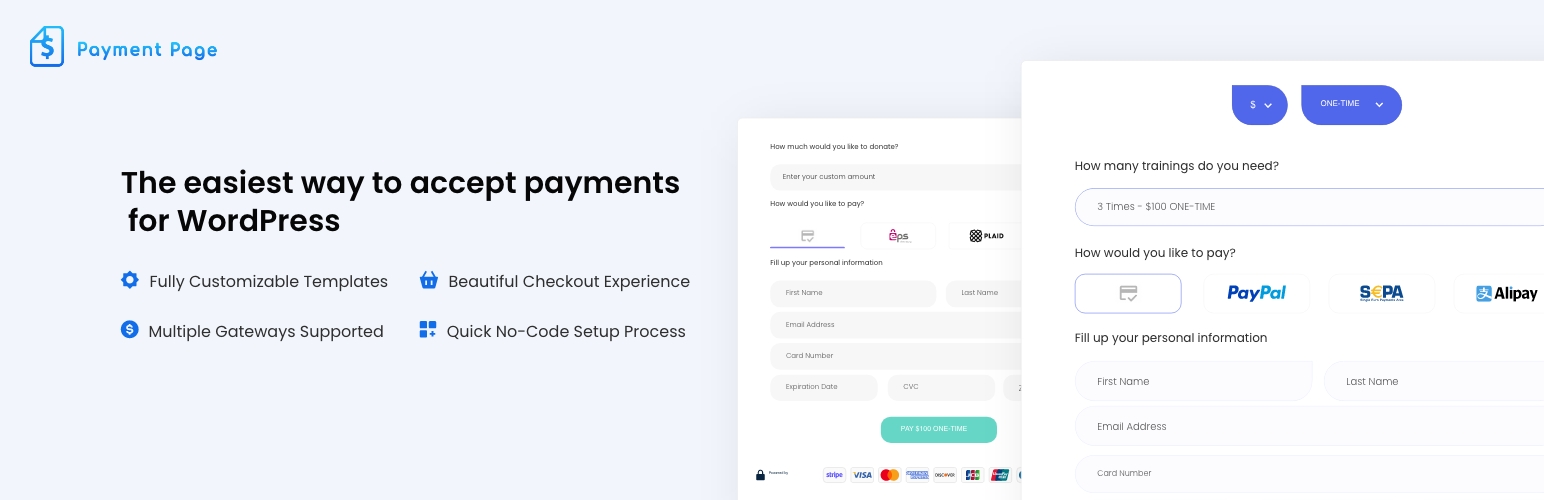
Payment Page 是一款專為 WordPress 設計的外掛,無需 WooCommerce 即可建立 Stripe 付款表單,適合用於一次性或定期付款,並支援多種支付方式,讓使用者輕鬆收款。
【主要功能】
• 支援多種支付方式:信用卡、Apple Pay、Google Pay 等
• 22 種付款表單設定範本
• 自訂表單欄位以收集額外資訊
• Elementor 小工具與短碼整合
• 一次性與定期付款計劃選擇
• 付款後動作設定,如確認郵件與重定向
外掛標籤
開發者團隊
② 後台搜尋「Payment Page – Stripe Payment Forms for Donations, Subscriptions & Recurring Payments」→ 直接安裝(推薦)
📦 歷史版本下載
原文外掛簡介
Payment Page builds Stripe payment forms on WordPress without requiring WooCommerce. Create one-time or recurring forms, connect an eligible Stripe account, and publish a form with the plugin shortcode or native Elementor widget.
🎯 BUILT FOR
Freelancers invoicing clients and collecting retainer deposits
Coaches & Consultants taking deposits and selling session packages
Yoga, Fitness & Wellness studios selling memberships and class packs
Nonprofits accepting one-time and recurring donations
Agencies invoicing monthly maintenance and managing client billing
Creators & Educators selling courses, gated content, and subscriptions
⚡ KEY FEATURES
One-page Stripe forms – cards, Apple Pay, Google Pay, SEPA Direct Debit, Alipay, and WeChat Pay, subject to account, country, currency, browser, device, and recurring-payment eligibility
22 payment-form setting templates – 10 bundled in the plugin and 12 delivered from the public template endpoint
11 separate Elementor full-page layouts – page designs are distinct from the payment-form setting templates
Stripe Connect onboarding – start the released OAuth onboarding flow from WordPress without copying API keys into the plugin settings
One-time and recurring plans – one-time, daily, weekly, monthly, quarterly, every six months, annually, and every three years
Donation forms & custom amounts – let customers choose the amount for donations or invoices
Custom form fields – collect additional information relevant to the payment
Prefill form fields – pass values into a form via query strings
Elementor widget and shortcode – place a released payment form in a page layout
Post-payment actions – configure confirmation emails, redirects, success/failure messages, and HTTP requests
PayPal Standard Checkout – an alternative one-time gateway with no Payment Page platform fee
💰 PRICING – FREE TO START, ONLY PAY WHEN YOU EARN
The free version includes the core plugin and applies a 2% Payment Page platform fee to Stripe transactions. Stripe’s own processing fees and terms still apply. Payment Page does not apply that platform fee to PayPal payments.
Upgrade to Pro to:
Remove the 2% Payment Page platform fee – Stripe processing fees and terms still apply
Unlock ACH Direct Debit through Stripe Financial Connections, subject to Stripe eligibility
Priority support
See pricing →. Review the governing EULA and the terms shown at checkout before purchasing; the marketing listing does not state a refund duration while public summaries are being reconciled.
🔌 INTEGRATES WITH
Stripe – Stripe Connect integration for cards, SEPA Direct Debit, Apple Pay, Google Pay, Alipay, and WeChat Pay; ACH Direct Debit is Pro. Availability depends on the connected account and transaction.
PayPal – Standard Checkout for one-time payments
Elementor – native payment-form widget
HTTP endpoints – send a configurable HTTP request after payment
🔒 SECURITY
Stripe card fields are rendered with Stripe Elements rather than ordinary WordPress inputs. Site owners still remain responsible for securing WordPress, restricting access, keeping software updated, showing required notices, and completing the compliance steps that apply to their business and integration.
🆚 WHY CHOOSE PAYMENT PAGE
Payment Page focuses on standalone WordPress payment forms when a WooCommerce cart and catalog are unnecessary. The released plugin combines Stripe Connect onboarding, defined one-time and recurring plans, configurable form fields and actions, 22 form-setting templates, and a native Elementor widget. Payment-method availability remains subject to the selected gateway, account, country, currency, browser, device, plan, and recurring-payment support.
Read the documentation → · See pricing →