外掛標籤
開發者團隊
原文外掛簡介
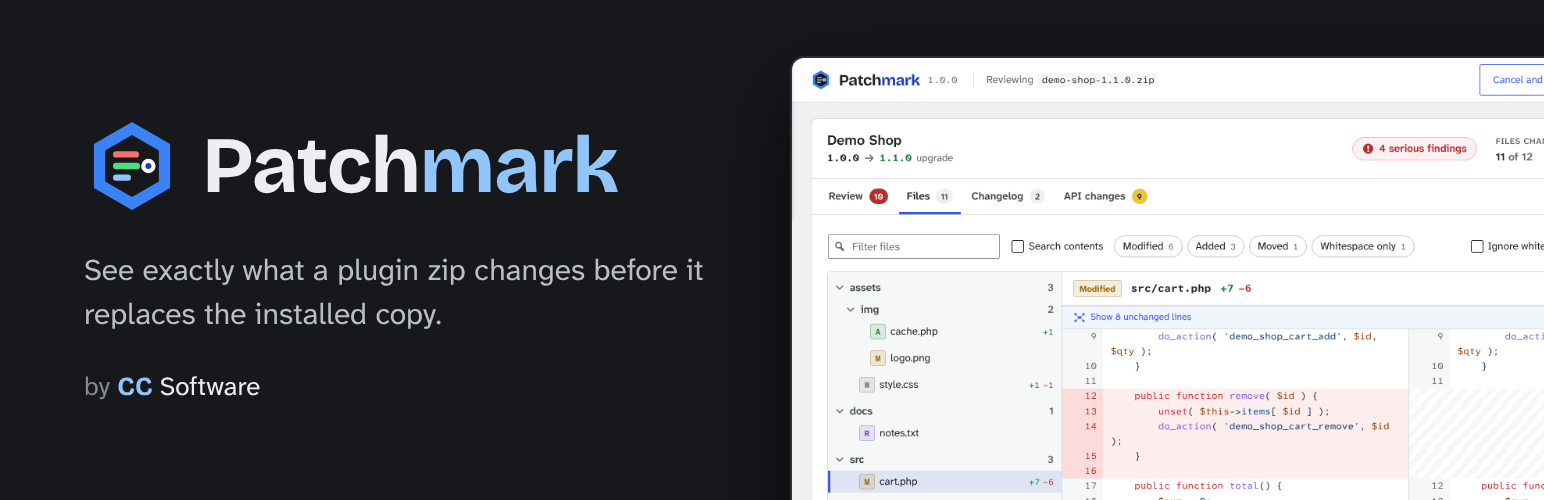
When you upload a zip for a plugin that is already installed, WordPress shows a small table (name, version, author, requirements) and a button to replace it. Patchmark takes over that screen and turns it into a proper review, with Cancel and Replace in its top bar. When there are serious findings, Replace takes a second click.
Review
Everything worth a second look, most serious first, each linked to the exact file and line:
Header changes: older version than installed, same version with different files, a different plugin name or author, a new Update URI (future updates would come from somewhere else), new requirements, missing required plugins, a renamed main file (the plugin would be deactivated), a changed text domain.
Unusual files: .htaccess and .user.ini, PHP files with odd extensions (.phtml, .phar, image.jpg.php), PHP in image or font folders, executables and shell scripts, bundled archives.
Risky code that is new in the upload: eval and decode-and-run, shell commands, includes and unserialize of request data, long encoded strings, code that creates users or roles, new outgoing requests and new web addresses.
PHP is read with the tokenizer, so $db->exec() or “eval” in a comment is not mistaken for the real thing, and only code that was not in the installed copy of the same file is reported.
Files
A folder tree of every added, removed, modified, moved and whitespace-only file, with line counts.
Split or unified diffs with syntax highlighting (PHP, JavaScript, TypeScript, CSS, SCSS, JSON, HTML, YAML, SQL, Markdown and more), word highlights, folded context you can expand, and an option to ignore whitespace.
Before and after previews for images.
Filter by name or status, search inside the changed files, and step through files with j and k.
Download .patch: a git-style patch of the text changes that git apply applies to the installed copy.
Changelog
The entries from readme.txt (or CHANGELOG.md) between the installed and the uploaded version, plus the Upgrade Notice for the new version. For a downgrade, the entries you would give up.
API changes
Functions, classes, public methods, hooks, REST routes, shortcodes, post types and blocks the upload adds or removes, plus Composer libraries that are added, removed or updated. Removed names are what breaks themes, snippets and other plugins that rely on them.
Light
Nothing runs except on the upload screen, and only when the plugin is already installed. Only files that changed are read. Nothing is stored in the database and nothing is sent anywhere; leaving the page discards the review.
A clean review is not a guarantee. Only install code from sources you trust.
Development
The files in build/ are compiled from TypeScript and SCSS but not minified, so you can read them as they are.
The source code and build setup are on GitHub: https://github.com/ClearanceClarence-Software/Patchmark
To build it yourself you need Node 20 or newer:
npm ci
npm run build
npm run zip makes the same plugin zip that's published here.
Credits
Patchmark bundles the Bricolage Grotesque font (Copyright 2022 The Bricolage Grotesque Project Authors) and the Atkinson Hyperlegible Next and Atkinson Hyperlegible Mono fonts (Copyright 2020-2024 The Atkinson Hyperlegible Next / Mono Project Authors), all licensed under the SIL Open Font License 1.1. The license texts are in the licenses/ folder. The fonts are served from the plugin folder, not from Google.
Syntax highlighting uses Prism (https://prismjs.com), MIT license, bundled with the plugin.