內容簡介
### 總結
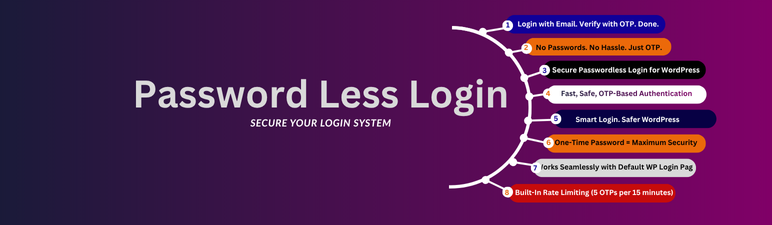
Password Less Login 是一個無需密碼且基於 OTP 的 WordPress 登入系統。透過一次性密碼 (OTP) 寄送至用戶電子郵件,確保任何使用者在登入前必須驗證他們的身份,確保資訊安全,並提供無密碼的身分驗證流程。
### 問題與答案
1. 什麼是 Password Less Login?
- `Password Less Login` 是一個針對 WordPress 的無密碼且基於 OTP 的登入系統,必須透過一次性密碼 (OTP) 驗證用戶身份。
2. 在使用 Password Less Login 時,使用者需要做什麼?
- 使用者需輸入其電子郵件地址,然後外掛會將一組 6 位數的 OTP 寄送至該電子郵件。之後,使用者輸入OTP:
- 若電子郵件已存在 → 使用者將安全登入。
- 若電子郵件是新的 → 使用者需提供使用者名稱、驗證 OTP,並將自動創建一個新帳戶。
3. Password Less Login 的關鍵特點有哪些?
- OTP驗證適用於所有使用者。
- 無密碼登入。
- 自動使用者註冊。
- 臨時 OTP (10 分鐘)。
- 限制速率以防止惡意請求。
- Nonce 驗證以保護 REST API 點。
- 安全的郵件處理。
- 簡潔的使用者體驗。
4. 使用 Password Less Login 有哪些好處?
- 不需記住或重設密碼。
- OTP 驗證確保電子郵件真實擁有權。
- 保護免受暴力襲擊。
- 簡單的設置。
- 現代且用戶友好的設計。
5. 使用 Password Less Login 的操作步驟是什麼?
- 前往 WordPress 登入頁面。
- 輸入電子郵件地址並點選「發送 OTP」。
- 檢查您的電子郵件以取得 OTP。
- 在登入表單中輸入 OTP,配合以提供使用者名稱的註冊和登入。
6. 這個外掛的授權是什麼?
- 這個外掛是根據 GPL 授權條款釋出,可自由使用和修改。若需支援,請聯繫:[email protected]。
外掛標籤
開發者團隊
原文外掛簡介
Password Less Login is a passwordless and OTP-based login system for WordPress.
Every user — both existing and new — must verify their identity using a One-Time Password (OTP) sent to their email before being logged in.
This ensures that no one can access an account without confirming ownership of the email address, providing a secure, passwordless authentication process.
How It Works
The user enters their email address.
The plugin sends a 6-digit OTP to that email.
The user enters the OTP:
If the email exists → the user is securely logged in.
If the email is new → the user provides a username, verifies the OTP, and a new account is created automatically.
The OTP is valid for 10 minutes and expires after use.
Note: The plugin never logs in users without OTP verification.
Key Features
OTP-Based Authentication for All Users – Both existing and new users must verify the OTP before login.
Passwordless Login – Securely log in using only your email and OTP.
Auto User Registration – New users can register instantly after OTP verification.
Temporary OTP (10 Minutes) – Each OTP expires after 10 minutes and can only be used once.
Rate Limiting – Prevents brute-force or spam OTP requests (maximum 5 per 15 minutes per email).
Nonce Verification – Protects REST API endpoints from unauthorized access.
Secure Email Handling – Emails are hashed when stored in transients to protect user data.
Streamlined User Experience – Clean, minimal login flow with conditional fields for existing vs. new users.
Why Choose Password Less Login?
No passwords to remember or reset.
OTP verification ensures true ownership of email.
Protects against brute-force attacks.
Simple setup – works with the native WordPress login page.
Modern and user-friendly design.
Reduces “Forgot Password” support requests.
Usage
Go to your WordPress login page.
Enter your email address and click “Send OTP”.
Check your email for the OTP.
Enter the OTP in the login form:
If your account exists, you’ll be logged in.
If not, you’ll be prompted to provide a username before registration and login.
You’ll be redirected to your dashboard after successful verification.
License
This plugin is released under the GPL license. You are free to use and modify it.
For support, contact: [email protected]