內容簡介
**總結:** Page Guide Popup 是一個輕量且用戶友好的外掛程式,可以在 WordPress 網站上提供互動式指南,幫助訪客導覽網站。它會顯示為一個浮動的問號按鈕,點擊後會顯示一個彈出視窗,其中包含重要頁面的連結及描述。
**問題與答案:**
- 這個外掛程式的主要特點有哪些?
- 在右下角可以自訂浮動按鈕
- 使用簡單的管理介面來管理頁面和描述
- 可自訂問候訊息
- 流暢的動畫和轉場效果
- 響應式設計適用於行動裝置
- 乾淨現代的界面
- 方便新增、編輯和刪除頁面
- 提供重要頁面的連結與描述
- 無 cookie、資料追蹤、或儲存任何使用者資訊
- 這個外掛程式適合哪些情況使用?
- 有許多區段的複雜網站
- 教育平台
- 企業網站
- 作品集網站
- 需要更好導覽引導的任何 WordPress 網站
- 這個外掛程式的運作方式是什麼?
- 訪客會看到浮動的問號按鈕
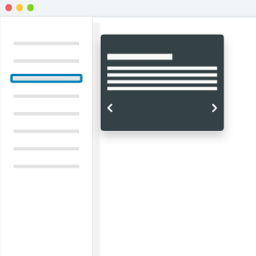
- 點擊後,會收到友善的問候以及重要頁面的清單
- 選擇某個頁面,會顯示其描述和直接連結
- 有簡單的退出和返回按鈕方便導覽
- 關於隱私注意事項,這個外掛程式**不會**:
- 使用 cookie
- 收集任何訪客數據
- 追蹤使用者行為
- 儲存使用者資訊
- 這個外掛程式僅顯示在 WordPress 儀表板設置中管理員輸入的靜態信息,是一個純粹的前端顯示外掛程式,沒有資料收集或儲存機制。
外掛標籤
開發者團隊
原文外掛簡介
Page Guide Popup is a lightweight and user-friendly plugin that adds an interactive guide to help visitors navigate your WordPress website. It displays as a floating question mark button that, when clicked, shows a popup with links to important pages and their descriptions.
Key Features
Customizable floating button in the bottom-right corner
Easy-to-use admin interface for managing pages and descriptions
Customizable greeting message
Smooth animations and transitions
Mobile-responsive design
Clean, modern interface
Easy to add, edit, and remove pages
Direct links to important pages with descriptions
NO cookies, data, tracking, storing of any user information
Perfect For
Complex websites with many sections
Educational platforms
Business websites
Portfolio sites
Any WordPress site that needs better navigation guidance
How It Works
Visitors see a floating question mark button
Upon clicking, they get a friendly greeting and list of important pages
Selecting a page shows its description and a direct link
Simple exit and back buttons for easy navigation
Privacy Notice
Page Guide Popup does NOT:
* Use cookies
* Collect any visitor data
* Track user behavior
* Store any user information
The plugin only displays static information that site administrators have entered in the WordPress dashboard settings. It’s a purely frontend display plugin with no data collection or storage mechanisms.