內容簡介
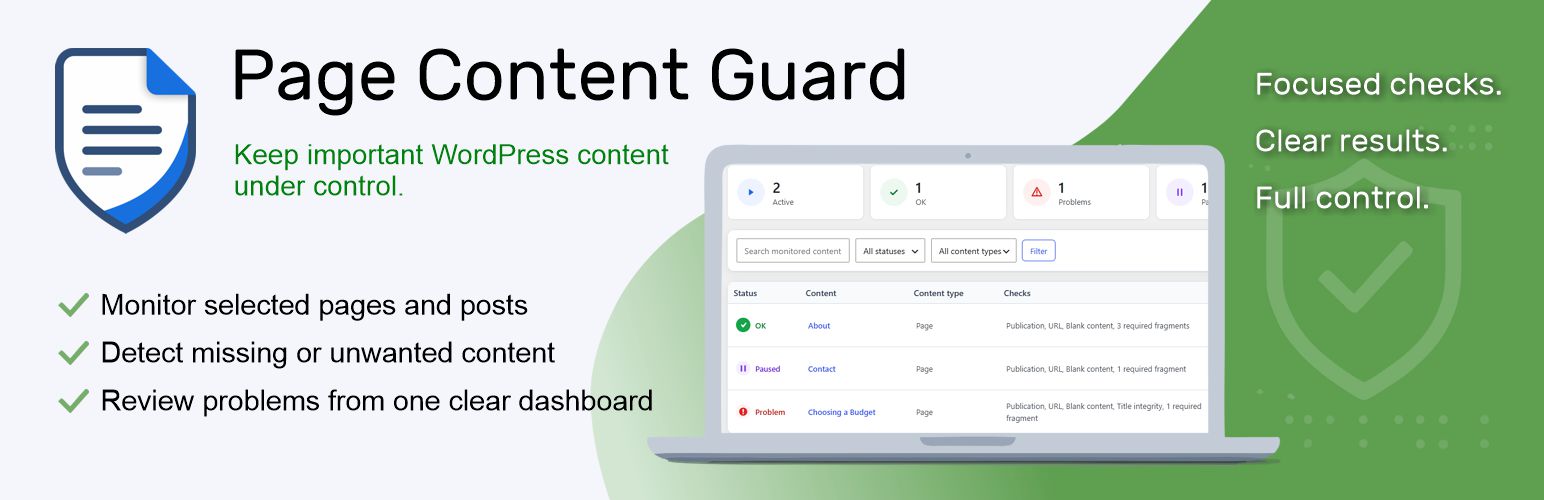
Page Content Guard 是一款本地內容狀態監控外掛,專為重要頁面、文章及支援的自訂文章類型設計。它能夠即時報告內容的變更情況,確保網站內容的完整性與安全性。
【主要功能】
• 監控內容刪除與發佈狀態
• 檢查永久連結變更
• 追蹤標題與內容的差異
• 提供隱私安全的網站健康檢查
• 顯示活躍與問題監控計數
外掛標籤
開發者團隊
原文外掛簡介
Project page: https://harbouratelier.uk/wordpress-plugins/page-content-guard/
Page Content Guard is a local content-state monitor for important pages, posts and supported public custom post types.
It can report when monitored content:
is permanently deleted,
is no longer published,
receives a changed permalink,
has a stored title that differs from an optional accepted baseline,
has clearly blank standard WordPress content,
loses a required saved-content fragment.
Administrators receive privacy-safe Site Health checks for the monitor schema and a bounded sample of stored monitor data. Native WordPress content lists show a compact linked state for monitored items and can be filtered to monitored or unmonitored content. Unmonitored rows remain blank in the added column. A compact WordPress dashboard widget shows active, paused, unchecked and currently problematic monitor counts without exposing titles, URLs, rules or issue details.
Page Content Guard checks WordPress records and standard post_content stored in the database. It does not open or render the public page, test HTTP status, submit forms, execute shortcodes, render dynamic blocks, restore content, block changes, provide uptime monitoring or protect against hacking.
No external API, account, telemetry, analytics, remote image or tracking request is used.
FREE and PRO
The FREE edition is usable without an expiry date and has no quantitative limit on active monitors or required fragments. It includes manual checks and checks after relevant content changes.
Page Content Guard Pro is a separate add-on. It adds scheduled checks, email notifications, incident history, advanced stored-value integrity checks, forbidden fragments and bulk tools.
Compare FREE and PRO: https://harbouratelier.gumroad.com/l/Page-Content-Guard-PRO
Privacy
The plugin stores monitor configuration, current issue state, operational timestamps and – when integrity checks are enabled – SHA-256 baseline fingerprints, capture times, small display snapshots or attachment IDs, and optional WordPress revision IDs in the local WordPress database. Full post_content is not copied into an integrity baseline. It sends no data to the developer or another hosted service. If PRO email notifications are enabled, issue summaries are passed to the site’s configured WordPress mail system and the selected recipients.