內容簡介
<!DOCTYPE html>
<html lang="zh-tw">
<head>
<meta charset="UTF-8">
</head>
<body>
<h2>總結:</h2>
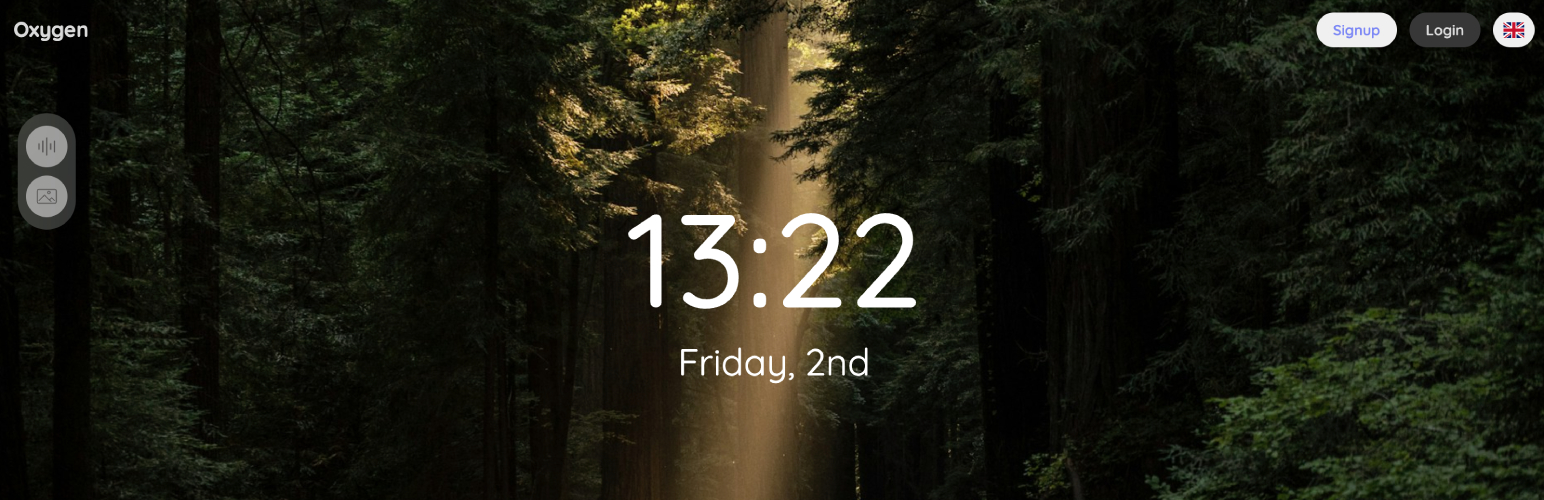
<p>OxyLeaf是一個健康和提高工作效率的工具,可以為專注、放鬆和睡眠創建個性化的環境。使用者可以在現代的單頁應用程式中混合舒緩的聲音,如雨聲、海浪聲和森林氣氛,同時展示美麗的背景,打造出完美的工作或放鬆空間。</p>
<h2>問題與答案:</h2>
<ul>
<li>
<h3>有哪些關鍵功能?</h3>
<p>
<ul>
<li>自訂聲音播放清單-創建和保存混合多種環境聲音的個人化播放清單</li>
<li>個別音量控制-微調播放清單中每個聲音的音量</li>
<li>美麗的背景-選擇策劃的圖像或視頻來顯示時播放聲音</li>
<li>播放清單背景-為每個播放清單設置獨特的背景,播放時自動切換</li>
<li>睡眠模式-在睡前自動設定每日聲音淡出</li>
<li>時間和日期顯示-選擇全屏時鐘模式(可選)</li>
<li>使用者帳戶-在不同設備上保存您的播放清單和設置</li>
<li>Google登入-使用您的Google帳戶快速登入</li>
<li>多語言支援-接口支援多種語言</li>
<li>整潔、無干擾的界面-使得設計極簡,不阻礙操作</li>
</ul>
</p>
</li>
<li>
<h3>Pro版本有什麼特色?</h3>
<p>
<ul>
<li>完整的SaaS業務(軟體即服務)一條龍服務</li>
<li>內建用戶管理、透過Paddle進行支付處理、多語言支援和精美的單頁應用程式界面</li>
<li>前端演示</li>
<li>訂閱和支付處理(完整的Paddle整合以方便計費)</li>
<li>支持Paddle計費API(與Paddle.com完整整合)</li>
<li>免費和Pro計劃(驗證的免費付費業務模式)</li>
<li>月付和年付計費(以兩種選擇最大化收入)</li>
<li>試用期支持(提供免費試用以促進轉換)</li>
<li>自動續訂(自動Pilot減少繼續收入)</li>
<li>取消管理(有償處理預定降級)</li>
<li>全球覆蓋(在200多個國家出售,自動稅務合規)</li>
<li>管理員Pro訪問權限(賦予特定用戶免費Pro)</li>
<li>訂閱儀表板(用戶可從應用管理他們的訂閱)</li>
<li>高級背景(為Pro訂戶添加獨家內容)</li>
<li>高級聲音(為Pro訂戶添加獨家聲音)</li>
</ul>
</p>
</li>
<li>
<h3>這個外掛的使用情境?</h3>
<p>
<ul>
<li>專注和深度工作-為編碼、寫作或學習創建無干擾的環境聲音</li>
<li>冥想和放鬆-將舒緩的聲音與寧靜的背景混合,用於冥想練習</li>
<li>睡眠輔助-使用睡眠模式,在晚睡前自動淡化聲音,以改善睡眠習慣</li>
<li>背景氛圍-在休息時間或閒暇時展示美麗的背景和舒緩的聲音</li>
<li>白噪音-使用可自定義的環境聲景消除分心的辦公室或家庭噪音</li>
<li>創意工作-為設計、藝術或創意寫作工作設定完美的氣氛</li>
</ul>
</p>
</li>
<li>
<h3>管理員功能有哪些?</h3>
<p>
<ul>
<li>添加和管理環境聲音(上傳音頻文件、設置圖標、組織分類)</li>
<li>策劃背景庫(包含具有歸屬支持的圖像和視頻)</li>
<li>設定用戶限制(播放清單上限、每個播放清單的聲音)</li>
<li>配置Google登入和Cloudflare Turnstile</li>
<li>管理多種語言和翻譯</li>
<li>選擇默認背景</li>
<li>自定義前端頁面佈局</li>
</ul>
</p>
</li>
</ul>
</body>
</html>
外掛標籤
開發者團隊
② 後台搜尋「OxyLeaf – Working and Relaxing App (SaaS ready)」→ 直接安裝(推薦)
原文外掛簡介
OxyLeaf is a wellness and productivity tool that creates personalised ambient environments for focus, relaxation, and sleep. Built as a modern Single Page Application (SPA), OxyLeaf lets users mix calming sounds like rain, ocean waves, and forest ambience while displaying beautiful backgrounds to create their perfect work or relaxation space.
Think of it as a personal ambient sound studio – create custom playlists that blend multiple sounds together, each with individual volume control, and pair them with stunning visual backgrounds.
Home | Showcase | Docs
Key Features
Custom Sound Playlists – Create and save personalized playlists mixing multiple ambient sounds
Individual Volume Control – Fine-tune each sound’s volume in your playlists
Beautiful Backgrounds – Choose from curated images or videos to display while sounds play
Playlist Backgrounds – Set unique backgrounds for each playlist that auto-switch when playing
Sleep Mode – Schedule daily automatic sound fade-out at your bedtime
Time & Date Display – Optional full-screen clock mode
User Accounts – Save your playlists and settings across devices
Google Sign-In – Quick login with your Google account
Multi-language Support – Interface available in multiple languages
Clean, Distraction-Free Interface – Minimalist design that gets out of your way
In Pro version
Complete SaaS business in a box. With built-in user management, payment processing via Paddle, multi-language support, and a beautiful single-page application interface, you can launch your own productivity SaaS platform immediately after installation.
Front-end demo
Subscription and Payment Processing (Complete Paddle integration for hassle-free billing)
Paddle Billing API (Full integration with Paddle.com)
Free and Pro plans (Proven freemium business model)
Monthly and yearly billing (Maximise revenue with both options)
Trial period support (Offer free trials to boost conversions)
Automatic renewals (Recurring revenue on autopilot)
Cancellation management (Graceful handling with scheduled downgrades)
Global coverage (Sell in 200+ countries with automatic tax compliance)
Admin Pro access grants (Give complimentary Pro to specific users)
Subscription dashboard (Users can manage their subscription from the app)
Premium backgrounds (Add exclusive content for Pro subscribers)
Premium sounds (Add exclusive sounds for Pro subscribers)
Use Cases
Focus & Deep Work – Create distraction-free ambient environments perfect for coding, writing, or studying
Meditation & Relaxation – Mix calming sounds with serene backgrounds for meditation sessions
Sleep Aid – Use Sleep Mode to automatically fade sounds at bedtime for better sleep routines
Background Ambience – Display beautiful backgrounds with calming sounds during breaks or downtime
White Noise – Mask distracting office or home noises with customizable ambient soundscapes
Creative Work – Set the perfect mood for design, art, or creative writing sessions
Admin Features
Site administrators have full control over:
* Adding and managing ambient sounds (upload audio files, set icons, organize in categories)
* Curating background library (images and videos with attribution support)
* Setting user limits (max playlists, sounds per playlist)
* Configuring Google Sign-In and Cloudflare Turnstile
* Managing multiple languages and translations
* Choosing default backgrounds
* Customizing frontend page placement
Resources
Here are some resources from which you can get sounds and backgrounds:
freesound.org (Sounds)
zapsplat.com (Sounds)
uppbeat.io (Sounds)
elements.envato.com/audio (Sounds)
unsplash.com (Image backgrounds)
pexels.com (Video backgrounds)
coverr.co (Video backgrounds)
shutterstock.com (Video and image backgrounds)
Tip! Make sure the sounds and video backgrounds have a perfect loop.
Tip! To obtain the best performance and speed, use AWS S3 storage.
There are free solutions out there as plugins. Example:
amazon-s3-and-cloudfront
External Services
This plugin connects to the following external third-party services:
Google Fonts
What it is: Google Fonts CDN (Content Delivery Network)
Google Sign-In (Optional)
What it is: Google OAuth 2.0 Authentication Service
Cloudflare Turnstile (Optional)
What it is: Cloudflare Turnstile CAPTCHA service
Important: Google Sign-In and Cloudflare Turnstile are optional features that must be explicitly enabled by the site administrator in Settings > OxyLeaf App. They are disabled by default and will not connect to external services unless configured with API credentials.
Credits (third-party libraries)
Bootstrap
Google Fonts
Flag-icons
Toastr
Select2