內容簡介
總結:
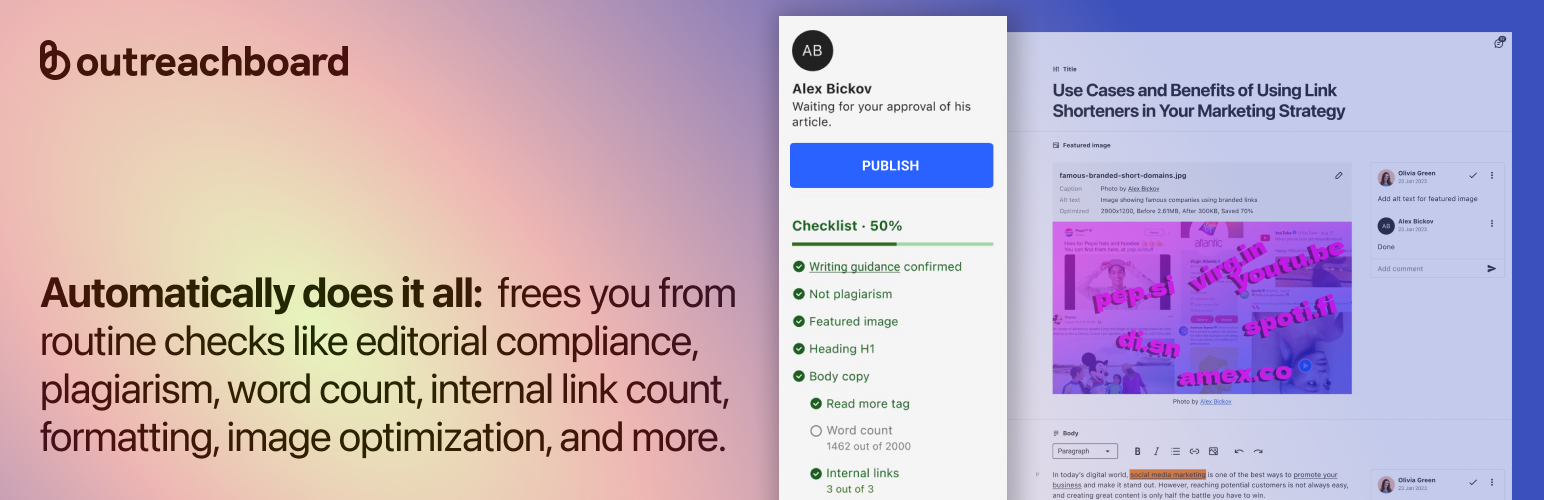
Outreachboard 是一個讓您能夠更快地發佈客座文章的工具,通過創建個性化的預發佈檢查清單。作者在將內容從 Outreachboard 導入並發佈到您的 WordPress 站點之前,完成如添加內部鏈接、優化圖像和插入替代文字等任務。
問題與答案:
1. Outreachboard 是用來做什麼的?
- Outreachboard 是一個工具,讓您能夠更快地發佈客座文章。
2. 作者在使用 Outreachboard 前需要完成哪些任務?
- 作者需要完成任務,如添加內部鏈接、優化圖像和插入替代文字等。
3. 使用 Outreachboard 能幫助您管理什麼內容?
- 使用 Outreachboard 能夠幫助您管理來自客座作者的內容,並且在部落格上發佈這些內容,無需讓作者獲得您的 WordPress 儀表板訪問權限。
4. Outreachboard 可以幫助您決定接受哪些類型的投稿?
- 您可以決定接受主題想法、完整文章、贊助內容或一般請求等類型的投稿。
5. Outreachboard 的插件用於標記什麼缺陷?
- Outreachboard 的插件可標記缺少的替代文字、格式錯誤、缺少內部鏈接等問題,並且可以阻止不支持或有風險的文件類型,如 zip 或 rar,以確保您的站點安全。
外掛標籤
開發者團隊
原文外掛簡介
Outreachboard lets you publish guest articles faster by creating personalized pre-publishing checklists. Authors complete tasks like adding internal links, optimizing images, and inserting alt text before you import and publish content from Outreachboard into your WordPress site.
It helps you manage guest author content in a dedicated editor and publish it on your blog without giving authors access to your WordPress dashboard. Instead of juggling emails, documents, and images, you can handle everything in one place.
You decide which types of submissions to accept — topic ideas, full articles, sponsored content, or general requests. You also control the review process and can request edits directly inside the article.
The plugin flags missing alt text, broken formatting, missing internal links, and more. It also blocks unsupported or risky file types like zip or rar to keep your site secure.
This is not a content management system. It’s a focused tool to help you accept, review, and publish guest content more efficiently.
Built for teams and solo editors who want to publish faster while keeping full control over what goes live.