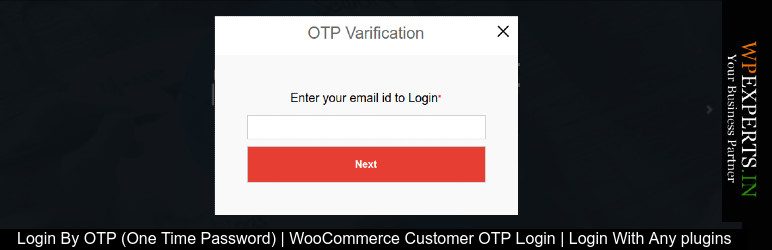
內容簡介
這是一個簡單的 WordPress 外掛,使您能夠在您的網站中使用一次性密碼(OTP)來進行安全登錄。允許 WooCommerce 客戶使用 OTP 登錄您的網站。 OTP 登錄比靜態密碼更安全,特別是由用戶創建的密碼。
OTP 比靜態密碼更安全,特別是由用戶創建的容易受攻擊和/或在多個帳戶上重複使用。 OTP 可以替代身份驗證登錄信息,或者可以在此基礎上添加另一層安全性。
特點
允許用戶使用電子郵件 OTP 登錄
允許 WooCommerce 客戶使用一次性密碼(OTP)登錄
允許任何外掛程式使用 OTP 登錄
光箱登錄彈出
定義重定向 URL
在網站的任何位置添加登錄彈出
短碼
[otp_login title=”用 OTP 登錄”]
請不要忘記留下您的寶貴反饋和建議,以使我們的插件比其他插件更好。分享您的意見給外掛 作者
外掛標籤
開發者團隊
原文外掛簡介
“Login with OTP” is a simple and secure solution for adding One Time Password (OTP) login functionality to your WordPress site. It enables users, including WooCommerce customers, to log in securely via OTP instead of using traditional passwords.
OTP-based login enhances security by reducing the risks associated with weak or reused passwords. This plugin supports both admin and frontend login with OTP and allows customization such as popup login, redirect URLs, and more.
Watch a demo: https://youtu.be/0E4ZHqRoerc
Features
Secure login via OTP (One Time Password) for WordPress users and WooCommerce customers.
Login without needing a static password, reducing security risks.
Option to add OTP login for other plugins.
Lightbox login popup for improved user experience.
Customizable redirect URL after successful login.
Ability to place the login popup anywhere on your website.
Shortcode support: [otp_login title="Login with OTP"] for easy integration.
Support
For support, bug reports, or feature requests, please contact the plugin author at: [email protected]
For documentation, FAQs, and troubleshooting, visit: Plugin Documentation
Security Notice
This plugin relies on OTP for authentication, which is more secure than traditional passwords. However, it is crucial to ensure your website uses HTTPS to encrypt communication and prevent unauthorized access. Always keep your WordPress and plugin versions up to date for the latest security fixes.
License
This plugin is licensed under the GPL-2.0+ license. See the full license text at: http://www.gnu.org/licenses/gpl-2.0.html