
內容簡介
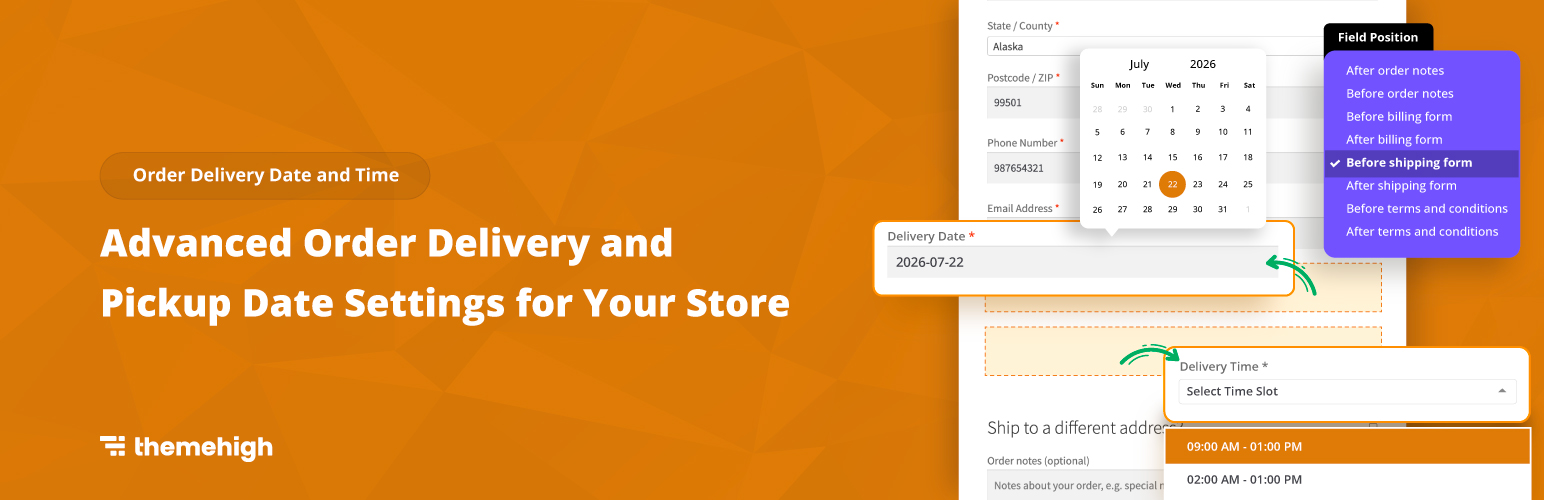
Order Delivery Date And Time 外掛讓顧客在結帳頁面選擇他們偏好的送貨或自取日期與時間,提升顧客的購物體驗並增加回頭客。
【主要功能】
• 顧客可選擇送貨/自取日期與時間
• 設定有效的送貨日期與時間區間
• 支援特殊日期與假日設定
• 自動選擇下一可用日期
• 支援個別與批量時間區間設定
外掛標籤
開發者團隊
② 後台搜尋「Order Delivery Date And Time」→ 直接安裝(推薦)
原文外掛簡介
Don’t keep your shoppers worried about their order delivery. A systematic order delivery planning can bring you regular customers and enhance their shopping experience by offering home delivery and self-pickup.
How it works
The Order Delivery | Pickup Date And Time Planner For Woocommerce plugin allows your customers to pick their preferred delivery/pickup date and time from the checkout page. The admin has the privilege to choose any unavailable days for delivery/pickup service, and to add specific days to set separate slots for those days. Depending on the needs of the store owner, bulk or individual slots can be specified.
Block Compatible → This plugin is designed to work with the WooCommerce Checkout Blocks. It seamlessly enables all delivery and pickup date and time features using the block compatibility feature
Date Planner for Easy Delivery
Enable the delivery date picker option to activate the delivery date on your store’s checkout page.
Pre-set the processing time for prepping the delivery at your store’s convenient time.
You can set valid days for delivery and limit the number of dates to be picked by the user.
Select any start day of a week.
Pick a suitable date format.
‘Auto Select First Available date’ option lets you automatically select the very next available date on the calendar for delivery.
Choose Off Days which you won’t be available for delivery.
Delivery Time Setter
Enable the delivery time picker option to activate the delivery time on your store’s checkout page.
Add a new time slot convenient for your store to deliver customers’ orders.
Enable the Delivery Time option and select your preferred time slot type.
Select the time slot type of your choice from the drop-down
Individual Time Slot
Bulk Time Slot
Pick Time Slot as per date or week base:
Week Days
Specific Dates
Based on the Time Slot Type selected, set the From & To time range.
(If the time slot type is Bulk Time Slot, then enter slot duration and intervals between each slot.)
Pickup Date Settings
Pickup Date settings are similar to Delivery Date settings.
Activate the pickup date on your store’s checkout page, by enabling the pickup date selection.
Pre-set the processing time for pickup at your store’s convenient time.
You can set valid days for delivery and limit the dates to be picked by the user.
Select any start day of a week.
Pick a suitable date format to display .
Auto selects the very next available date.
Choose Off Days which you won’t be available for pickup.
Pickup Time Settings
Enable the pickup time picker option to activate the delivery time on your store’s checkout page.
Add a new time slot convenient for your store for customers to pick up orders.
Enable the Delivery Time option and select your preferred time slot type.
Select the time slot of your choice from the drop-down
Individual Time Slot
Bulk Time Slot
Pick Time Slot as per date or week base:
Week Days
Specific Dates
Based on the Time Slot Type selected, set the From & To time range.
(If the time slot type is Bulk Time Slot, then enter slot duration and intervals between each slot.)
Special Occasion Slot
Create slots for special occasions by adding specific dates. So while creating a time slot you can pick those specific dates and schedule separate slots.
Holidays
Pre-set holidays for your store, so that customers won’t pick those specific dates for order delivery.
Other Settings
Set a position for the delivery/pickup field on the checkout page.
Provide a suitable name for the delivery/pickup field on the checkout page.
You can now get these features to work well on your checkout page by taking advantage of our block integration!
Explore Themehighs’ other plugins, and get to know about our team and how we help develop great e-commerce sites.
Join Themehigh Community to get help from similar people