內容簡介
<!DOCTYPE html>
<html lang="zh-tw">
<head>
<meta charset="UTF-8">
<title>OptiCache WordPress 外掛總結及問答</title>
</head>
<body>
<h2>OptiCache WordPress 外掛總結:</h2>
<p>OptiCache 是一個結合了多個效能和快取外掛功能的全能解決方案,安裝時預設配置適合大多數使用者。</p>
<h2>問答:</h2>
<ul>
<li><strong>OptiCache 提供了哪些功能?</strong></li>
<p>OptiCache 將五到六個獨立外掛的功能結合成一個輕量包,包括頁面快取、資產最小化、延遲載入、安全標頭、PHP OPcache 管理和物件快取(Redis/Memcached)。</p>
<li><strong>OptiCache 最獨特的功能是什麼?</strong></li>
<p>最獨特之處在於智慧地生成 .htaccess 最佳化。OptiCache 生成全面的伺服器規則,包括 GZIP 壓縮、瀏覽器快取、安全標頭和檔案保護,同時智能保留現有配置。您可以在管理面板中直接編輯這些規則。</p>
<li><strong>在測試中 OptiCache 取得了怎樣的結果?</strong></li>
<p>在測試中,一個包含122個請求和超過4MB圖像的5.4MB WordPress 頁面在使用其他四個優化外掛後得到 C- 的評分。但在不到5分鐘內轉換為單獨使用 OptiCache 後,相同頁面達到了 GTmetrix A 等級,表現了93%的性能,1.2秒的Largest Contentful Paint和次秒的First Contentful Paint。</p>
<li><strong>為什麼網站速度如此重要?</strong></li>
<p>緩慢的網站會損失訪問者。研究顯示,有40%的人會放棄一個需要超過3秒載入的網站。Google將網站速度作為排名因素,這意味著速度更快的網站在搜索結果中排名更高。</p>
<li><strong>OptiCache 如何預設配置以提供最佳結果?</strong></li>
<p>OptiCache激活時具有安全有效的默認設置,無需配置即可立即提升性能。默認設置包括頁面快取、HTML/CSS/JS最小化、延遲載入JavaScript、GZIP壓縮、瀏覽器快取和安全標頭。</p>
</ul>
</body>
</html>
外掛標籤
開發者團隊
原文外掛簡介
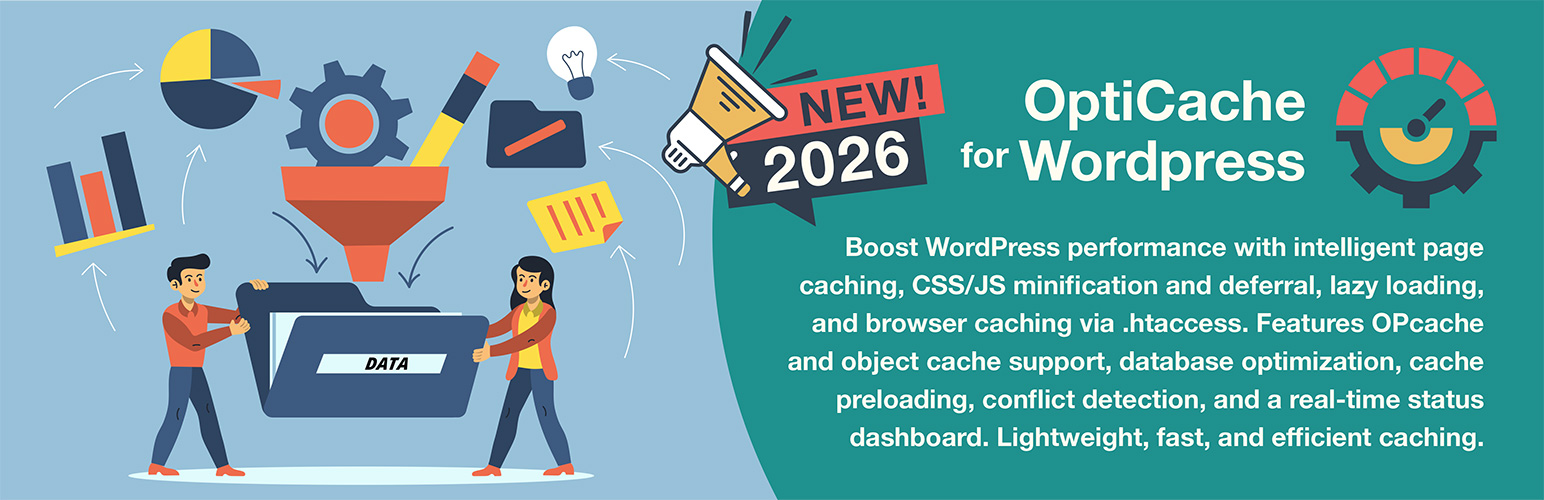
Finally, an all-in-one solution that replaces multiple performance and caching plugins, preconfigured for most users at installation.
OptiCache consolidates the functionality of five or six separate plugins into one lightweight package: page caching, asset minification, lazy loading, security headers, PHP OPcache management, and object caching (Redis/Memcached). Instead of juggling multiple plugins with overlapping features and potential conflicts, OptiCache provides a unified solution with a single settings interface.
The standout feature is the intelligently generated .htaccess optimization. Most cache plugins either ignore .htaccess entirely or offer basic toggles. OptiCache generates comprehensive server rules for GZIP compression, browser caching, security headers, and file protection, while intelligently preserving existing configurations like PHP handlers and cPanel directives. Rules can be edited directly in the admin panel, and toggling any rule off and then back on restores its optimized default.
In testing, a 5.4MB WordPress page with 122 requests and over 4MB of images scored a C- after testing four competing optimization plugins. When switching to OptiCache alone in under 5 minutes, the same page achieved a GTmetrix Grade A with 93% Performance, 1.2s Largest Contentful Paint, and sub-second First Contentful Paint. These results speak for themselves.
Why Site Speed Matters
Slow websites lose visitors. Studies show that 40% of people abandon a website that takes more than 3 seconds to load. Google uses site speed as a ranking factor, meaning faster sites rank higher in search results. A single heavy WordPress site can easily require page caching, asset optimization, lazy loading, server-level compression, and proper cache headers to perform well. Manually configuring .htaccess rules for optimal compression, caching, and security typically requires server administration expertise. OptiCache handles all of this through intelligent automation, producing results that are difficult to achieve with competing solutions.
Preconfigured for Optimal Results
OptiCache activates with safe, effective defaults. No configuration is required for immediate performance gains. The default settings include page caching, HTML/CSS/JS minification, deferred JavaScript loading, GZIP compression, browser caching with optimized expiry times, and security headers. These techniques work safely with virtually any theme or plugin combination. Advanced options, such as CSS/JS combining, which can break load-order-dependent scripts, remain disabled until explicitly enabled. Tooltips throughout the settings panel provide clear explanations and warnings about potential issues if settings are implemented incorrectly.
Key Features:
Page Caching – When a visitor loads a page, WordPress normally runs PHP code and database queries to build it. Page caching saves a static HTML copy of each page, so repeat visitors receive the pre-built version instantly with no waiting for PHP or database. This alone can make a site dramatically faster. When content is edited, OptiCache intelligently clears only the affected pages (the post itself, homepage, and relevant archives) rather than purging the entire cache.
Database Optimization – WordPress databases accumulate bloat over time: post revisions, auto-drafts, trashed content, spam comments, expired transients, and orphaned metadata. OptiCache provides one-click cleanup for all of these, plus MySQL table optimization. Automatic scheduled cleanup is included as an option for hands-off maintenance.
Cache Warmup (Preload) – After the cache is cleared, the first visitor to each page must wait while WordPress rebuilds it. Cache warmup solves this by automatically visiting all pages in the background, pre-building the cache so real visitors always receive fast, cached pages. Includes sitemap discovery that auto-detects XML sitemaps from popular SEO plugins (Yoast, Rank Math, AIOSEO, SEOPress, and more) to ensure all indexed URLs are preloaded.
CSS Optimization – Themes and plugins load CSS files that control how the site looks. Minification removes unnecessary spaces and comments from these files, making them smaller and faster to download. An optional combination merges multiple CSS files into one, reducing the number of requests browsers make.
JavaScript Optimization – Similar to CSS, but for scripts that add interactivity to the site. Minification shrinks file sizes. Defer loading instructs browsers to load JavaScript after the visible content, so visitors see the page faster. These are premium features in most cache plugins.
HTML Minification – Removes unnecessary whitespace, line breaks, and comments from page HTML code, reducing file size by 10-20%.
Lazy Loading – Defers loading of images and iframes until they scroll into view, dramatically improving initial page load times. Choose between JavaScript mode with smooth fade-in animation (adjustable speed from 0.4s to 1.0s) or native browser mode for simplicity. The first few images are automatically excluded to prevent affecting the Largest Contentful Paint (LCP) score.
Disable Emoji – WordPress loads emoji scripts on every page even though modern browsers display emojis natively. Disabling this removes 2 unnecessary files (~10KB) from every page load.
.htaccess Optimization – Intelligently generated server rules that would typically require expert knowledge to configure manually. Toggle controls include HTTPS redirection, WordPress rewrite rules for permalinks, security headers (HSTS, X-Frame-Options, X-Content-Type-Options, XSS Protection, Referrer Policy), GZIP compression, browser caching with optimized expiry times, WebP/AVIF image serving, protection of sensitive files, bad bot blocking, and XML-RPC blocking. Security essentials like author enumeration prevention, registration spam blocking, and directory browsing protection are always active. The intelligent parser preserves existing server configurations such as PHP settings and cPanel handlers when generating new rules.
PHP OPcache Management – PHP OPcache is a server feature that remembers compiled PHP code so it doesn’t have to be processed repeatedly. OptiCache displays OPcache statistics and provides one-click clearing when needed (such as after updates).
Object Cache (Redis/Memcached) – Object caching stores database query results in memory, dramatically speeding up dynamic pages and WordPress admin areas. This straightforward implementation supports single-server PhpRedis (PECL) and Memcached (PECL) backends, the standard configuration for shared hosting, VPS, and dedicated servers. Automatically detects available extensions and connects to the local cache server. Especially beneficial for WooCommerce stores, membership sites, and any site with logged-in users where page caching doesn’t apply. Simply add server connection details to wp-config.php and enable with one click. (Note: This is not designed for advanced multi-server configurations like Redis Sentinel, clustering, or replication. For those enterprise setups, consider a dedicated object cache plugin.)
Resource Preloading – DNS prefetch and preconnect instruct browsers to start connecting to external services (like Google Fonts) before they’re needed, shaving milliseconds off load times.
Automatic Plugin Detection – JavaScript optimization (defer, delay, minification) can break scripts that expect to run immediately. OptiCache automatically detects installed e-commerce platforms (WooCommerce, Easy Digital Downloads, MemberPress, BigCommerce, Ecwid), payment gateways (Stripe, PayPal, Square, WooPayments, Authorize.Net, Amazon Pay, Mollie, eWAY, PayFast, Braintree), and common plugins (Contact Form 7, Gravity Forms, Elementor, WPForms), then injects the necessary JavaScript exclusions to protect their critical scripts. When a new plugin or gateway is detected, a notification prompts users to review their JavaScript settings. Exclusions are automatically removed if the plugin is uninstalled. Universal patterns for Google Analytics, Tag Manager, and reCAPTCHA are included by default because they are common across most sites and can cause delays.
CDN Integration (Beta) – Serve static assets (images, CSS, JavaScript) from a Content Delivery Network for faster global delivery. Supports all major CDN providers, including Cloudflare, Amazon CloudFront, Akamai, KeyCDN, BunnyCDN, Azure CDN, CDN77, and Google Cloud CDN. Includes Cloudflare API integration for automatic cache purging when content changes, with manual purge available from the admin bar. Configure exclusion patterns for files that should not be served from CDN. Also includes Varnish Integration for hosts using Varnish reverse proxy cache (Cloudways, Kinsta, WP Engine, etc.) with auto-detection, automatic purging on content changes, and connection testing.
Admin Toolbar Quick Access – Clear the cache with one click from the WordPress admin bar on any page.
Conflict Detection – Automatically detects over 30 caching and optimization plugins including WP Rocket, LiteSpeed Cache, W3 Total Cache, WP Super Cache, WP Fastest Cache, Autoptimize, and Perfmatters, identifying specific feature overlaps and providing remediation guidance. Also detects performance features in 14 popular themes including Avada, Divi, BeTheme, The7, Salient, Customizr, X Theme/Pro (Themeco), Astra, GeneratePress, Kadence, Blocksy, OceanWP, Neve, and Hello Elementor. Hosting-level caching from WP Engine, Kinsta, SiteGround, and Cloudflare is also identified.
JavaScript Debug Mode – When script optimization causes issues, most users don’t know how to access browser developer tools. OptiCache includes an optional debug mode that captures front-end JavaScript errors and displays them in the admin panel. Enable it temporarily for troubleshooting. The intelligent integration will scan your website, and any errors will appear in a readable table that shows the error message, source file, and affected page. Errors can be purged with one click when finished.
WP-CLI Support – Developers and hosting companies can manage cache through command-line scripts for automated deployments and maintenance.
WP-CLI Commands:
wp opticache clear – Clear all caches
wp opticache clear --type=page – Clear only page cache
wp opticache clear --type=assets – Clear only minified CSS/JS
wp opticache clear --type=opcache – Clear PHP OPcache
wp opticache clear-post 123 – Clear cache for specific post(s)
wp opticache stats – Display cache statistics
wp opticache preload – Start cache warmup
wp opticache preload-stop – Stop cache warmup
wp opticache preload-status – Check warmup progress
wp opticache htaccess – Install .htaccess rules
wp opticache htaccess --action=remove – Remove .htaccess rules
wp opticache object status – Show object cache status
wp opticache object enable – Enable object cache drop-in
wp opticache object disable – Disable object cache drop-in
wp opticache object flush – Flush object cache
wp opticache object test – Test connection to cache server
Optional Features (Off by Default):
Some features are disabled by default because they require specific configurations or may not be appropriate for all sites:
HTTPS Redirect – Enable only with SSL is working. Risk: Makes the site inaccessible without a valid SSL.
Block XML-RPC – Risk: Breaks Jetpack and WordPress mobile app.
Block SEO Bots – Risk: Blocks Ahrefs, SEMrush, Moz crawlers that may be part of paid subscriptions.
WebP/AVIF Support – Does nothing unless next-gen image files have already been created.
Combine CSS – Risk: Can break page layouts with load-order dependent stylesheets.
Combine JS – Risk: Can break sliders, forms, popups, and payment gateways.
Translations
All 552 text strings use WordPress translation functions. Includes complete translations for English, Spanish, French, German, Russian, Dutch, Polish, Portuguese, and Finnish. Any edits to the PO files or additional languages are welcome.
Donations
If this effort helps you, please consider making a small donation via the main plugin page in the lower-right. All funds support orphans worldwide, especially those in need of survival assistance. This is the sole reason this plugin exists: to help others in desperate need.
Privacy & Data
Operates entirely on your server with no external services, APIs, or data transmission. All cached files and minified assets are stored locally in your wp-content directory. No visitor data is collected, tracked, or shared. No cookies are set except for standard WordPress cookies used to detect logged-in users (to serve uncached pages). The plugin reads your site’s public URLs for cache warmup but makes no external requests. PHP OPcache statistics are read-only from your server’s memory. Complete cache deletion is available via the settings page, the admin bar, or WP-CLI.