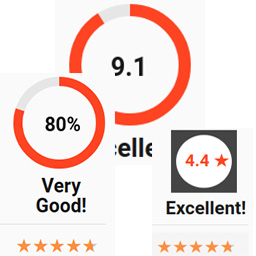
內容簡介
Opiner Me 是一款輕量級的 WordPress 外掛,專為添加星級評分、收集用戶評論及顯示簡單意見表單而設計。它具備 SEO 友好的 JSON-LD 評論架構、內建防垃圾郵件功能,並提供靈活的短碼,適合各類網站使用。
【主要功能】
• 輕量級星級評分與評論外掛
• 適合任何佈景主題的意見與反饋表單
• 簡單短碼顯示表單、評分、評論及架構
• 內建防垃圾郵件功能
• 提供 SEO 友好的 JSON-LD 評論架構
• 清晰的管理介面管理用戶意見與評分
外掛標籤
開發者團隊
原文外掛簡介
Opiner Me – Feedback & Star Rating Plugin
Opiner Me is a lightweight WordPress plugin for adding star ratings, collecting user reviews, and displaying a simple opinion form anywhere on your site. It includes SEO-friendly JSON-LD review schema, built-in spam protection, and clean shortcodes for maximum flexibility.
Perfect for blogs, service pages, portfolios, and any website that needs quick, minimal, and fast-loading feedback tools.
Official website: Opiner Me WP Plugin
Plugin live demo: Check it out here
Installation video: Watch on YouTube
Features
Lightweight star rating and review plugin for WordPress.
Opinion and feedback form that fits any theme.
Simple shortcodes to display form, rating, reviews, and schema.
Built-in spam protection via SpamGuard module.
JSON-LD review schema for better SEO and rich results.
Clean admin panel to manage user opinions and ratings.
No external scripts, no bloat – performance-friendly.
Why choose Opiner Me?
Lightweight and fast – no unnecessary code, no bloat, no performance impact.
Simple to use – install, activate, add shortcode, done. No complex setup.
SEO-ready – built-in JSON-LD markup helps search engines understand your ratings.
Clean UI – minimal, theme-agnostic design that fits any WordPress site.
Modular architecture – extend or customize functionality with clear, structured PHP classes.
Spam protection included – the SpamGuard module filters basic unwanted submissions.
Flexible shortcodes – display the form, the list, or both together anywhere on your site.
Privacy-friendly – all opinions stay in your database; nothing is sent to external servers.
Use Cases
Add star ratings to posts, pages, or custom post types.
Collect quick user reviews with a simple opinion form.
Display ratings and review lists anywhere using shortcodes.
Improve SEO with JSON-LD review schema for rich results.
Gather lightweight feedback without heavy review plugins.
Add a minimal rating widget to service pages or portfolios.
Shortcodes
[opiner_me] – display form and list together
[opiner_me_form] – display only opinion form
[opiner_me_list] – display submitted reviews
[opiner_me_rating] – display average rating
[opiner_me_schema] – output JSON-LD
Video
Quick installation video: Watch on YouTube
This short video shows how to install and use Opiner Me in under 3 minutes.
Performance
Opiner Me is optimized for speed and minimal footprint:
No external scripts or heavy assets.
Lightweight codebase designed for fast loading.
Minimal database usage for storing reviews and ratings.
Works efficiently on shared hosting environments.
Zero impact on Core Web Vitals and page performance.
Compatibility
Opiner Me is fully compatible with modern WordPress environments.
Tested with WordPress versions 6.0-6.9.
Requires PHP 8.0 or higher.
Works with any theme thanks to lightweight, theme-agnostic design.
Compatible with classic editor and block editor (Gutenberg).
Privacy
Opiner Me does not collect, store, or transmit any personal data to external servers. All submitted opinions, ratings, and review content remain in your WordPress database. No tracking, analytics, or third-party requests are used by the plugin.