⚠ 此外掛已下架 — 不再更新維護,建議勿安裝。
30+
安裝啟用
★★★★★
5/5 分(1 則評價)
2501 天前
最後更新
—
問題解決
WordPress 3.2.1+ v1.1 上架:2012-05-24
內容簡介
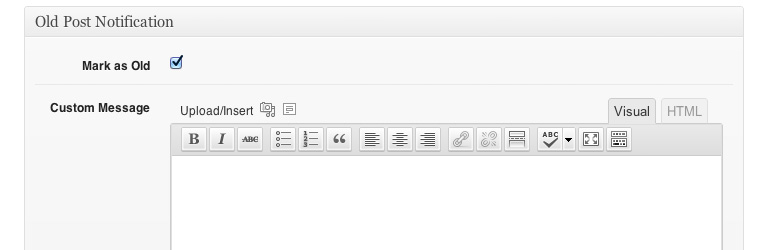
當編輯文章時,在標示為「舊文章通知」的 metabox 中勾選「標示為舊文章」,即可在文章頂部加入通知。您也可以為此文章定義自訂訊息。如果未提供自訂訊息,將使用「設定 > 舊文章通知」中設定的預設訊息。
進一步的自訂可以使用文件中描述的篩選器。
文件 | 支援論壇
外掛標籤
開發者團隊
原文外掛簡介
When editing a post, check “Mark as Old” in the metabox labeled “Old Post Notification” to add the notification to the top of the post. You can also define a custom message for this specific post. If no custom message is provided, the default message set in Settings > Old Post Notification will be used.
Further Customization with filters, described in documentation.
Documentation | Support Forum