內容簡介
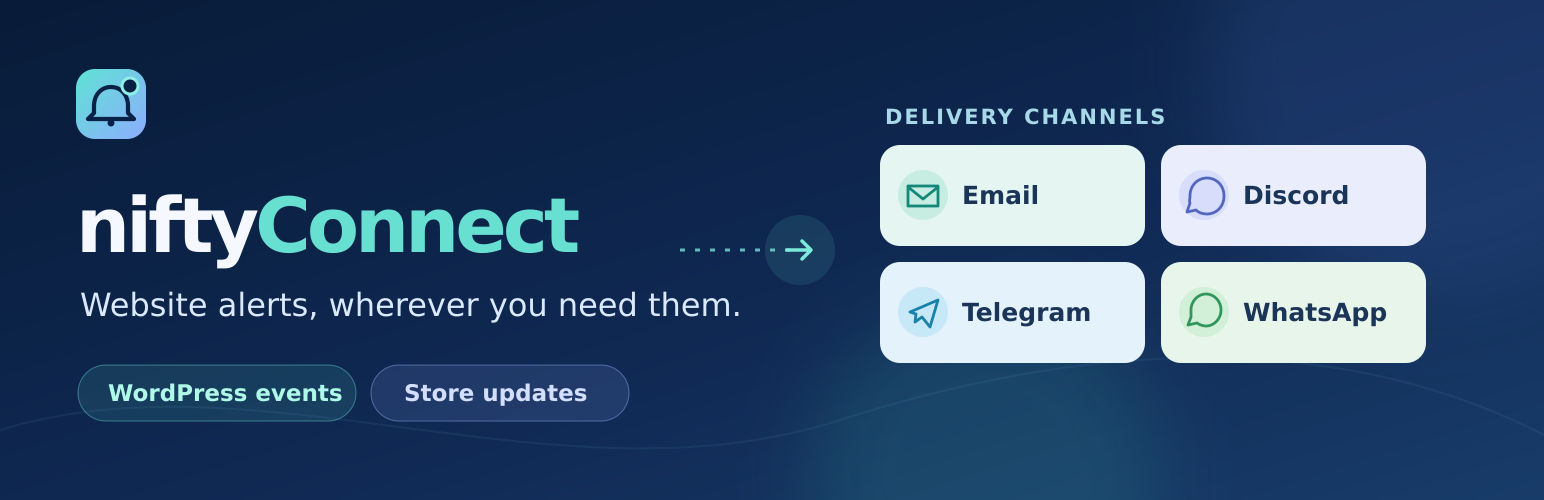
niftyConnect 是一款幫助網站用戶接收重要 WordPress 和 WooCommerce 事件即時通知的外掛。它支援多種通知通道,包括電子郵件、Discord、Telegram 和 WhatsApp Cloud API,並提供可自訂的模板和通知路由功能。
【主要功能】
• 支援電子郵件通知通道
• Discord 進來的 webhook 通道控制
• Telegram 通知通道的機器人和聊天設定
• WhatsApp Cloud API 的模板和自由文本模式
• 針對事件的自訂通知內容
• 可選的每日通知發送限制
外掛標籤
開發者團隊
② 後台搜尋「niftyConnect – Website Alerts via Messaging Apps & Email」→ 直接安裝(推薦)
原文外掛簡介
niftyConnect helps site users receive timely notifications for important WordPress and WooCommerce events.
niftyConnect includes email, Discord, Telegram, and WhatsApp Cloud API notification channels, customizable templates, per-channel notification routing, trigger-specific role and custom recipients, manual test notifications, channel-specific message controls, and an optional administrator-configured daily sending limit. Set the daily limit to 0 for unlimited sending.
Features
Email notification channel.
Discord incoming webhook channel with username, avatar, thread, and link embed controls.
Telegram notification channel with bot, chat, formatting, and link preview settings.
WhatsApp Cloud API channel with approved-template and free-form text modes.
Per-channel notification routing for WordPress and WooCommerce events.
Trigger-specific role recipients, user-profile Telegram/WhatsApp destinations, and custom email recipients.
Custom notification content and per-event WhatsApp approved templates.
Manual test notification.
New post published notifications.
Post updated notifications.
New comment notifications.
Pending comment moderation notifications.
New user registration notifications.
WooCommerce new order notifications.
WooCommerce completed order notifications.
WooCommerce order status change notifications.
WooCommerce new customer notifications.
WooCommerce low stock notifications.
WooCommerce back in stock notifications.
Optional daily notification sending limit.
Third-party services
niftyConnect is an independent plugin and is not affiliated with, endorsed by, or sponsored by Discord, Meta, WhatsApp, Telegram, Automattic, or WooCommerce.
niftyConnect can send Discord notifications only after an administrator configures an incoming Discord webhook URL. When Discord is enabled, the plugin sends the notification subject, notification body, optional webhook username, optional avatar URL, optional thread ID, and relevant event content to Discord’s webhook API so Discord can post the message to the configured channel or thread. Depending on enabled triggers and templates, this may include site, post, comment, user, security, and WooCommerce order details. Webhook URLs can be stored in plugin settings or supplied through the NIFTYCONNECT_DISCORD_WEBHOOK_URL constant in wp-config.php.
Discord service: https://discord.com/
Discord webhook API: https://docs.discord.com/developers/resources/webhook
Discord Terms of Service: https://discord.com/terms
Discord Privacy Policy: https://discord.com/privacy
niftyConnect can send Telegram notifications only after an administrator enters a Telegram bot token and chat ID. When Telegram is enabled, the plugin sends the notification subject, notification body, and configured chat ID to the Telegram Bot API so Telegram can deliver the message. Depending on the enabled triggers and templates, the notification message may include site, post, comment, user, and WooCommerce order details selected in your notification template.
Telegram service: https://telegram.org/
Telegram Bot API: https://core.telegram.org/bots/api
Telegram Terms of Service: https://telegram.org/tos
Telegram Privacy Policy: https://telegram.org/privacy
niftyConnect can send WhatsApp notifications only after an administrator configures a Meta access token, WhatsApp business phone number ID, recipient number, and message mode. When WhatsApp is enabled, the plugin sends the configured recipient phone number, notification subject and body, template details, and relevant event content to Meta’s Graph API so WhatsApp can deliver the message. Depending on enabled triggers and templates, this may include site, post, comment, user, security, and WooCommerce order details. Access tokens can be stored in plugin settings or supplied through the NIFTYCONNECT_WHATSAPP_ACCESS_TOKEN constant in wp-config.php.
WhatsApp service: https://www.whatsapp.com/
WhatsApp Cloud API: https://developers.facebook.com/docs/whatsapp/cloud-api/
Meta Terms: https://www.facebook.com/legal/terms
Meta Privacy Policy: https://www.facebook.com/privacy/policy/
Source code and build tools
The distributed build/admin.js, build/admin.css, and build/admin-rtl.css files are generated from the human-readable source in src/admin/.
The public source repository is available at:
https://github.com/juah255/niftyconnect
The WordPress.org release package includes the source files, npm package manifest, lock file, and build configuration needed to rebuild these generated assets.
To rebuild the admin assets:
Use Node.js 20 with npm 10.9.3.
Run npm ci.
Run npm run build.
Build configuration is included in package.json, package-lock.json, webpack.config.js, postcss.config.js, and tsconfig.json.