內容簡介
注意:「評分」並不代表當前外掛程式的版本質量 - 這個外掛已經更新和更正。請自行檢查並留下反饋。
NGG Geo2 Maps Add-on 是 NextGEN Gallery 的一個彈性擴充外掛,利用 EXIF GPS數據或地理編碼顯示帶有圖片、相冊或圖庫的地圖。
此外掛使用 Microsoft Bing Maps,需要免費的 Bing Maps API 密鑰才能運作。
功能
帶有地理位置資訊的照片地圖 - 使用照片的GPS數據創建地圖。
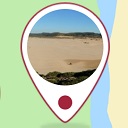
支援不同的圖片在地圖上表示方式:預設的 BING 地圖推釘、縮略圖(圓形、矩形)
通過相冊標題進行地理編碼
使用簡碼(Shortcodes)引入地圖
在每個帶有相冊的文章中自動包含地圖
按需打開地圖(通過Ajax)
只創建包含特定照片的地圖
在一個頁面上創建多個地圖
具有分項選項面板:可配置多個可用選項
語言支援:用戶可以創建翻譯
路線模式帶有 GPX、XML、KMZ、KML、GeoRSS 支援:顯示您的旅行路線以及照片或任何其他資料
世界地圖模式:在概述地圖上顯示所有或特定的照片、相冊和圖庫、打開或預覽相冊(通過Ajax)
通過在信息框或三個燈箱(Fancybox、Slimbox 2 或 Fancybox 3)中點擊 Pushpins / 縮略圖以預覽照片
自定義燈箱:顏色和控件
Fancybox 3 底部標題面板,具有額外的圖片 EXIF 和 GPS 信息
將地圖放大至全屏
迷你地圖模塊
不同的地圖視覺風格
外掛標籤
開發者團隊
② 後台搜尋「Geo2 Maps Add-on for NextGEN Gallery」→ 直接安裝(推薦)
📦 歷史版本下載
原文外掛簡介
!!! Please notice that “Ratings” do not represent the current plugin version quality – which was updated and corrected. Please check by yourself and leave feedback.
NGG Geo2 Maps Add-on is a flexible extension plugin for free or Pro NextGEN Gallery (tested up to version 4.0.4), displaying maps with your photos, galleries or albums located using EXIF GPS data or geocoding.
The goal of this plugin is to add to WordPress similar geolocation functionality as other web-based self-hosted photo manager apps have like Gallery 3, Piwigo, PhotoPrism or LibrePhotos.
The plugin is using Microsoft Azure Maps and requires free Azure Maps API Key to function.
Features
Maps with geo-located photos – Create maps with your photos, using their GPS data.
Support for JPEG and WebP images, with fast, native metadata reading.
Support for different representation of photos on a map: 7 Azure maps Pushpins, Thumbnails (round, rectangular)
Preview photos by clicking on a Pushpins/Thumbnails in an Infobox or one of 3 Lightboxes (Fancybox, Slimbox 2 or Fancybox 3)
Customise Lightboxes: colours and controls
Fancybox 3 Bottom Caption Panel with additional image EXIF and GPS info
Route mode with GPX, GML, KMZ, KML, GeoRSS, GeoJSON, spatial CSV support: displays your travel route together with photos or any other data
Worldmap mode: shows all or specific photos, galleries and albums on an overview map, open or preview galleries (via Ajax)
Include your maps by using Shortcodes
Include maps automatically in every post with a NextGEN gallery
Open maps on requests (via Ajax)
Create maps with specific photos only
Create multiple maps on one page
Enlarge maps to full screen
Mini Map module
Different visual styles for maps
Itemized options panel: configure many available options
Language support: users can create translations (English, Polish included)
Geolocation of galleries and albums in the Worldmap mode using Title