外掛標籤
開發者團隊
原文外掛簡介
News & Blog Layout Builder displays WordPress posts in six layout types: Grid, Slider, Carousel, List, Masonry, and Gridbox. Each layout has two designs. You can output layouts with a shortcode, a saved custom layout, or a sidebar widget.
Getting started
Activate the plugin and open Layout Builder in the admin menu.
Go to Shortcode Generator, choose a layout and design, then adjust query and display options.
Use the live preview to check the result, then click Copy Shortcode.
Paste the shortcode into a page, post, Shortcode block, or widget area.
Optionally open All Layouts → Add New to save a reusable layout and embed it with [nwblb_posts layout_id="123"].
Use Style Manager for global card style, spacing, colors, and image defaults. Use Settings for featured image fallbacks and related options.
Layouts
Grid – Multi-column post cards (Design 1 and Design 2)
Slider – One post per slide with autoplay, arrows, and dots (Design 1 and Design 2)
Carousel – Multiple slides visible at once (Design 1 and Design 2)
List – Vertical list of posts (Design 1 and Design 2)
Masonry – Variable-height masonry arrangement (Design 1 and Design 2)
Gridbox – Featured post with supporting posts beside it (Design 1 and Design 2)
Admin screens
Dashboard – Overview and shortcuts to the main tools
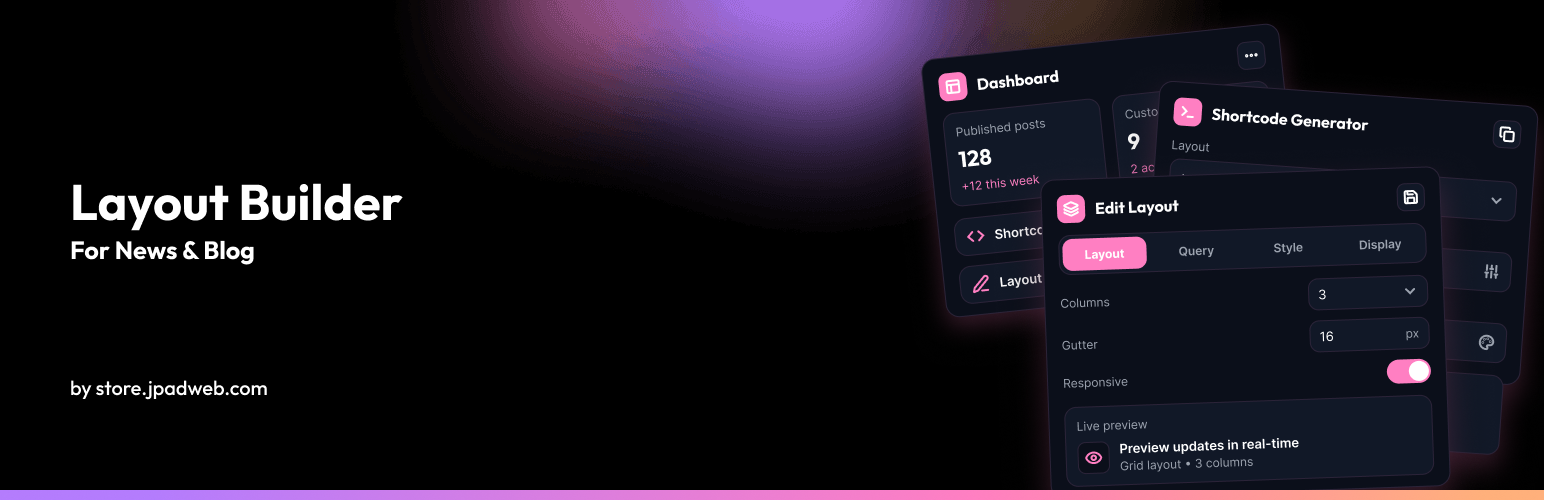
Shortcode Generator – Build a layout with live preview and copy the shortcode
Layout Builder (All Layouts) – Create and edit saved layouts
Style Manager – Set global defaults for card style, gap, radius, accent colors, and images
Settings – Featured image fallbacks and plugin options
How to Use – In-admin examples and guidance
Widget
Add the News & Blog Posts widget under Appearance → Widgets.
Design 1: image, date, and title
Design 2: image, category, title, and date
Optional category filter and post count
Shortcode
Default shortcode (uses Style Manager defaults where applicable):
[nwblb_posts]
Saved layout:
[nwblb_posts layout_id="123"]
Custom example:
[nwblb_posts layout="grid" design="1" category="news" limit="6" columns="3" pagination="yes"]
Common shortcode parameters
Layout
layout=”grid” (Values: grid, slider, carousel, list, masonry, gridbox)
Design
design=”1″ (Values: 1 or 2)
Saved layout
layout_id=”123″ (Use a layout created under Layout Builder → All Layouts)
Post limit
limit=”6″ (Number of posts. Use -1 to show all posts within the max limit)
Offset
offset=”0″ (Number of posts to skip from the start of the query)
Category
category=”news” OR category=”news,sports” (Filter by category slug or comma-separated slugs)
Columns (Grid & Masonry)
columns=”3″ (Values: 1 to 12)
Order
order=”DESC” (Values: DESC or ASC)
Order by
orderby=”date” (Values: date, title, comment_count, rand, modified)
Pagination
pagination=”yes” (Values: yes or no. Not used for Slider and Carousel layouts)
Show featured image
show_image=”yes” (Values: yes or no)
Show date
show_date=”yes” (Values: yes or no)
Show author
show_author=”yes” (Values: yes or no)
Show category
show_category=”yes” (Values: yes or no)
Show excerpt
show_excerpt=”yes” (Values: yes or no)
Excerpt length
excerpt_length=”20″ (Number of words)
Show read more
show_read_more=”yes” (Values: yes or no)
Read more text
read_more_text=”Read More” (Custom button label)
Show icons
show_icons=”yes” (Values: yes or no. Uses WordPress Dashicons)
Link category
link_category=”yes” (Values: yes or no)
Link author
link_author=”no” (Values: yes or no)
Link date
link_date=”no” (Values: yes or no)
Card style
card_style=”bordered” (Values: bordered, shadow, flat)
Gap
gap=”24″ (Spacing between cards in pixels)
Border radius
border_radius=”4″ (Corner radius in pixels)
Accent color
accent_color=”#c62828″ (Hex color for links and accents)
Accent hover color
accent_hover_color=”#9a1e1e” (Hex hover color)
Image mode
image_mode=”ratio” (Values: ratio or size)
Image ratio
image_ratio=”auto” (Values: auto, 16-9, 4-3, 1-1. Used when image_mode is ratio)
Image size
image_size=”medium” (WordPress image size slug. Used when image_mode is size)
Custom CSS class
class=”my-custom-class” (Additional CSS classes on the layout wrapper)
Slider shortcode parameters
[nwblb_posts layout="slider"]
Autoplay
autoplay=”yes” (Values: yes or no)
Autoplay interval
autoplay_interval=”5000″ (Milliseconds between slides)
Show arrows
show_arrows=”yes” (Values: yes or no)
Show dots
show_dots=”yes” (Values: yes or no)
Carousel shortcode parameters
[nwblb_posts layout="carousel"]
Slides to show
slides_to_show=”3″ (Values: 1 to 6)
Slides to scroll
slides_to_scroll=”1″ (Values: 1 to 6)
Autoplay
autoplay=”yes” (Values: yes or no)
Autoplay interval
autoplay_interval=”5000″ (Milliseconds between slides)
Show arrows
show_arrows=”yes” (Values: yes or no)
Show dots
show_dots=”yes” (Values: yes or no)
Pagination
Numeric pagination is available for Grid, List, Masonry, and Gridbox. It uses WordPress paginate_links() and works with /page/2/ permalinks (or ?paged=2 when pretty permalinks are off).
Slider and Carousel do not use pagination.
Featured image fallbacks
If a post has no featured image, you can enable these options under Layout Builder → Settings:
Use the first image from the post content
Use a default image from the media library
Developer hooks
nwblb_query_args – Filter the main post query arguments
nwblb_public_post_types – Add post types to admin selectors
nwblb_template_path – Override layout template file paths
nwblb_paginate_links_args – Customize pagination output
custom_param_1 and custom_param_2 can pass URL query values into custom filtering through the nwblb_query_args hook.
Third-party libraries
Swiper 11.2.10 (MIT License) – Bundled in assets/vendor/swiper/ for Slider and Carousel. No CDN is used at runtime.
The plugin does not collect, store, or send personal data to remote services.