
內容簡介
關於霓虹燈設定工具
外掛網站:neon-configurator.vertimcoders.com
概述
最佳 WooCommerce 霓虹燈產品客製化工具。
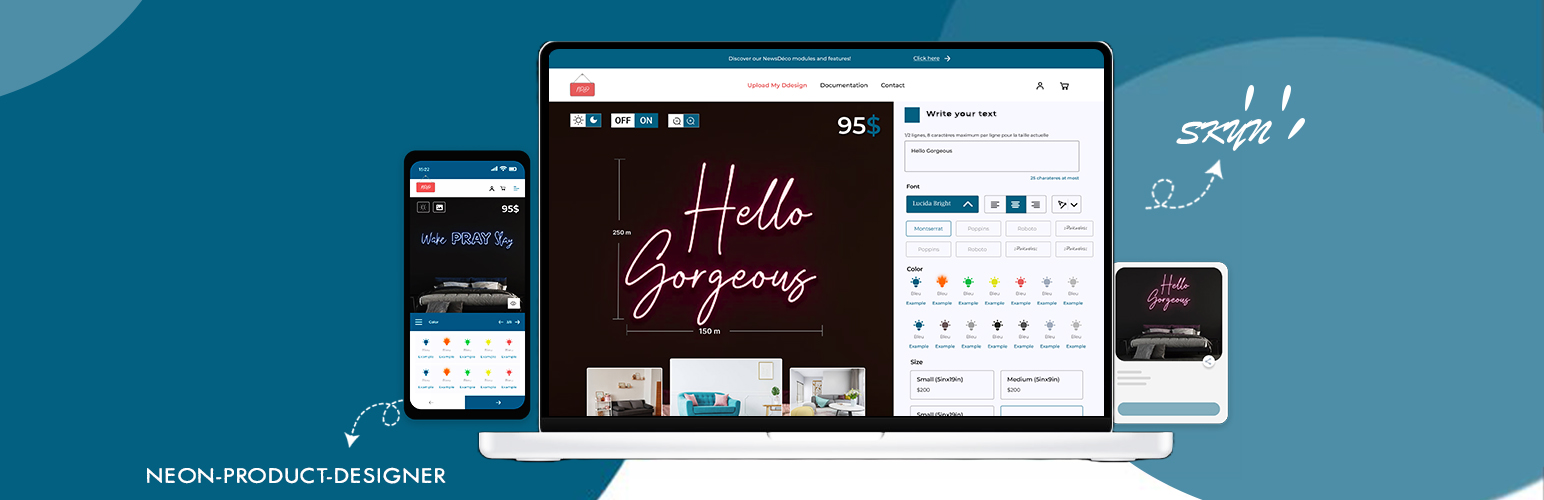
本插件可擴展您的霓虹燈個性化業務,提供您一個設定工具,讓您的客戶在訂購訂製的霓虹燈前,在線上自定義。設置簡單且快速。
我們的 Woocommerce 霓虹燈產品設計師採用 WordPress 的最佳實踐,包括前端和後端,使其成為一個高效,堅固和直觀的插件。它適用於任何主題,包括默認的 WordPress 主題和最新的 WooCommerce 版本。
功能
自定義 TTF 字體支援
自定義顏色調色板以限制顏色使用
可翻譯
自定編輯器背景
短代碼可用
在購物車中顯示設計資料
描述工具提示
響應式且易於使用
專業版功能
可設定的設計尺寸,並附加價格
可設定的其他選項,並附加價格
從購物車中編輯設計
可設定更多單位以獲得更大的文字尺寸
可設定的字體顯示
還有更多來自定制工作
現場演示
演示客製化霓虹燈產品。
外掛標籤
開發者團隊
原文外掛簡介
About the neon configurator
Plugin site: neon-configurator.vertimcoders.com
Overview
The best WooCommerce product customizer for neon signs.
NPD allows you to extend your business of personalization of neon signs by offering you a configurator to allow your customers to customize online prior to order their custom neon sign. Easy and quick to set up.
Our Woocommerce Neon Products Designer is built using WordPress best practices both on the front and the back end. This results in an efficient, robust and intuitive plugin. It’s works with any theme, including the default WordPress themes and the last Woocommerce version.
Features
Custom TTF fonts support
Custom colors palette for limited colors usage
Translation ready
Custom editor background
Shortcode available
Design data in cart
Description tooltip
Responsive and user-friendly
Pro features
Configurable design dimensions with additional price
Configurable Additional Options with additional price
Edit design from cart
Configurable more units for text size
Configurable Font display
And more available from custom job
Live Demo
DEMO CUSTOM NEON SIGN PRODUCT.