外掛標籤
開發者團隊
② 後台搜尋「Nebiron XML Feed for Skroutz」→ 直接安裝(推薦)
原文外掛簡介
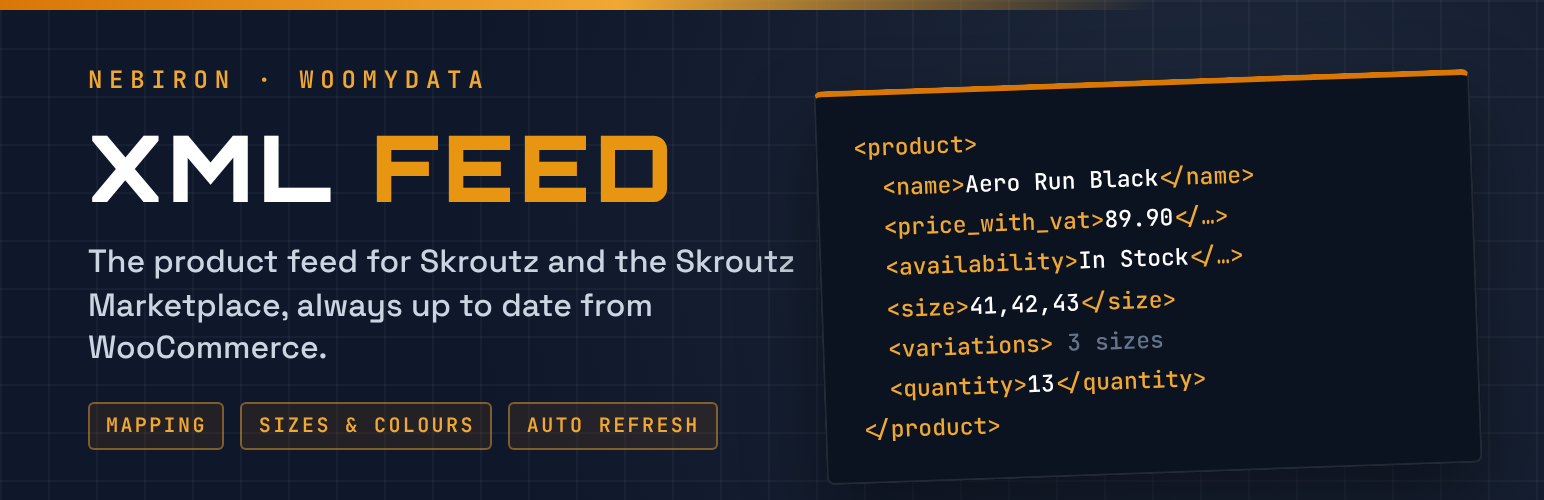
Create and automatically update your Skroutz XML product feed directly from WooCommerce. Completely free, with no subscriptions, external services or account required.
Nebiron XML Feed for Skroutz makes it easy to connect your WooCommerce store with Skroutz by generating a product XML feed that follows the official Skroutz XML specification.
Whether you manage a small online store or a large WooCommerce catalog with thousands of products and variations, the plugin provides everything you need to generate, customize and maintain your product feed.
Simply install the plugin, configure your preferences, generate your XML feed and submit its URL to Skroutz.
Why Choose Nebiron XML Feed for Skroutz?
100% Free: No subscriptions, hidden fees or premium license required.
Automatic Updates: Keep your Skroutz product feed updated on your preferred schedule.
Easy Configuration: Generate your XML feed without technical knowledge.
Product Variations: Support for sizes, colors, individual stock quantities and variation-specific prices.
Flexible Field Mapping: Choose exactly where your product information comes from.
Advanced Product Filtering: Control which products are included in your feed.
Built for Large Stores: Background processing helps generate large XML feeds without PHP execution timeouts.
No External Services: Everything runs directly within your WordPress installation.
Quick and Easy Setup
Getting started takes just a few steps:
Install and activate Nebiron XML Feed for Skroutz.
Open the plugin settings in your WordPress dashboard.
Configure your product fields and preferences.
Click Generate Now to create your XML feed.
Submit the generated feed URL to Skroutz.
The plugin also provides an XML preview for individual products, allowing you to inspect their exported information before submitting your feed.
Complete Skroutz XML Support
The plugin generates XML feeds following the Skroutz product feed specification.
Supported product information includes:
Product ID, name and URL
Main image and additional product images
Full product category path
Product price including VAT
VAT rate
Availability and stock status
Manufacturer and manufacturer part number (MPN)
EAN, ISBN and barcode information
Product size and color
Product weight in grams
Available quantity
Shipping information
Product descriptions
Product specifications
The plugin also supports the four predefined Skroutz availability values for products and variations.
A compressed .xml.gz copy of the feed is also created, which Skroutz asks for when a feed is larger than 10 MB.
Smart Product Variation Handling
Selling products with different sizes or colors?
Nebiron XML Feed for Skroutz automatically organizes WooCommerce variations according to the Skroutz XML structure.
Size variations: products with multiple sizes are grouped under a single product entry using the
Price
Stock availability
Barcode
Manufacturer code
Color variations: products with different colors are exported as separate product entries. Each color can have its own product image and available sizes, helping Skroutz display your product variations correctly.
Automatic Product Data Detection
The plugin automatically detects common WooCommerce product information, reducing the need for manual configuration.
Supported sources include:
WooCommerce Brands
Native WooCommerce GTIN fields
Common brand and barcode plugins
Product attributes
Custom product fields
Size and color attributes in Greek or English
If the manufacturer is missing from the product name, the plugin automatically includes it according to Skroutz requirements.
Flexible Field Mapping
Every WooCommerce store is different.
With Nebiron XML Feed for Skroutz, you can choose which product information is used for each XML field.
Available sources include:
WooCommerce Product ID
Product SKU
GTIN
Product attributes
Brand taxonomies
Custom fields
Fixed values
This flexibility allows the plugin to work with different product structures and WooCommerce configurations.
Advanced Product Filtering
Take full control of the products included in your Skroutz XML feed.
You can:
Include products from selected categories.
Exclude specific categories or product tags.
Exclude products without images.
Exclude products without prices.
Skip hidden products.
Exclude out-of-stock products.
Exclude individual product variations.
You can also configure product-specific settings to exclude individual products from Skroutz or define their delivery availability.
Automatic XML Feed Updates
Keep your Skroutz product information synchronized with your WooCommerce catalog.
Choose from multiple automatic refresh intervals:
Every 15 or 30 minutes
Every 1, 2 or 3 hours
Every 6 or 12 hours
Once per day
Manual generation only
The plugin generates your XML feed in the background using WooCommerce Action Scheduler. This approach helps prevent PHP execution timeouts when processing large product catalogs.
Reliable Feed Generation
Nebiron XML Feed for Skroutz is designed to maintain feed availability during updates.
The existing XML file remains available while the new feed is being generated. Only after successful completion does the new file replace the previous version.
This ensures that Skroutz does not access an incomplete XML feed during regeneration.
Developer-Friendly Features
Advanced users and developers can manage feed generation using WP-CLI.
Generate the XML feed: wp nebiron-xml generate
Check feed status: wp nebiron-xml status
Filters: sxswc_product_result, sxswc_mapped_value, sxswc_availability, sxswc_price. Actions: sxswc_write_product (add elements to a product), sxswc_feed_generated.
The plugin is also compatible with WooCommerce High-Performance Order Storage (HPOS).
Need More Than a Skroutz XML Feed?
Nebiron XML Feed for Skroutz helps you publish and maintain your WooCommerce product catalog on Skroutz, completely free.
If you also sell through Skroutz Marketplace and need to automate order processing and invoicing, discover WooMyData, another solution developed by Nebiron Technologies.
With WooMyData Pro and its Skroutz Marketplace Add-on, you can:
Import Skroutz Marketplace orders directly into WooCommerce.
Manage marketplace orders from your WooCommerce dashboard.
Automatically issue invoices and receipts for your WooCommerce orders.
Submit invoices and receipts to the Greek myDATA platform through a certified electronic invoicing provider.
Automatically send invoicing information back to Skroutz Marketplace after successful document issuance.
WooMyData helps Greek e-commerce businesses simplify their invoicing workflows, reduce manual work and manage their Skroutz Marketplace orders more efficiently.
Nebiron XML Feed for Skroutz is completely free and works independently. WooMyData is an optional, separate commercial solution.
Discover WooMyData: https://woomydata.gr/
Free WooCommerce XML Feed for Skroutz
Nebiron XML Feed for Skroutz is completely free. There are no subscription fees, external API services or premium licenses required.
Install it, configure your XML feed and keep your WooCommerce products updated on Skroutz.
Developed and maintained by Nebiron Technologies.
This plugin is not affiliated with or endorsed by Skroutz S.A. or by WooCommerce / Automattic. “Skroutz” and “WooCommerce” are trademarks of their respective owners.