內容簡介
Nasio Blocks 是一款為 WordPress Gutenberg 編輯器設計的自訂區塊外掛,提供輕量且易於使用的區塊選項,包括文章滑塊、內容滑塊、畫廊滑塊等,並附有範本庫以加速頁面創建過程,確保最佳效能。
【主要功能】
• 文章滑塊:美觀的響應式文章展示
• 內容滑塊:使用 WordPress Cover 區塊創建滑塊
• 畫廊滑塊:多欄畫廊展示
• 圖示區塊:支援自訂 SVG 圖示
• 手風琴區塊:可展開的 FAQ 區段
• 倒數計時區塊:吸引人的倒數計時器
外掛標籤
開發者團隊
📦 歷史版本下載
原文外掛簡介
Custom Gutenberg Blocks for the WordPress Block editor. Easy to use, lightweight and super useful. Post slider, Content slider, Gallery slider, Tabs, Accordeon, Chart, Icon and Countdown blocks. Features a template library with predefined demo content (block patterns) to speed up the page creation process. No unnecessary code to slow you down – you can choose which blocks to activate for maximum performance.
Features
Post Slider Block
Display your latest posts in a beautiful responsive slider using Swiper.js – lightweight and fully responsive vanilla JS slider with RTL support.
Choose between Fullwidth Slider (single column) or Carousel (multi-column slider) display mode
Fully customizable settings for number of posts, category filtering and flexible display options
Responsive design that works on all devices
Support for featured images, excerpts, post metadata and more
Content Slider Block
Create beautiful responsive sliders using the WordPress Cover block and Swiper.js.
Choose between Fullwidth Slider or Carousel (multi-column slider) display mode
Fully customizable settings for slider behavior
Ability to add, delete and edit slides through the familiar Block Editor interface
Responsive design that works on all devices
Gallery Slider Block
Display galleries in beautiful multi-column carousels.
Fully customizable settings for slider behavior
Ability to add a gallery using the familiar Block Editor interface
Ability to set custom image sizes
Responsive design that works on all devices
Icon Block
Display svg icons from the WordPress Icons Library or upload custom svg icons. Allow users to add beautiful and scalable svg icons on their website without excessive font libraries – only the specified icons are loaded on the frontend.
Different font size, color and background color
Different spacing options
Option to add custom svg icons
Accordeon Block
Display FAQ-style section in the form of expandable/collabsible dropdowns.
Show a default Open Item
Change header background and text color
Tabs Block
Create organized content sections with tabbed navigation.
Customizable tab colors and styling
Set default active tab
Responsive design that stacks tabs vertically on mobile
Easy content management through the Block Editor interface
Chart Block
Display data in beautiful, interactive charts using Chart.js.
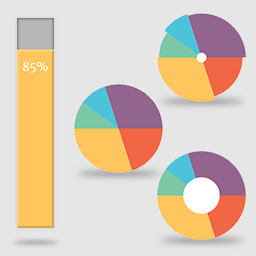
Support for multiple chart types: Pie, Doughnut, Bar, and Line charts
Fully customizable colors for chart segments and datasets
Interactive legends with customizable positioning
Data labels with custom units and threshold controls
Multiple datasets support
Countdown Block
Create engaging countdown timers to build anticipation for sales, events, or product launches.
Set custom target date and time for your countdown
Customizable time unit labels (Days, Hours, Minutes, Seconds)
Multiple display styles: Default (stacked) and Inline layout options
Multiple style options for countdown units
Unit delimiter options (e.g., “:”, “-“, ” | “) between time units
Template Library
List of Block patterns (ready to use demo content) created with the Block Editor.